Here is a screenshot of what happens when I open a field. I get the field and another line that goes diagonally to the edge of the world and back and that line flashes. Here’s the strange part. I have 2 FZ-G1 tablets, and AgOpen running under wine on a Linux laptop. The field will open correctly on one of the tablets, and the laptop but not on the second tablet. The laptop is just for messing around and trying things but it does open the field correctly. I have reinstalled AgOpen on the tablet that doesn’t work. No change. I have deleted the data folder on the tablet that doesnt work and replaced it with the data folder from the working tablet. Im lost on what to do next. Any ideas. Thanks for looking

Yes the strange part is that it work on one tablet. BUT you should check the coordinates in the new installed tablet, as it has been seen that if you start a field without changing the original coordinates (which is at a place in Canada) the your field may have a very long way to start point.
I have seen something like thart also when making a boundary on a field driving only 3 sides of the field and let the progam close the field automatic on the 4 th. side. I now drive all 4 sides until lines have crossed/reached start.
Actually your field look like it is not closed!
To eliminate any othere faults, maybe just make a new field with the local coordinates added into AOG (click the 3 burger lines at top left, and Enter Sim Coords, you only need the numbers before the decimal point)
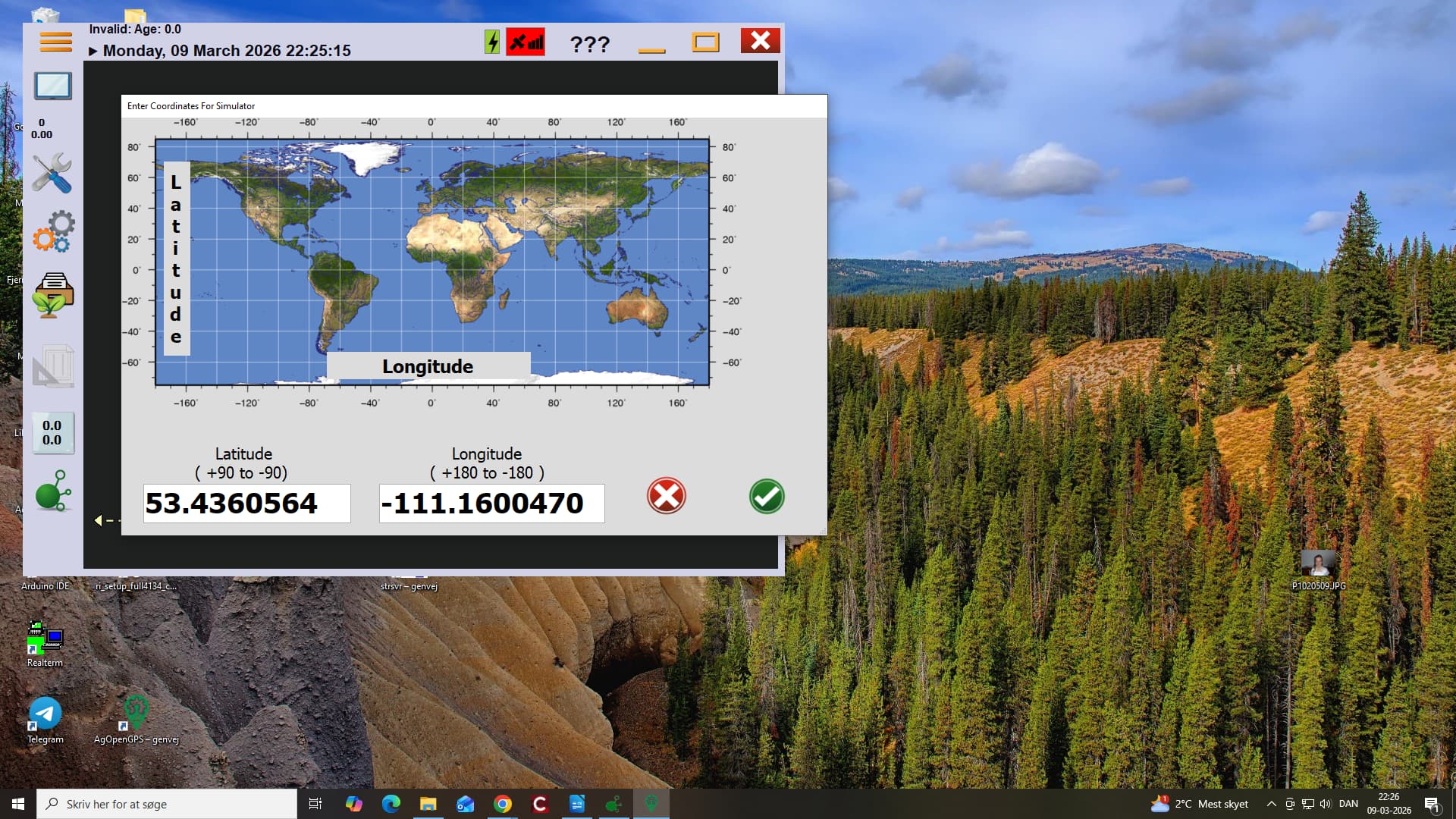
Not sure where I would check the coodinates. The fields.txt file for that field appears to show coordinates appropriate for that field. Changed the sim coordinates and the field still opens the same way. Created a new field and drove a boundry in simulator after changing sim coordinates and it opens without the added lines but the tractor is outside the field boundry but not at the end of the world. The field is closed, I worked long and hard driving the field and then fumbling with qgis to get it into AgOpen. Thanks for the ideas. Got any others?
You need a gps connected to place the tractor in the field. In real world and not SIM. Or type in the exact coordinates with all decimals for middle of field.
I have not worked with importing fields to agopen, so can’t help you with that.
I believe you easily can “drive” your tractor inside the field with keyboard arrows, if you are already cloce to the field.