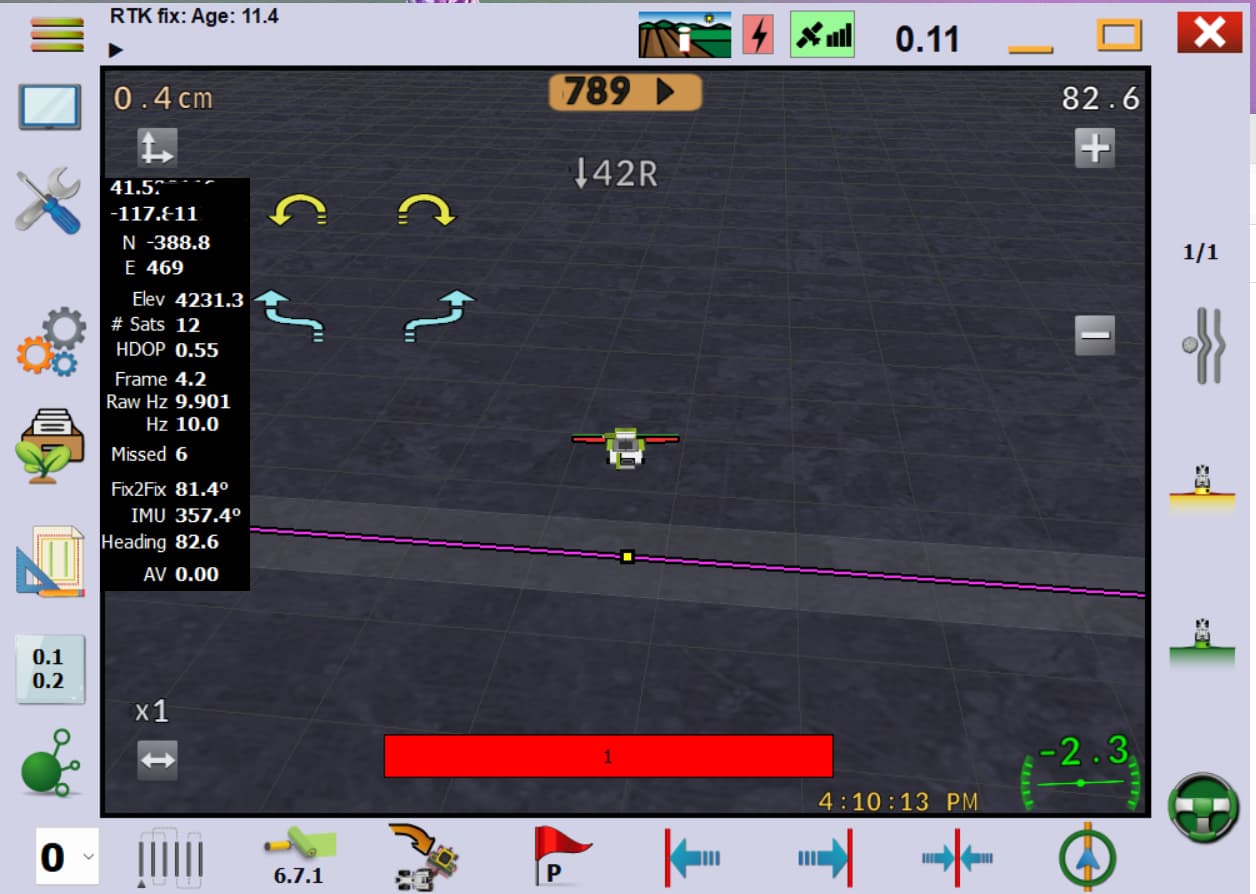
Hydraulic setup in a Lexion combine:
AIO standard V4.5
Teensy 4.1 with AIO_v4_Firmware
BNO085
Single Ardusimple F9P with a L2 survey antenna and xbee radio for RTK, F9P configured with AOGConfigOMatic
Cytron MD13S for the hydraulics
Factory WAS on the combine, 0.6v to 4.7v
Panasonic Toughpad FZ-G1
After the initial configuration, the system was working well. It would acquire and hold lines as expected.
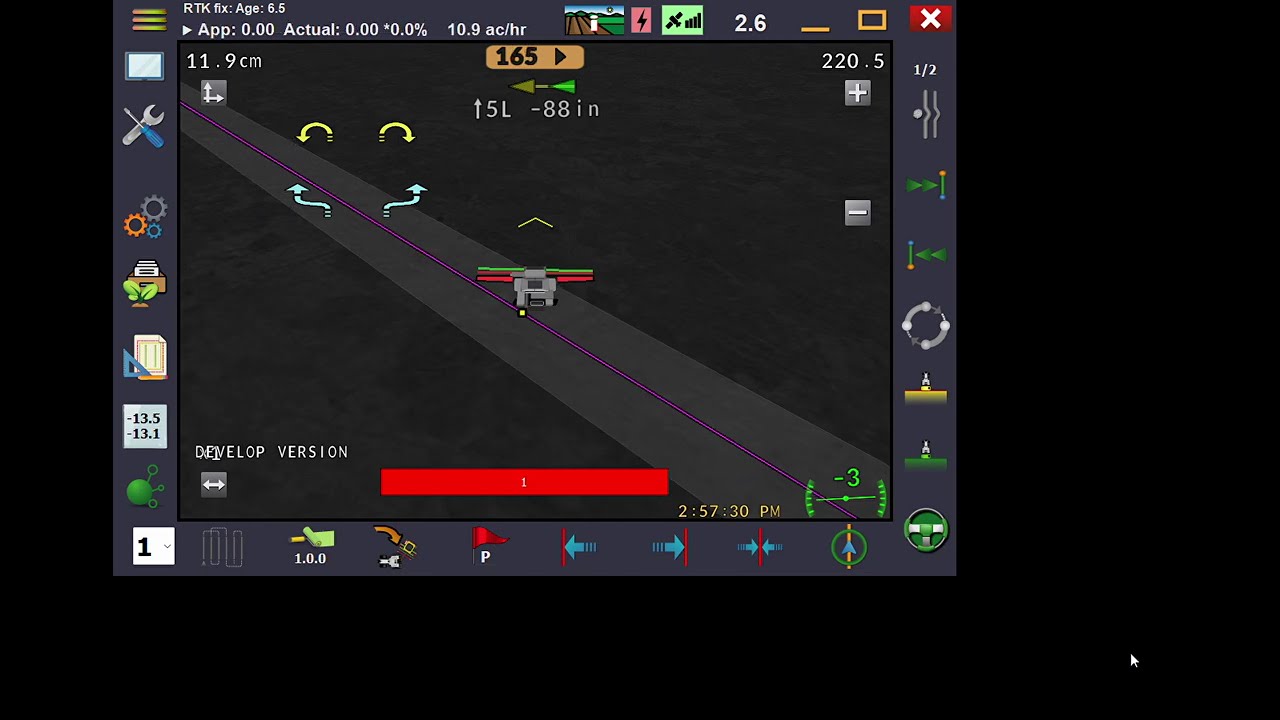
A few days later, I made some finer measurement adjustments and corrected IMU orientation then went back to the test area and noticed the guidance lines on the screen were north-south instead of east-west as I had set them. However, engaging autosteer followed my original but now invisible east-west lines. I deleted all tracks and made a new AB, but whenever autosteer was engaged the machine would turn about 90 degrees from the new line and follow heading that way. This behavior happens regardless of track type (AB, A+, Pivot).
Things I have tried:
Hard reset teensy and reload with both the AOGConfigOMatic and build from source, AOI v4 (non CAN)
Delete the config files in the documents folder and start over with the configuration.
Use Aog on my laptop instead of the tablet.
Replace the ethernet cable.
Replace the AIO setup with a spare.
Use U-Center to make sure GPS and heading was stable.
Went to a different area.
A couple other odd things that happen: Sometimes when making a new configuration, then clicking the tractor icon in Auto Steer Configuration to manually drive the hydraulic valves it would momentarily engage the lock relay, turn the wheels a bit then disengage the lock relay but the icon would stay green. Another is when using Stanley, the machine will circle back around after getting a certain distance from the engage point while Pure Pursuit will stay on the 90 off heading.
I am sure I am missing something simple, so if someone could give me some ideas on what that may be it would be greatly appreciated.
I will try making another guidance line.
I have tried making new fields.
Here is what I have for the configuration files. I have been deleting things that don’t work as I go. Probably should have saved the original configuration. AgOpenGPS.zip (30.5 KB)
And make sure you’re driving forward and tick on the tractor/combine image to set the right direction. If you’re driving backwards and the system things youre driving forward, it does crazy stuff exactly as what you have mentioned in your post.
I used the factory GPS antenna mount which is offset. I did try changing all the measurements to meters and did not enter any antenna offset. No change in behavior.
I reset the direction while driving forward but no change. What has changed is the screen would start spinning while driving backwards and it would not indicate backwards travel. The screen would also spin at times for a moment while turning from south to north.
I removed the autosteer controller and put it in my pickup and the direction tracking behavior went back to normal. It seems like there may be some sort of interference problem in the combine. But, it is still showing a 36 degree heading error while following the track if I am reading this right.
I realized that after I posted. The controller was not connected to the vehicle at the time, so the WAS would not be correct.
Thanks for pointing that out though
I did remove the BNO. The screen would just spin. I am fairly convinced that there is something in the combine causing interference problems as moving the controller to another vehicle seems to fix the problems. The other vehicle is a pickup though so no way to test actual functionality, just observations of behavior on the screen vs the combine mount point. I have not had time to investigate further.
The controller is cross-ways behind the drivers seat and flat.
By corrected I mean set parameters in the software.
That does bring up another question though. With the controller mounted with the “Y” facing the back of the vehicle I set invert Y which puts the IMU heading 180 from actual. Would that affect operation?
The source of the interference was the FM radio antenna. No more spinning combine and AOG is now tracking forward and reverse travel properly. Unfortunately my original problem still remains. Removing the IMU made no difference.
I just can’t think what could be different between the initial configuration and now. The initial config was a default install with nothing but the vehicle type and and measurements changed, then manual auto steer configuration. I have followed those exact same steps a couple times, but still the same.
No not at all . The heading from imu is only used by AOG to fuse with fix to fix heading.
And anyway, each time imu is powered on, it will point in north direction, but if you turn your machine then north will obviously be somewhere else (in relation to front of machine.)
The important thing is to check Roll is correct.
In the middle of harvest so not much time to work on this.
Did wheat the old fashioned way with the steering wheel, but hope to have autosteer for alfalfa due to very poor visibility at times.
It behaves a little differently with Pure Pursuit, but not correctly.
I put Serial.prints in various places in the arduino code. The steering controller seems to be doing what it is told. The AOG code is much harder to follow however so have not figured out how see exactly what it is doing. Little experience with desktop apps and none with C#.
Short video if it helps. Steering wheel was untouched after engaging autosteer. If disengaged then reengaged it will pick a different heading.
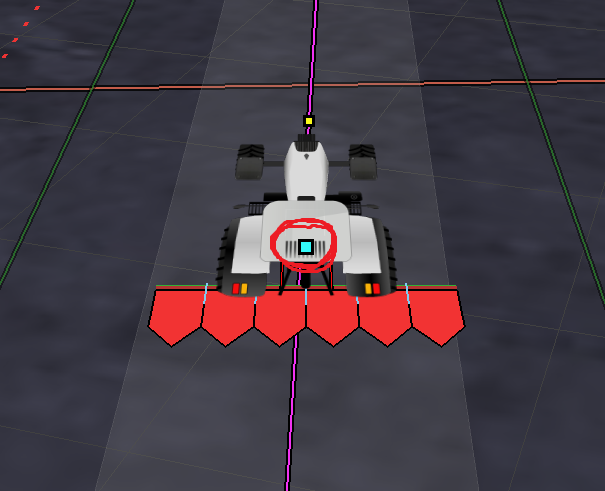
Usualy, there is another blue litle square shown on the vehicle representing the antenna position. I don’t see it on the video, what measurements did you enter in the vehicle setup settings?