I like using the boundary line feature for keeping my passes aligned along the edges of fields. The issue I run into is if I don’t disengage the autosteer before the corner, AgOpen will try to do a sudden 90 degree corner. Is there a way to set it up so it will go straight into the corner? I would rather not have to set up a line for each edge of the field and keep switching between them.
sorry, you need o set a line for each edge
you will soon get the hang of it,i did
and it will auto switch between them in use
1 Like
How do I set it up to auto switch between lines?
What you can do is, after creating ab lines of all edges of the field, enable this function:
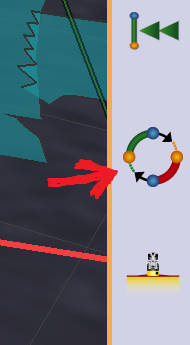
Its still not fully automatic, but it automatically uses the closest line depending of heading and position.
2 Likes
I had no idea it would do that, I will give it a try. Thanks for the replies
1 Like
This topic was automatically closed 60 minutes after the last reply. New replies are no longer allowed.
It doesn’t pick the line using heading, but this would make it much better.
It only looks for the closest reference line.
Or has it changed?
i find the line finder works better if you go on your line list and pause your AB line
I tried in simulator turning the tractor really changed the ab line depending od the direction its facing… it was the latest version