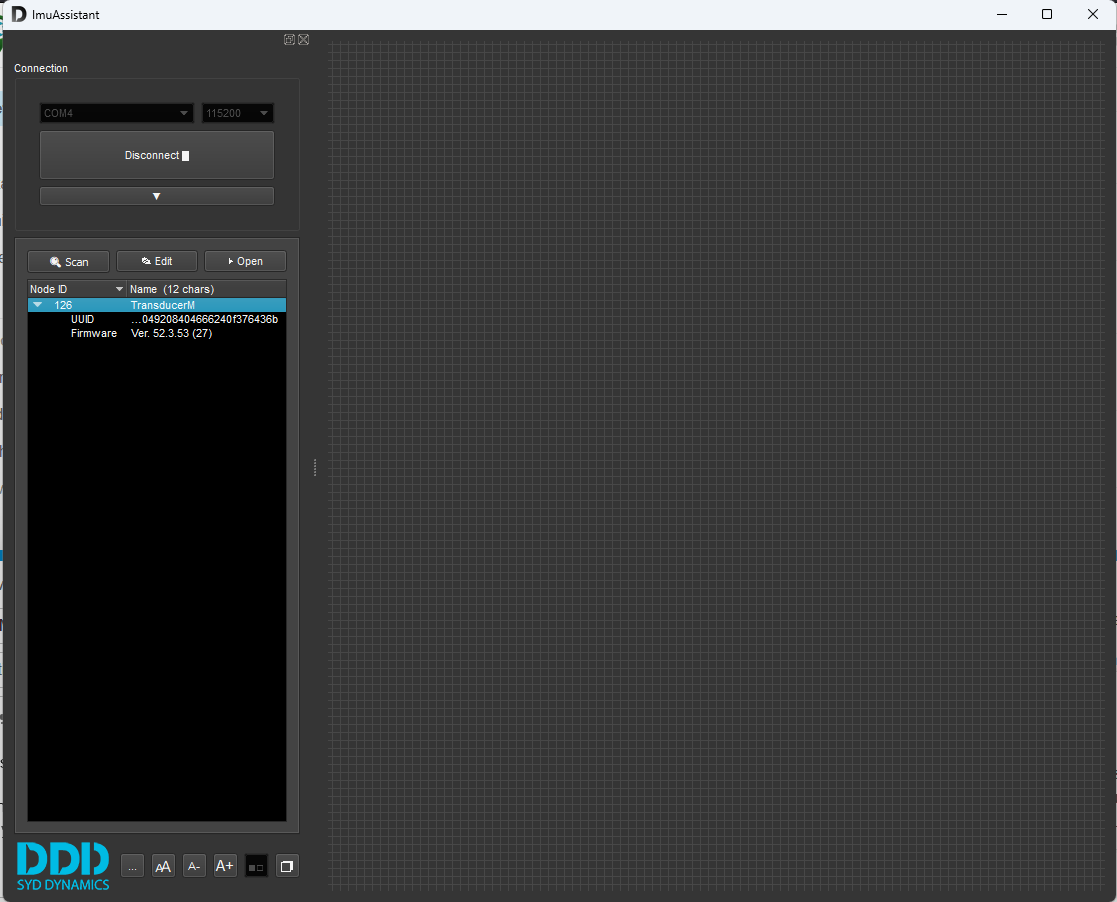
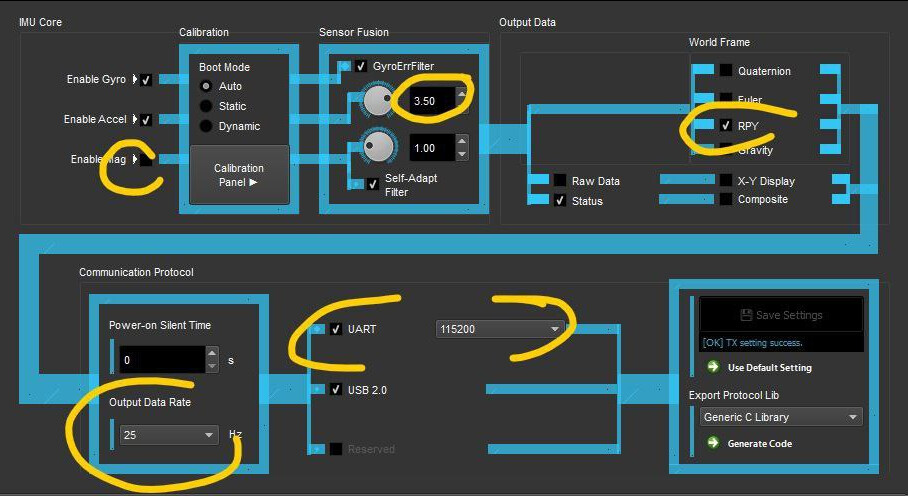
Save and it should be ready to go.
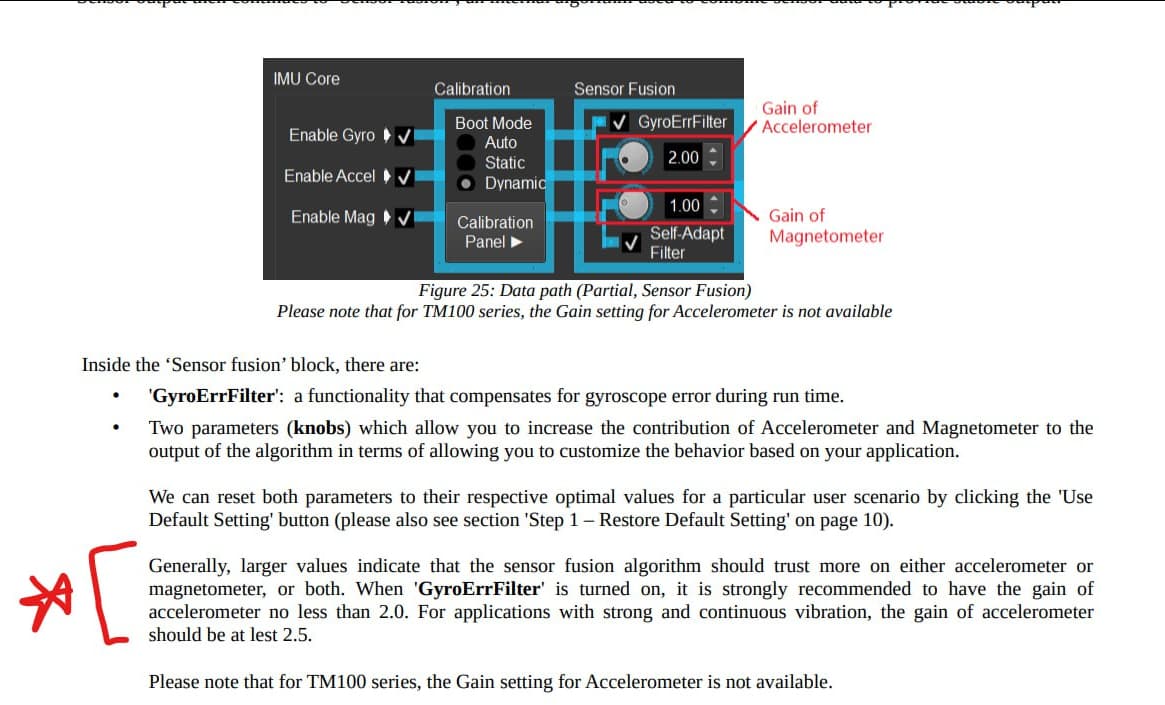
Most users say there is no need for sensor calibration although it’s possible to do if someone experience unstable roll or heading in a vibrating environment.
,It seems that Roboshop is the only distributor for now, shipping from Canada, USA or UK"
Not true
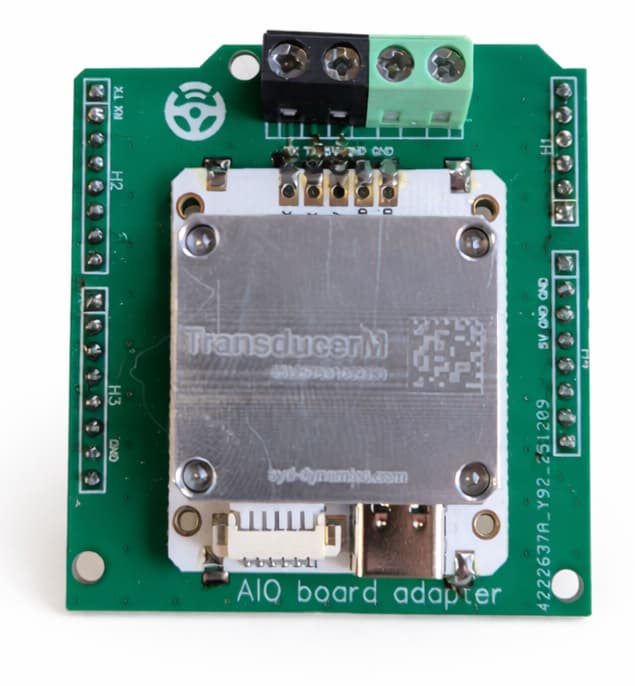
We have a large quantity in stock, both in the standard version and in the version with a soldered adapter (plug&play) that allows you to plug it into the STD PCB in place of the GPS module.
We ship everywhere
Pls check our store - https://navisklep.pl/k/sterownik/zyroskop-imu/?v=9b7d173b068d
Thank you @Pat for the tutorial! I’d like to hear more on how people are connecting the IMU to AgOpenGPS. Adding in an arduino or directly to the teensy etc…
All the users reported more calm steering especially on bumpy fields. This means where we have high vibrations and rolls the steering could stay in the relatively aggressive settings without jerky wheel movements so that’s definitely a plus.
There are however multiple users who reported line shifts after turns or when hitting hilly areas. The roll value seems to be correct so we’re unsure what causes this 5-15cm offset.
And there’s a problem with the heading value at low speeds or when we stopped. This seems to be related to the engine rpm and vibrations. Running the calibration does something but still isn’t as good as the BNO.
What does everyone else sees thinks?
Overall I think the TM is a great solution but something in the settings definitely could use fine tuning.
Totally agree with your findings
Forward/ reverse detection at initial start up isnt great either
Overall the tm171 is a big improvement over the bno. The main and biggest issue is heading drift at standstill
For forward/reverse detection you just align the IMU heading with gps heading at startup
Then we check steerangle and rads/sec to see if the initial drive direction is correct
If sign of both (steerangle and rads/sec) is the same we drive forwards else we drive backwards
If we drive In the wrong direction we add 180 to IMU offset
If (IMU heading +offset) -gps heading
< -90 or > 90 we drive in reverse
To fix heading drift when standing still we only update IMU heading when speed > 0.075kmh