I have mapped my fields using SW Maps, a simpleRTK2B using RTK from my own portable base. I’ve run the maps thru QGIS to connect all my lines from my mapping into one continuous boundry after I fixed all the goofy corners and straightened out where I had to drive around a tree branch or something. Saved the repaired layer to a new KML and then opened it with Google Earth. It all looks right in Google Earth. Saved the Google Earth file and then opened it with AgOpenGPS. What I get is a long skinny .2 acre teardrop instead of my 90 acre field. I thought I had read all the threads and was following the instructions as I had read them. Obviously not. What might I be doing wrong? Like I said it all looks good in Google Earth.
Lon and Lat reversed? was a problem in OpenGrade3D with files from Qgis.
No it doesn’t appear like it to me.
Do you use the default CRS:EPSG :4326 - WGS84 for your KML file ?
I’ve never had any trouble importing the KML file made by Qgis into AgOpengps, they
fit perfectly.
Yes, I believe that I am.
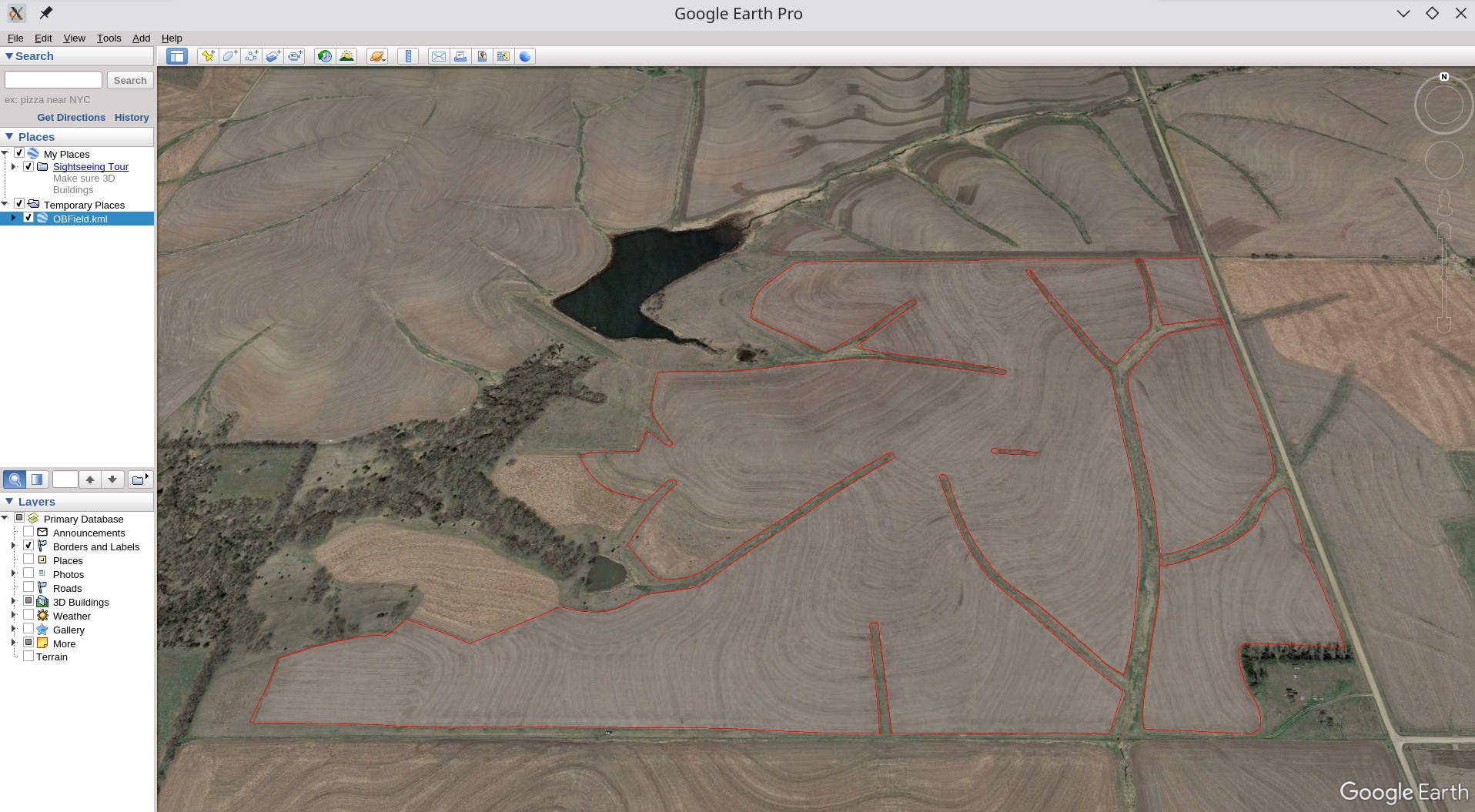
So here is what I’m working with. This is a screenshot of the file as opened in Google Earth.
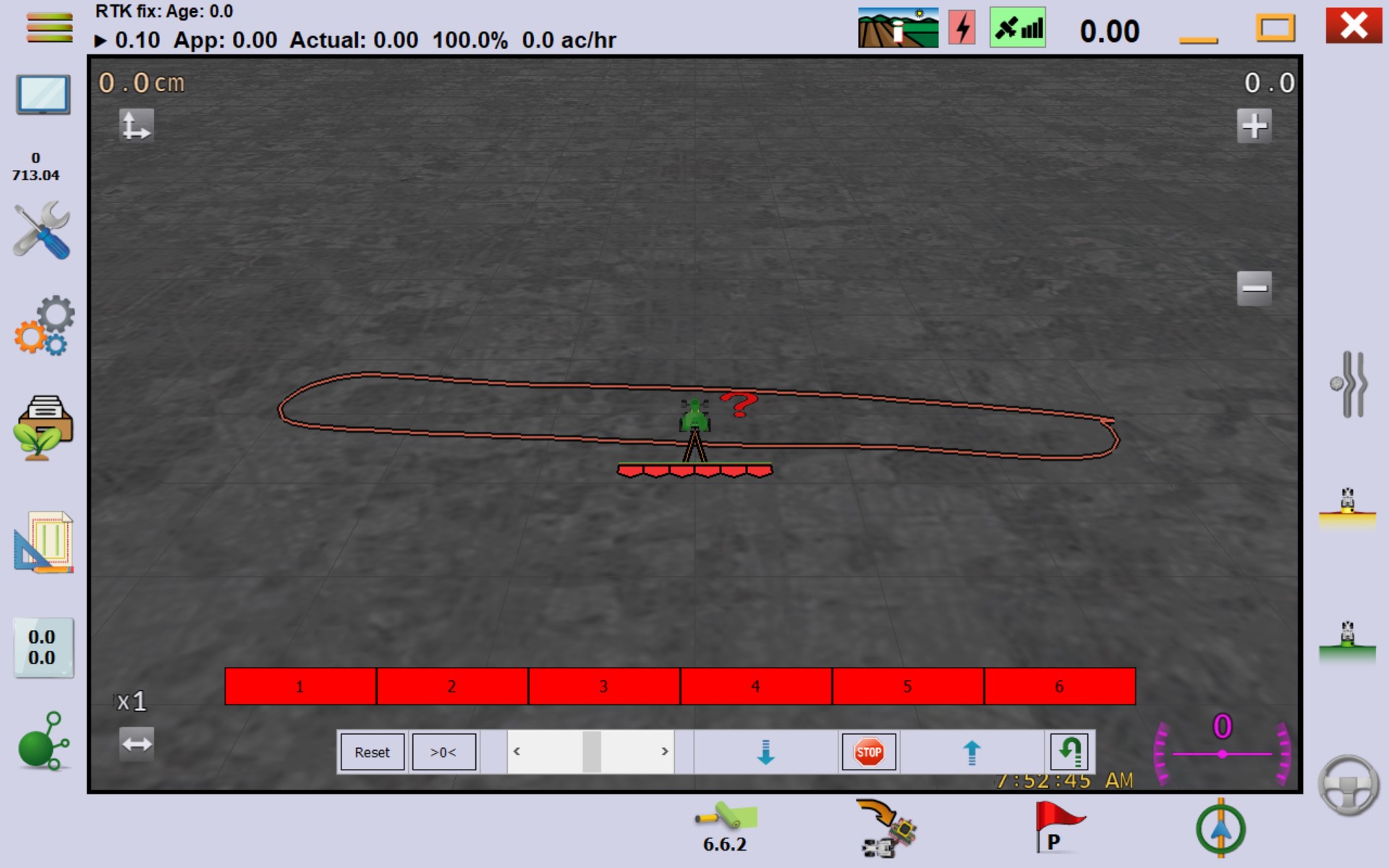
This is a screenshot of what I get when I import it into AgOpenGPS.
This is the file saved from QGIS.
OBField.kml (182.0 KB)
I’m sure what going on is something simple and most likely a mistake on my part but I seem to be unable to figure it out on my own. Thanks for your replys.
I think AgOpen won’t do this, you can create a complete outside boundry and inner boundries for the interruptions, or create seperate fields for each “part”.
The green line (if Only I could draw) is your outside boundary. Other fingers are interior - flag as drive thru, if you can. First in google earth trace your outer boundary, save and see if it will open in AOG. Then add the fingers, 1 at a time (I think). Let us know how it goes.
1 Like
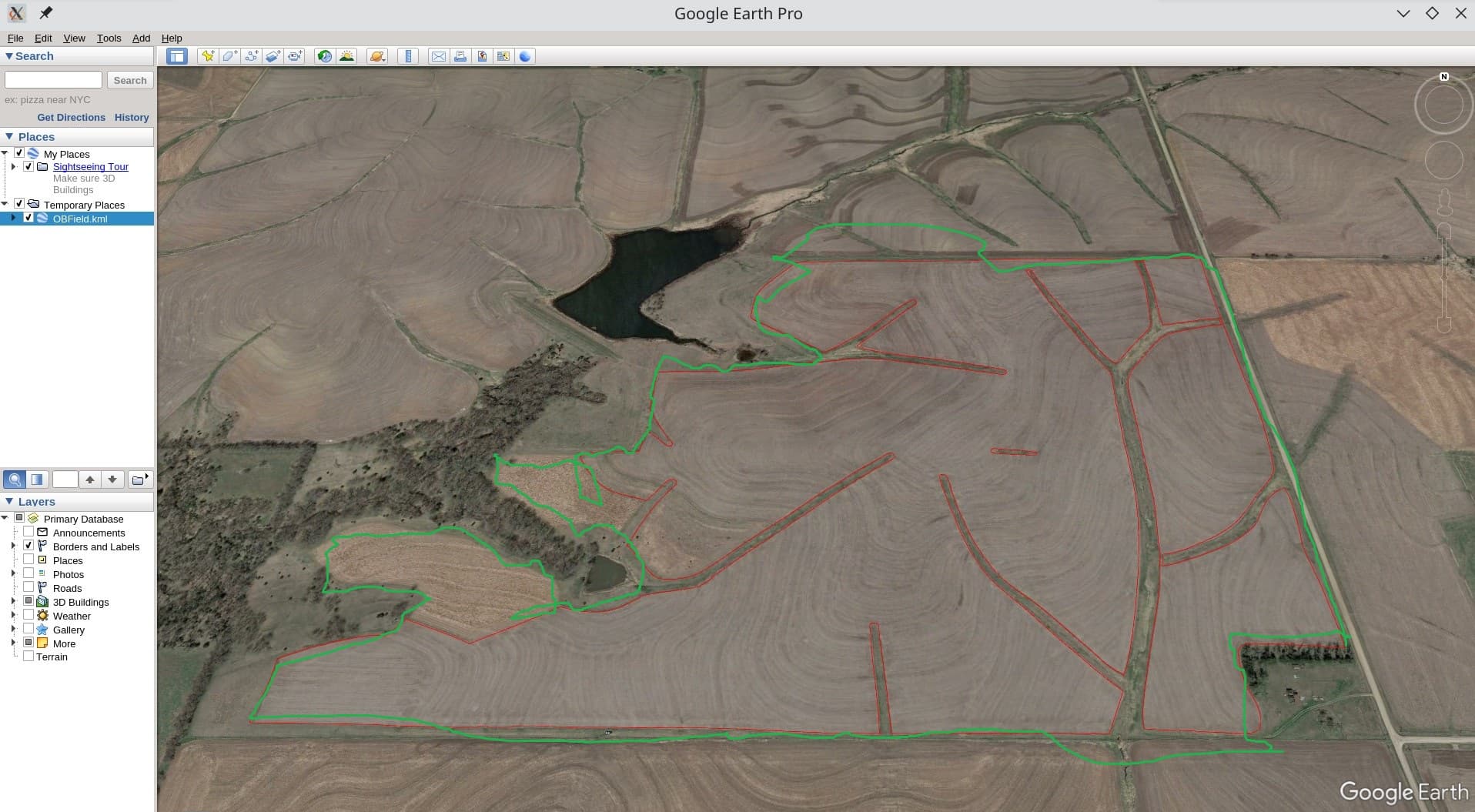
Looks like your file has multiple boundaries. If there are multiple boundaries, AOG will import the first one, and just not show the rest because it does not know which boundary is the perimeter/outside boundary, and which is internal. So go back into GIS and delete all of the lines except for the main perimeter boundary. I believe any internal boundaries will need to be logged live with AOG.
Yes, in the first pictures I do have an inner boundary. That was a mistake on my part. Here is another screenshot of the mapped boundary from qgis. The screen shot from Google Earth was not completely clear on what the boundary looks like The boundary has been modified in the green circled areas to accomodate having only one outer boundary. If you follow the red line I believe you will see that it is one continuous line. QGIS shows one feature in the attribute table. Seems like it should work to me but I sure cant prove it.

Thanks for the help and suggestions. The last screenshot that I posted does work. After quite a little bit of messing around and making sure that all the lines terminated properly and everything merged correctly I can get it to load as a KML in AOG. It’s not a perfect solution to single outer boundary limit but I think it will work. Now if someone would tell me how to add the terraces that I have mapped and will be my curved guidance lines to the above map it sure would be nice. That probably needs to be a thread all it’s own. I’d sure pay attention if it got posted here tho. Thanks again.