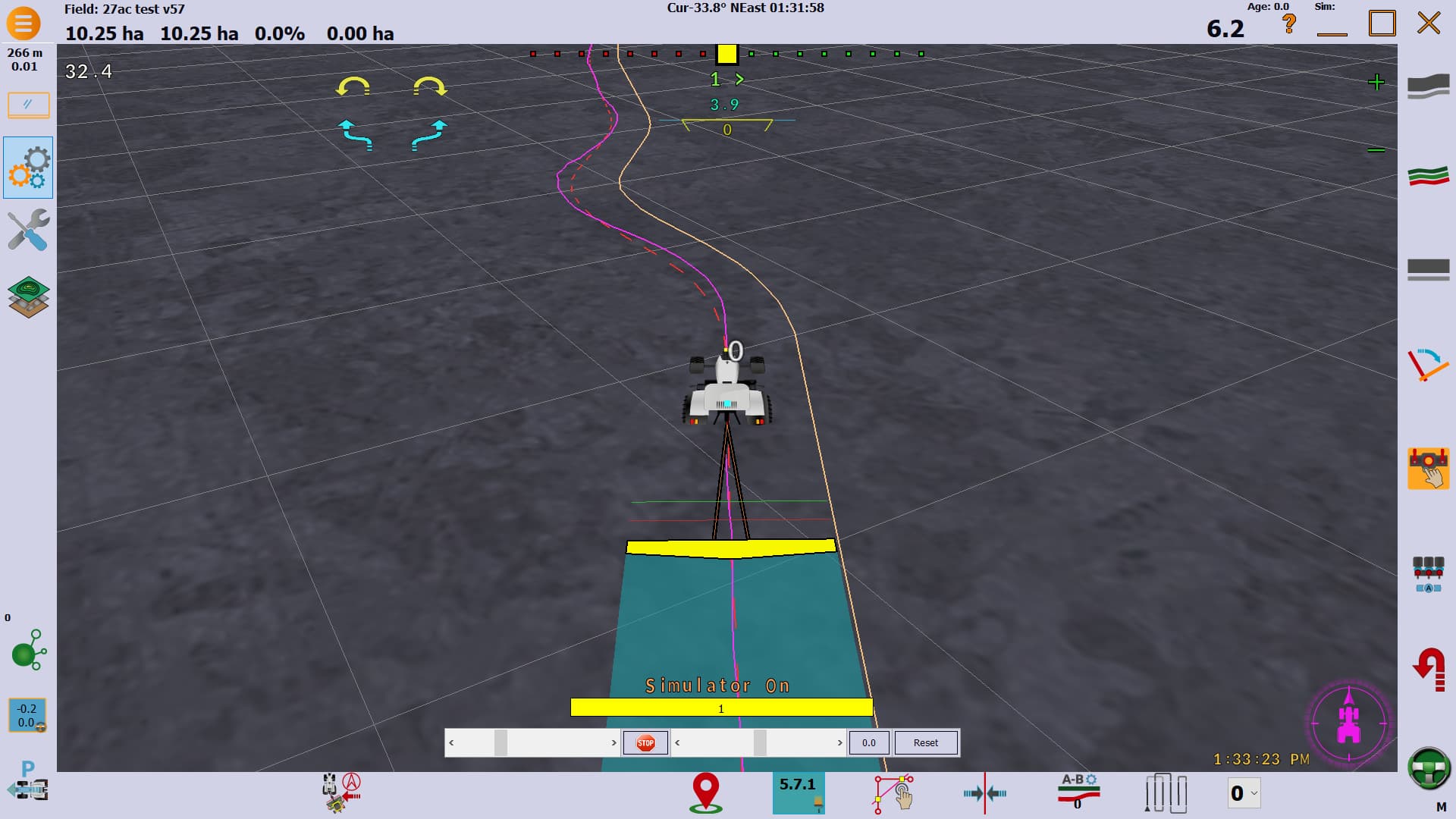
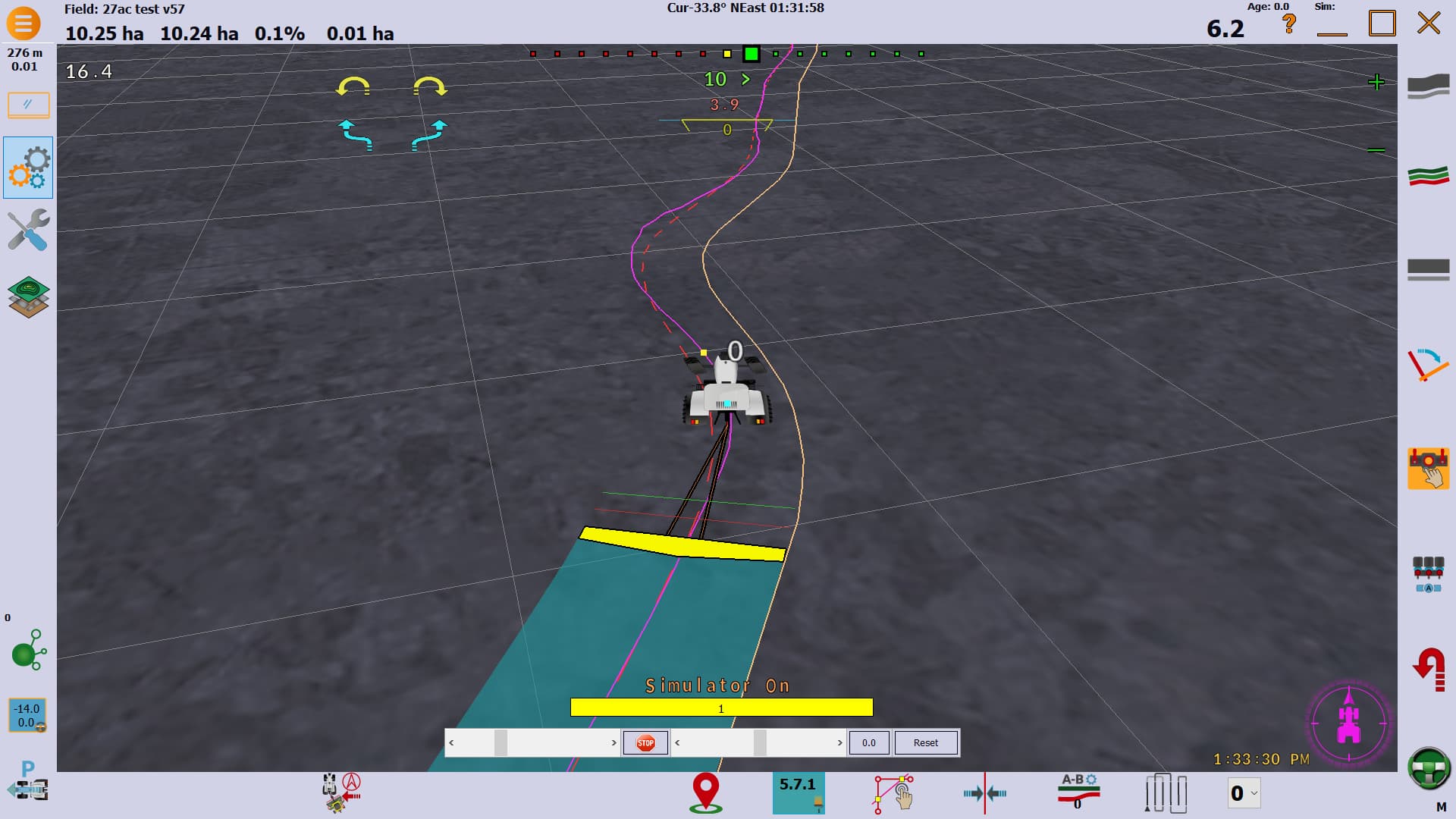
When I was using an old version, I think v5.6, while following a curved guidance path it would steer the tractor off the path so that the trailed implement was kept centred on the line while going around bends, instead of pull inside.
Since moving to V6 it hasn’t done this with curved paths and I haven’t noticed a way to make it do it. Is this an option that can be toggled on/off and if so where do I find it?
This could be the Stanley and Pure Pursuit modes. From my understanding, Stanley will try to keep tractor on the line while PP tries to keep implement on the line… they can be switched in settings in new versions. On older versions it was on main screet bottom left…
To be clear AOG only brings the pivot to the line. That’s the rear axle on at standard tractor.
Pure pursuit tend to steer the front axle to the line where Stanley is the pivot. (Or the other way around)
Sadly it doesn’t try to put the implement on the line yet.
There’s some debate about if it’s actually worth to try it with no antenna on the implement, only his estimated position.
An even with the implement steering (AOG_DEV), for now both tractor and implement try to follow the line.
There no algorithm to place the tractor at a spot to just do “passive steering”.
I’m wondering what people would actually prefer if all were available:
Just an estimated position for approximate position.
Install the second receiver on the implement for slightly better precision
Or install an active implement steering device to have great precision.
on a mounted seeder or tool does it matter?
if the tractor follows a virtual curve on agopen each pass the tool will be same error each pass and match up?
To clarify, On the older version of AOG, it is the purple guidance path generated for the tractor to follow with trailed implements wasn’t parallel to the recorded curve. The tractor is still trying to follow this purple path, not the implement, but the path appeared to be generated so that the implement ends up in about the right place. It’s not implement steering, but it was very effective some situations for me.
The difference between the purple and dashed red paths is very obvious in v5.7.1 when the paths were based on center line of the implement rather than the edge of it.
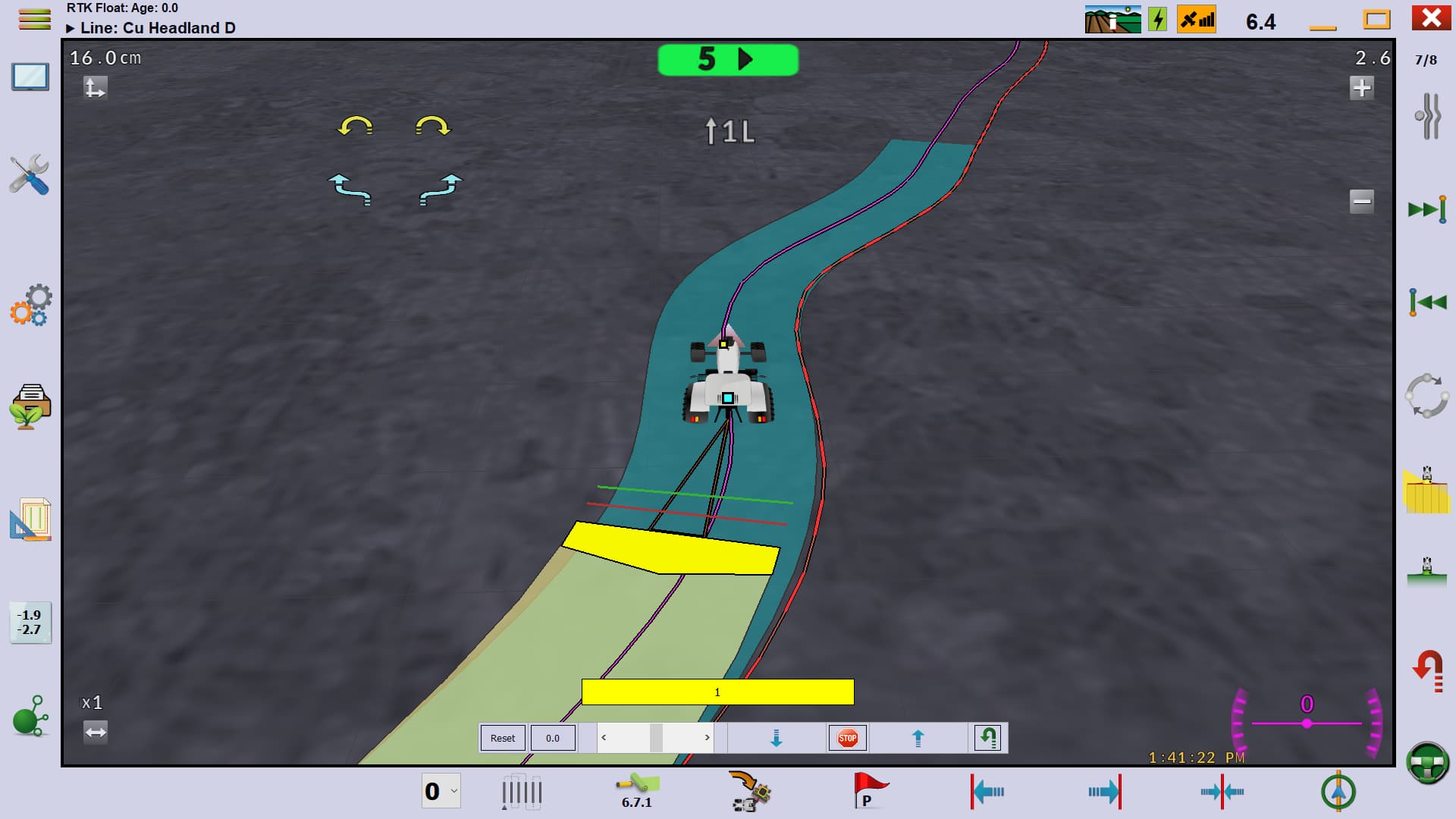
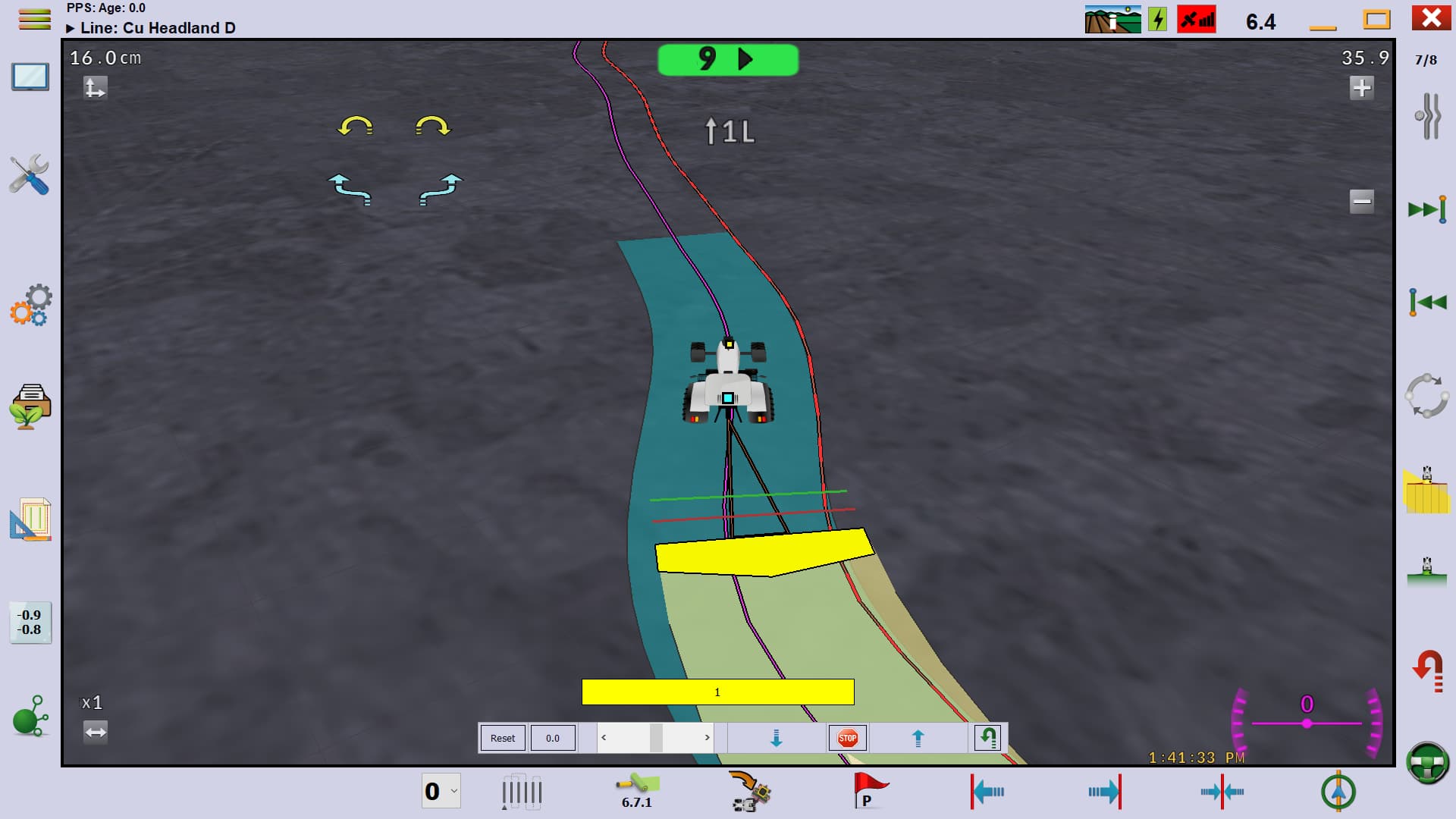
This is with a trailed seeder with relatively long drawbar, not a mounted implement. Most of the time its not an issue, but when sowing field headlands with wiggly boundaries, the old version had a feature which help make the implement match up to the field boundary much better.
Same field, tractor and seeder. Path recorded using the same headland bondary. Version 6.7.1 recording in yellow. The purple path is generated a constant distance from the boundary and the seeder cuts inside the corners as a result.
I can think of several reasons, one is simplicity for a range of drivers.
I recall that when I was using v5.6 it only worked going from A to B along the curve. If I tried that test in the other direction it could end up even more offline than the yellow V6 did in that comparison. I guess it needed code improving to recognise if you were traveling from A to B or from B to A and adaptting to suit. It was only really noticeable on tighter bends and I just made sure I sowed all my headlands going anticlockwise around the field.
Yes, you can copy the path and the flip the AB around in V5 to get the implement following a boundary closer enough both ways. The list of paths could get rather cluttered though. Some of the nice features that V6 added was being deactivate paths in the list of them and being able to scroll either way through all the activated paths.
I’m pretty sure I wouldn’t want to be switching paths though every time I turned around while working across a whole field.
Wow, finally someone demonstrated what has been my frustration all along.
This calculated curve path compensation to get a trailed implement closer to the actual line is something that Fendt Varioguide does very well at, so well in fact that I’m going back to Varioguide for my planting and cultivating guidance. I love the AOG interface for line development and management, but not having the ability to plant around curves and have the implement edge following the boundry line within 6 inches of acuracy just doesnt work.
With Varioguide then can plant with a trailed implement around flat curves amd it gets it so close that I can come back in with mounted camera guided cultivator, and the tractor stays between the rows right through the curve without nudging. Something AOG doesnt even come close to doing.
The passive steering with implement mounted antenna would improve the acuracy of this as well as majorly improve side hill acuracy for draft compensation, the side hill per degree of roll slider is a great idea but fails in areas with abrupt degree changes from plus to minus and back again.
I was showing my dad this the other day in the simulator. Run the tractor along a curved guidance line and the tool will be off quite a bit depending on the curve. IMO the guidance curve should always try (even if estimated) put the tool in the correct spot.