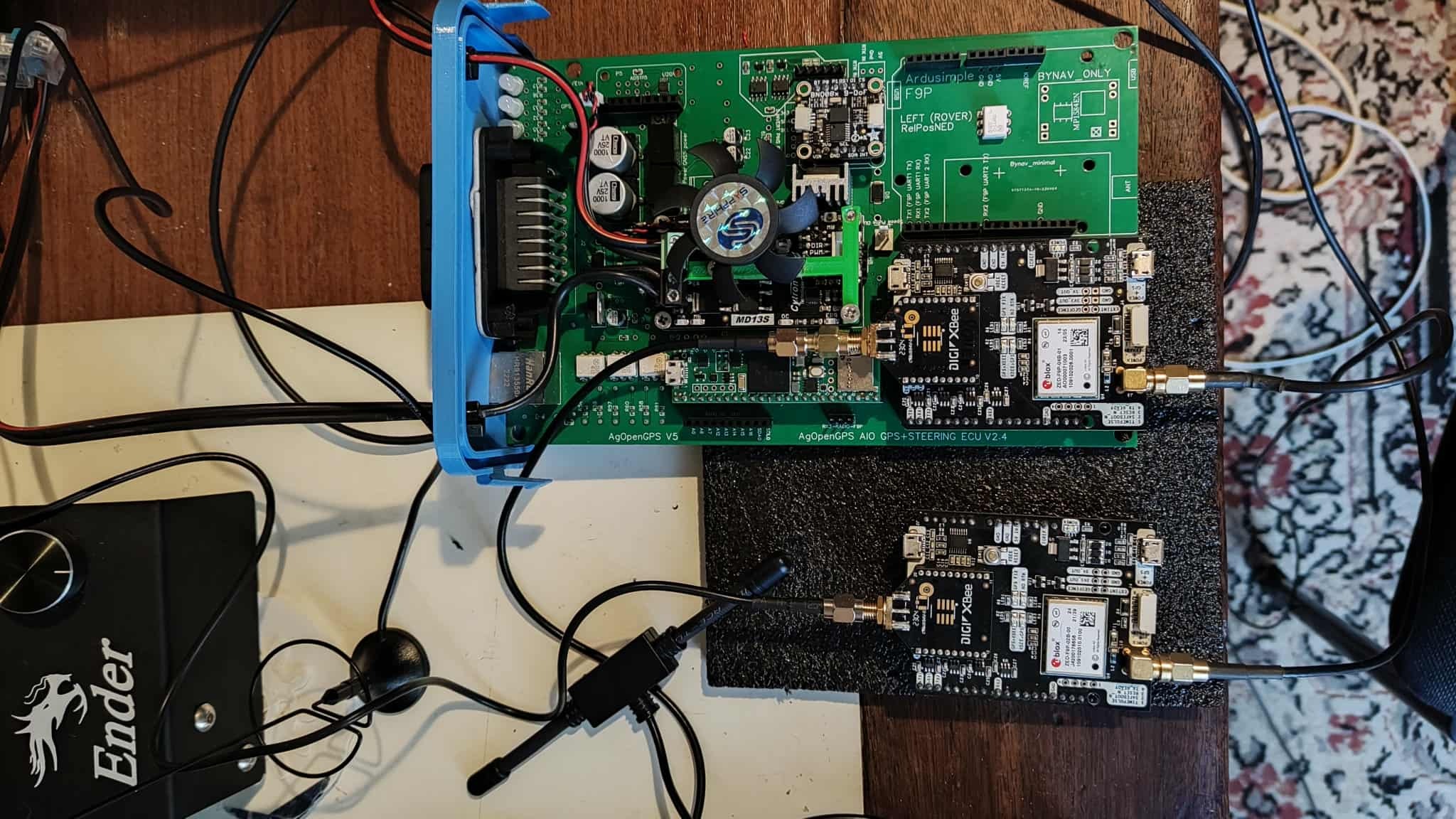
I’ve been having trouble getting the accuracy I need. I thought that poor cell phone coverage, the base station being too far away, and some computer lag all contribute to not getting great accuracy (30 cm at 5 km/h).
So I think I need a base station, but I didn’t want to use the RTK2GO service because I need an internet connection, and I can’t get a stable connection in the field.
That’s why I thought about connecting to the base station via radio. The distances are short and with direct line of sight without any major obstacles.
My board is the all-in-one v2.4.
And I have two ZED-F9P and two XBEE XR 868 TH. My idea is to use a ZED-F9P as a base station and send corrections with the XBEE, and another ZED-F9P on the tractor and receive the corrections with the other XBEE.
I asked chatgpt if it was possible, and he said yes and walked me through the configurations. I managed to get the two XBEEs to communicate via radio with the XCTU program, but I can’t configure it in AGIO.
I don’t even know if it’s possible; to be honest, I don’t know. I just believed in AI. My skills are at their limit.
Yes it is possible, That is how i run my set up. I have the one Zed-F9P configured as a base station, and then my tractor one configured as a rover. It would be helpful for you to share what boards you are using to let us know where to begin to help. For example some of the Ardusimple boards already have a slot for the xbee to insert into that have all the traces preconfigured to do exactly what you are asking for. In that case as long as the xbee’s are configured to communicate on the same channel it becomes virtually plug and play. In the same case some of the all in one PCB boards for the auto steer deisgned for ag open gps also have a preconfigured slot to plug in the xbee for the same communication. If you can share your board set up and what you are using the group can give you advise from there.
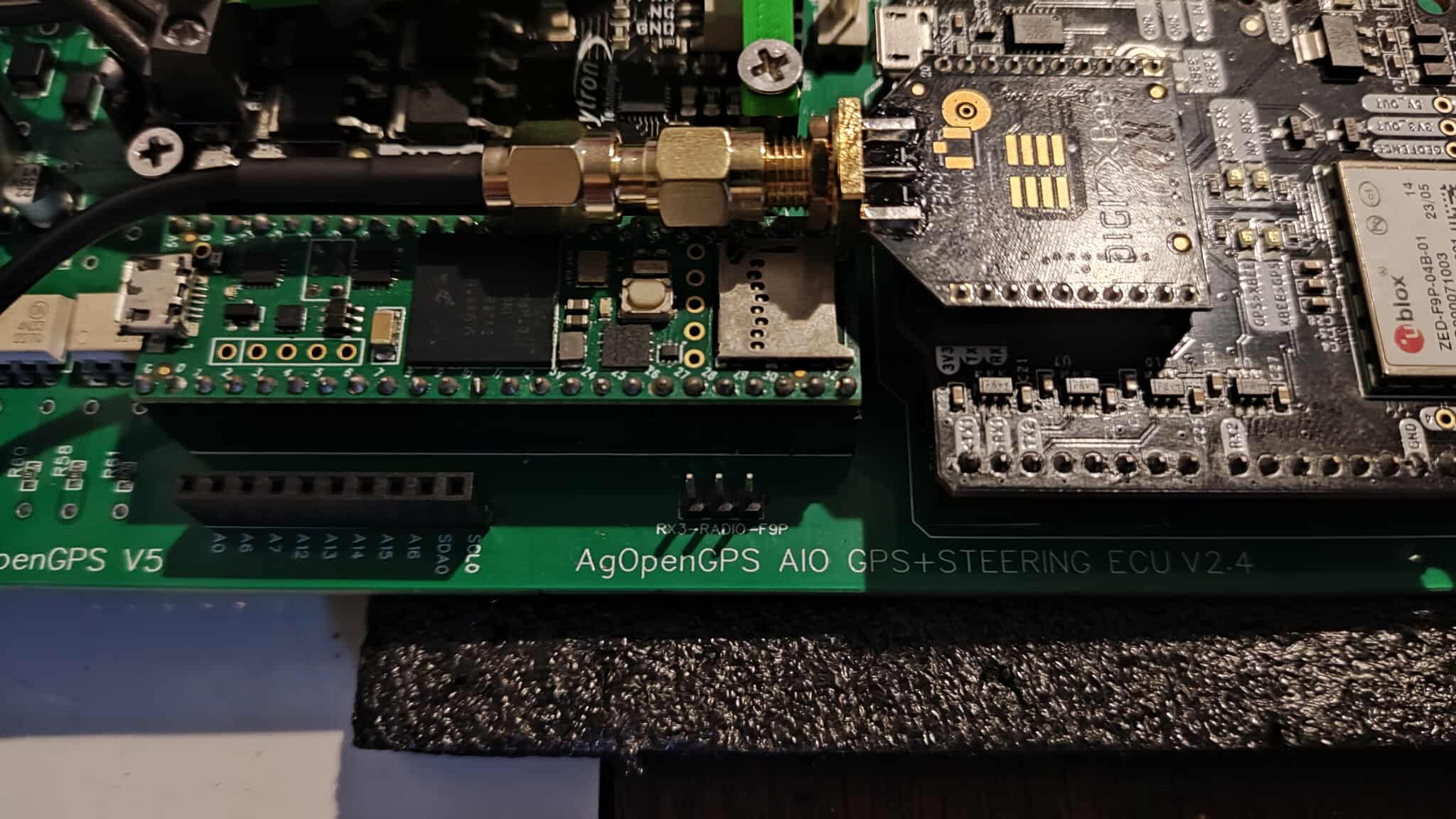
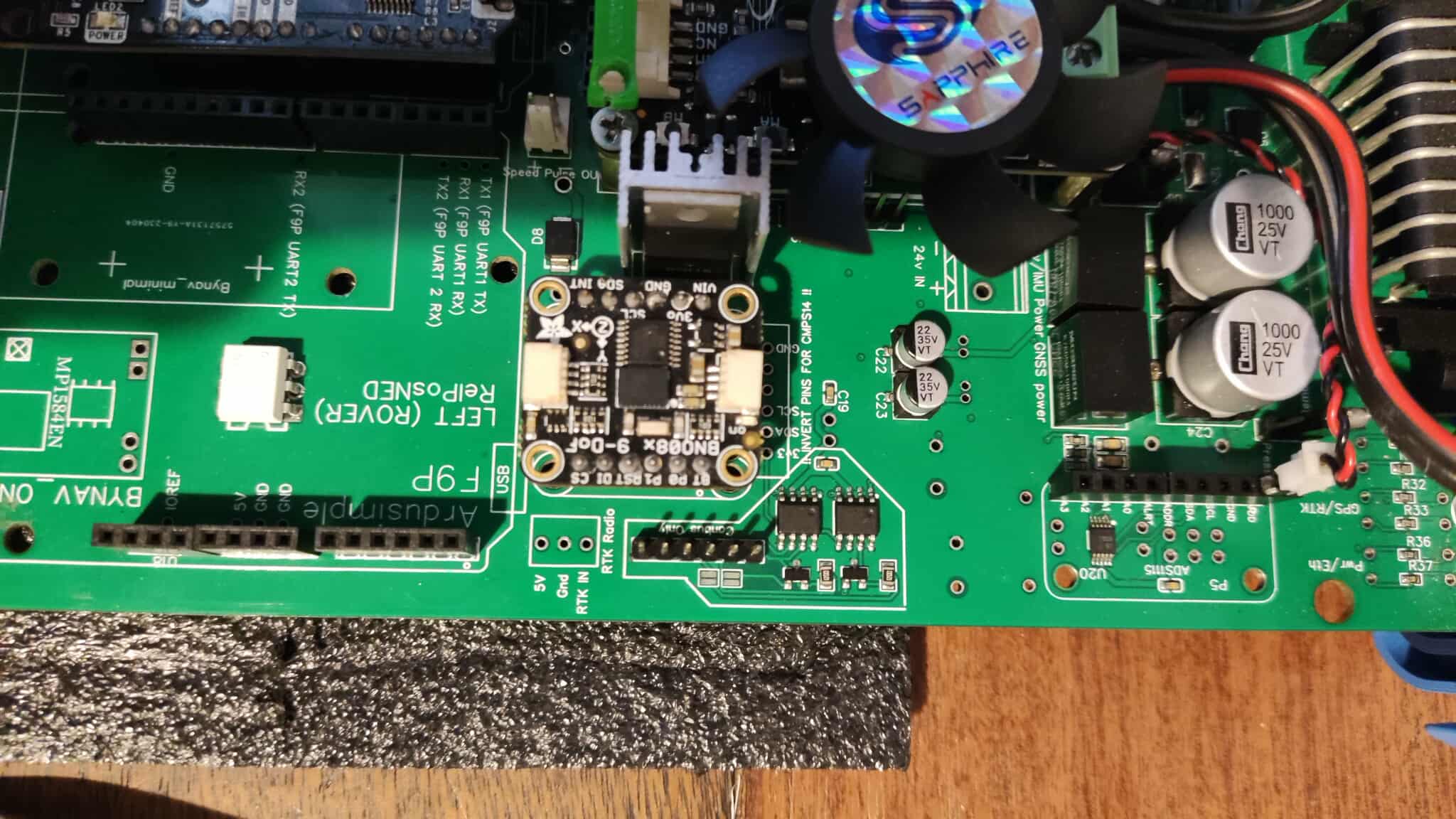
I saw two marks on the sides of the board referring to the radio “RX3-RADIO-F9P” and on the other side “RTK IN and RTK RADIO” Do I have to make any connections there?
It appears you have it plugged into the right spot for it to function, however i don’t reconized that version of the xbee. Can you elaborate more on what xbee you are using?
t’s an XBEE XR 868 TH, which chatgpt recommended as the most suitable for my area and terrain.
In the second image, there are 3 pins labeled RX3-RADIO-F9P. Do I need to put a jumper there?
Thanks.
I can’t say i have used that version before. But i would 100% recommend you start with checking the pin out on that board to make sure it matches the pin out of the xbees the all in one was designed for. The xbees offered by ardusimple were designed to be plug an play with the GPS boards. They also come preconfigured to work.
I would start by trying to compare the pin outs to see if they use the same ones, as some xbees have different pin outs.
The second step i would recommend is get a stand alone USB to Xbee board that has the right pin out for those xbees to allow you to direct connect them to your computer. Sparkfun sells some good ones for $20 - 30 USD. Again make sure you get one that matches the pinout. Then download XTU from Digi’s website and check the configuration on those boards to make sure they are cofingured to communciate with each other. If they cannot detect each other on XTU that will help you figureout where to start. If they are communicating via XTU, then you can try to configure them to your GPS boards.