Hi all, recently upgraded to a new tablet and installed version 6.8.1 to it and the teensy. In AgIo UDP monitor I am receiving gps data but agopengps is not acknowledging it, so continues with the rotating “no gps” icon.
Had this system working on an older version different tablet but not now and I don’t think I’ve missed anything! Any help? Tia
Have you configured the ethernet settings on your new tablet
Yes as far as I’m aware they’re all correct as I can connect to the board and agIO detects it all, just not data transferred into agopengps, not even IMU data
Put a picture up of the agio page
Do you have the 3 green modules all showing connected
I will do later. Yes all 3 modules showing green and connected, data in the monitor screen in agility, I know usually there’s a little delay in agopengps when everything boots up but currently it never comes on
Does antenna have a clear view of the sky
1 Like
Yes mounted on tractor roof at time of testing
A silly question but your not pressing the redX when the agio page loads up are you which then shuts down the connections.
Seems odd you get all 3 green modules connecting but no gps
Maybe put some picture up
1 Like
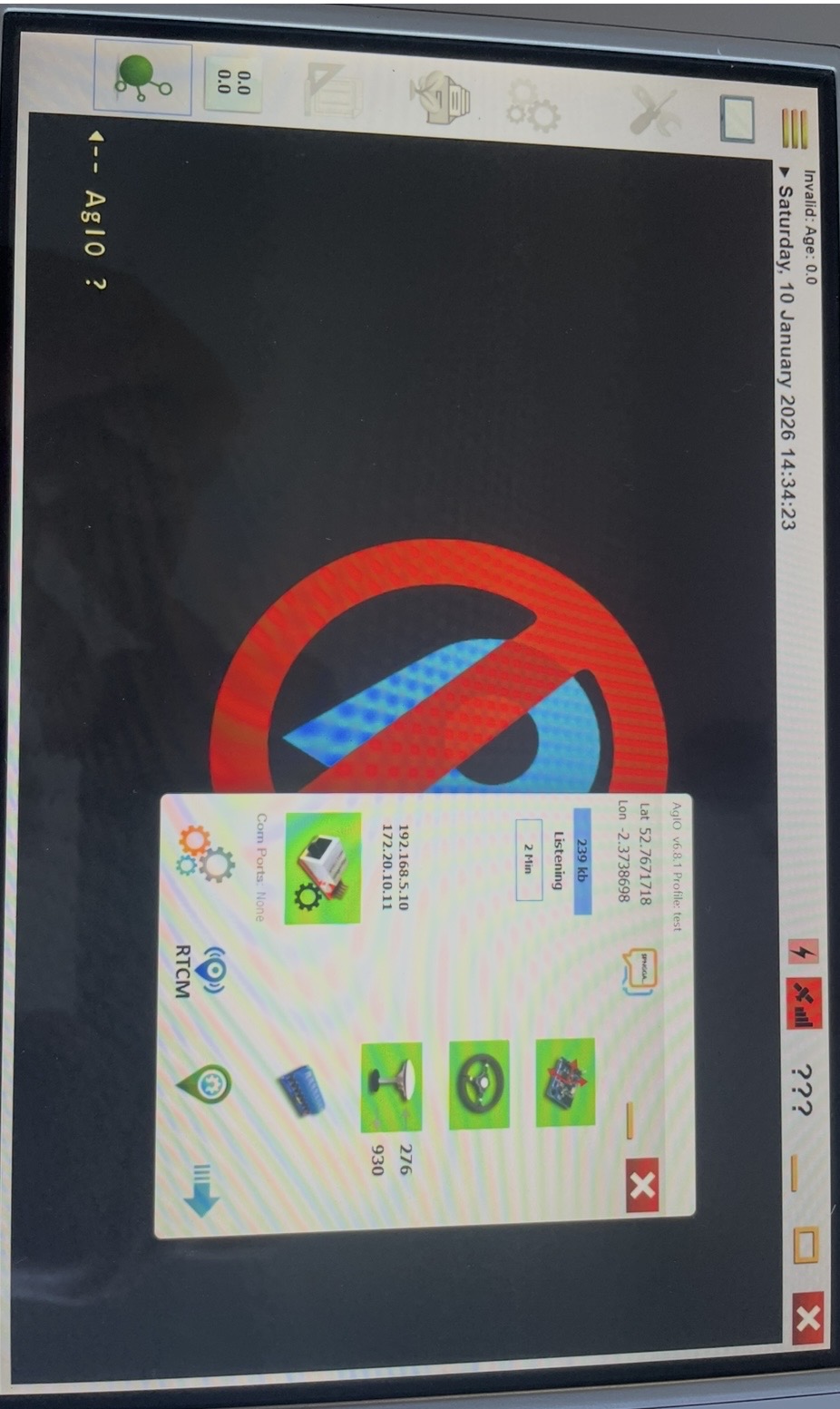
Click on the speech bubble at the top
Is the teensy flashing orange light
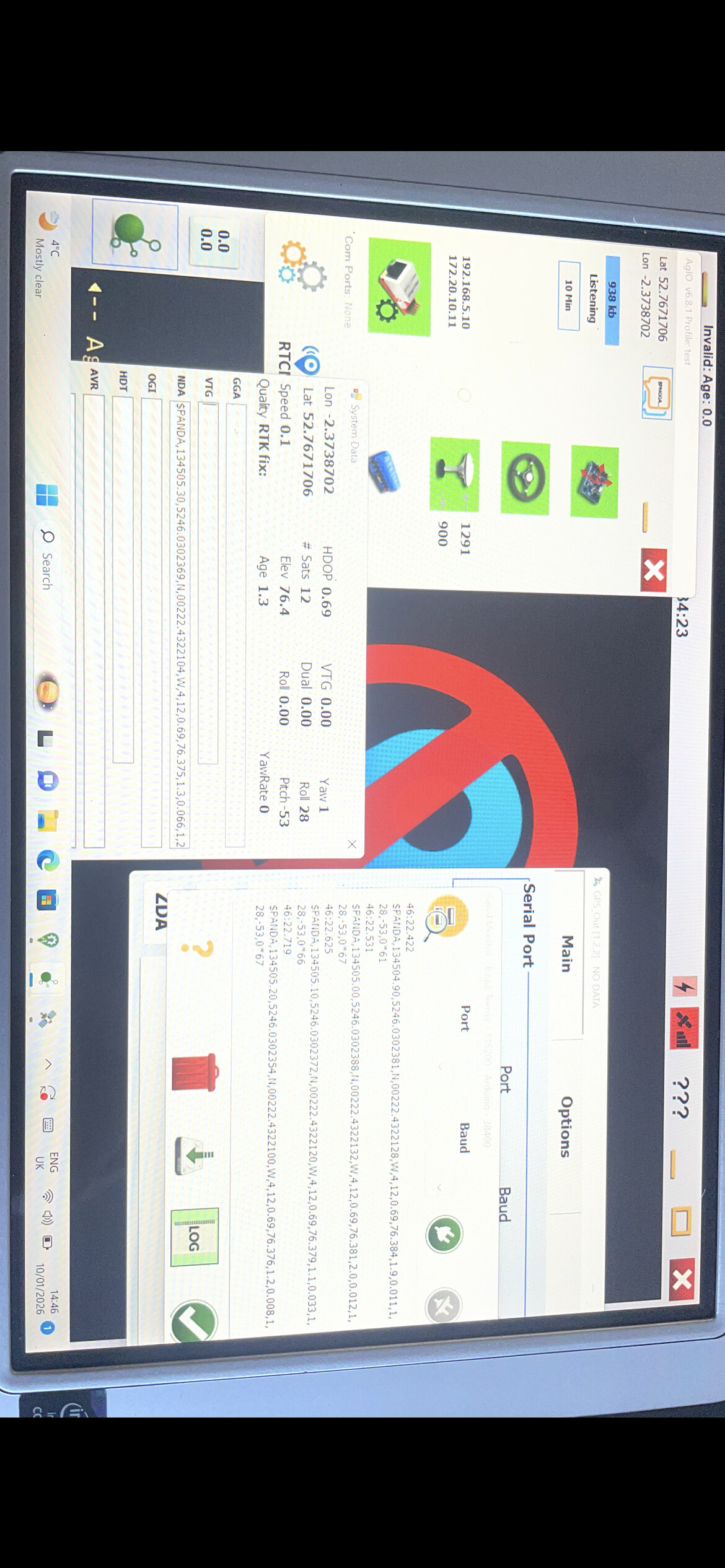
Looks like right messages
Have you tried re installing that version or possibly trying an earlier one.
Its also showing your connected to rtk but the gps bar is still red.
Currently trying to download a different version now, thanks!
Does the software version in the tablet need to match that in the teensy at all times? So each version I try do I need to flash the teensy again?
No that shouldn’t matter.
Have you accepted the prompt you get for running aog and agio to allow access
Success with version 6.2! I’ll go with this for now and try and investigate the root cause to the problem with 6.8.1. Thanks so much for your help
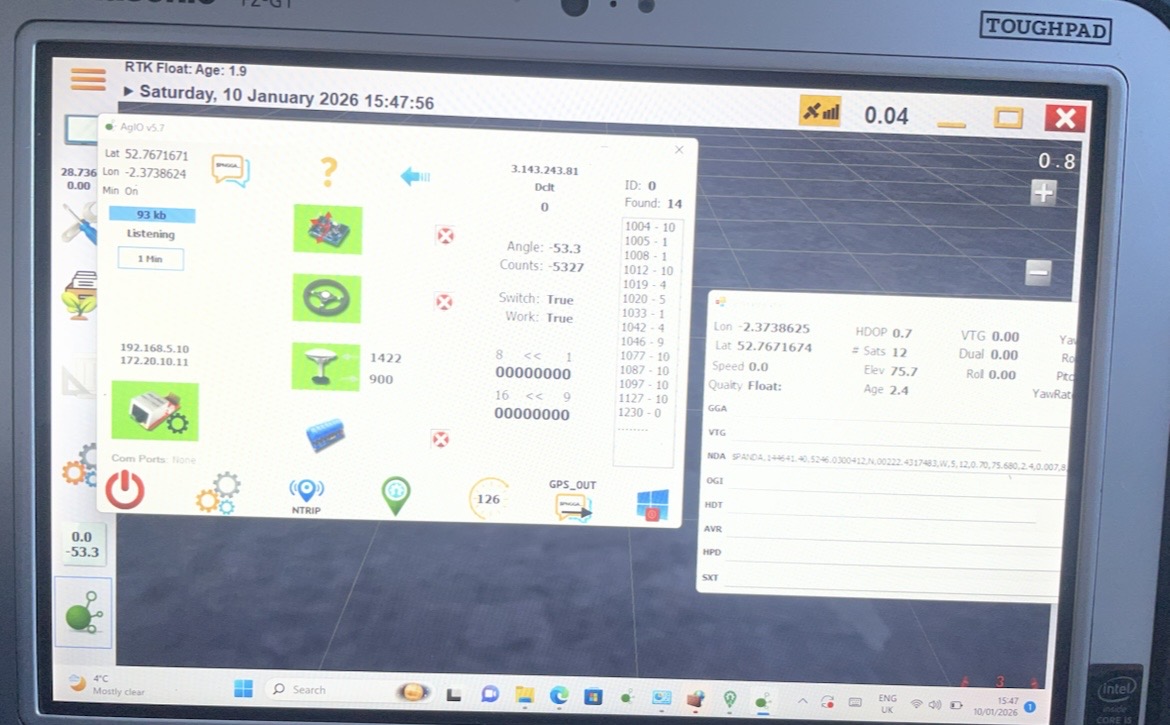
I believe the very latest release needs a 64 bit operating system maybe your tablet doesn’t support that ?
Try the one before the latest release like 6.7.2.
Something tells me there was a bug in the 6.2 version but it maybe on the section control side
1 Like