Seems to be expensive and hard to obtain? I’m only seeing links to buy in the UK so far. Andy
Easy in Canada. Should be fairly easy in UK and USA too.
I don’t for the rest of the world.
Robotshop.com seems to be the only reseller for now.
Some AOG kit sellers begin to sell it in Europa.
1 Like
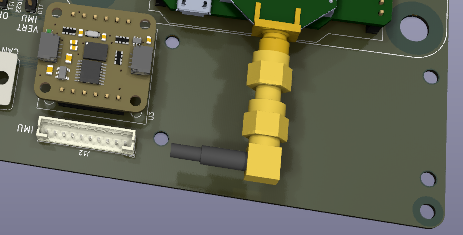
OK. I have added a generic IMU connector and four mounting holes. This will allow any type of SPI or UART IMU to be used. There is just enough space to fit the TM171 on a daughter board and mount it with the holes. 
Andy
1 Like
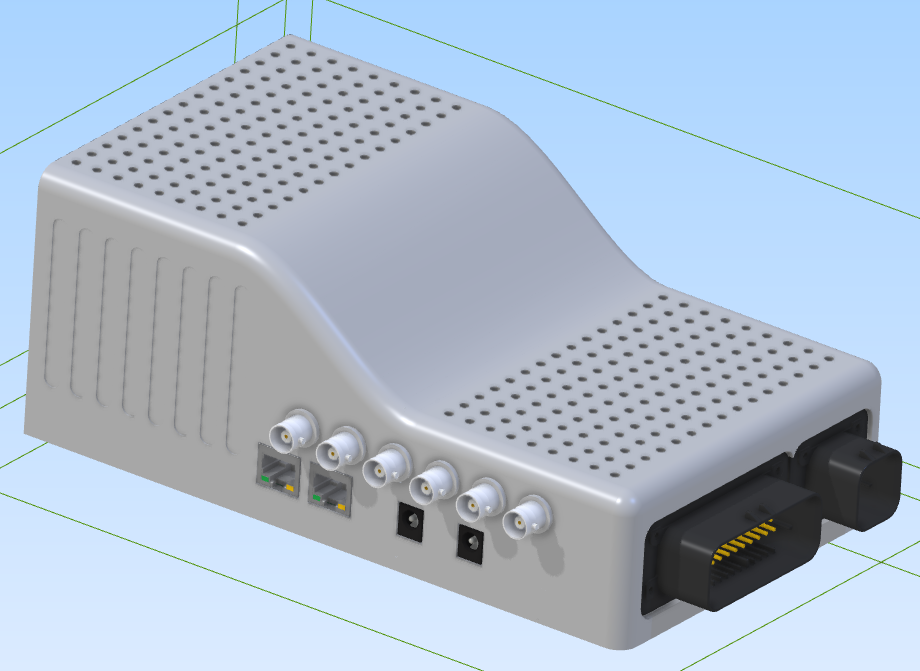
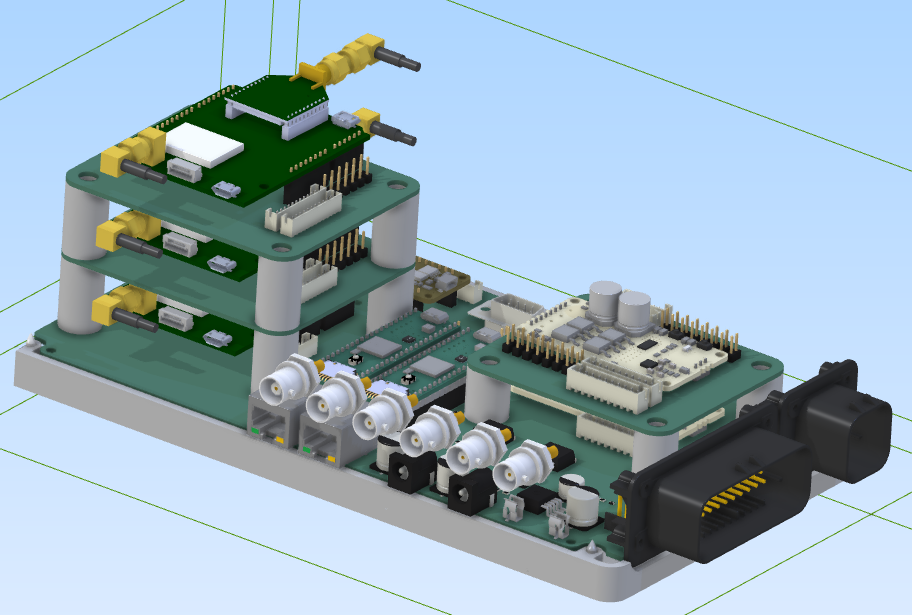
Case designed. Not sure how I will mount it into the tractor. There is a metal frame from an old laser system. Any suggestions? I was thinking a RAM mount but it might vibrate too much for the IMU to cope?
Andy
1 Like
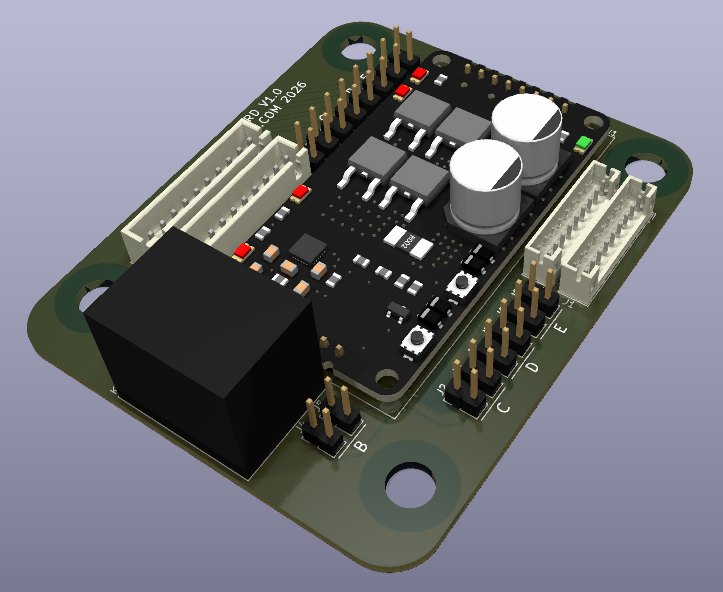
Changed the valve daughterboard so that one of the five possible valves has an integrated relay, controlled by the Teensy. Andy
1 Like
Added current sensing for the fifth valve and added the analog WAS circuit from the AOG V4.5 Standard board. Andy
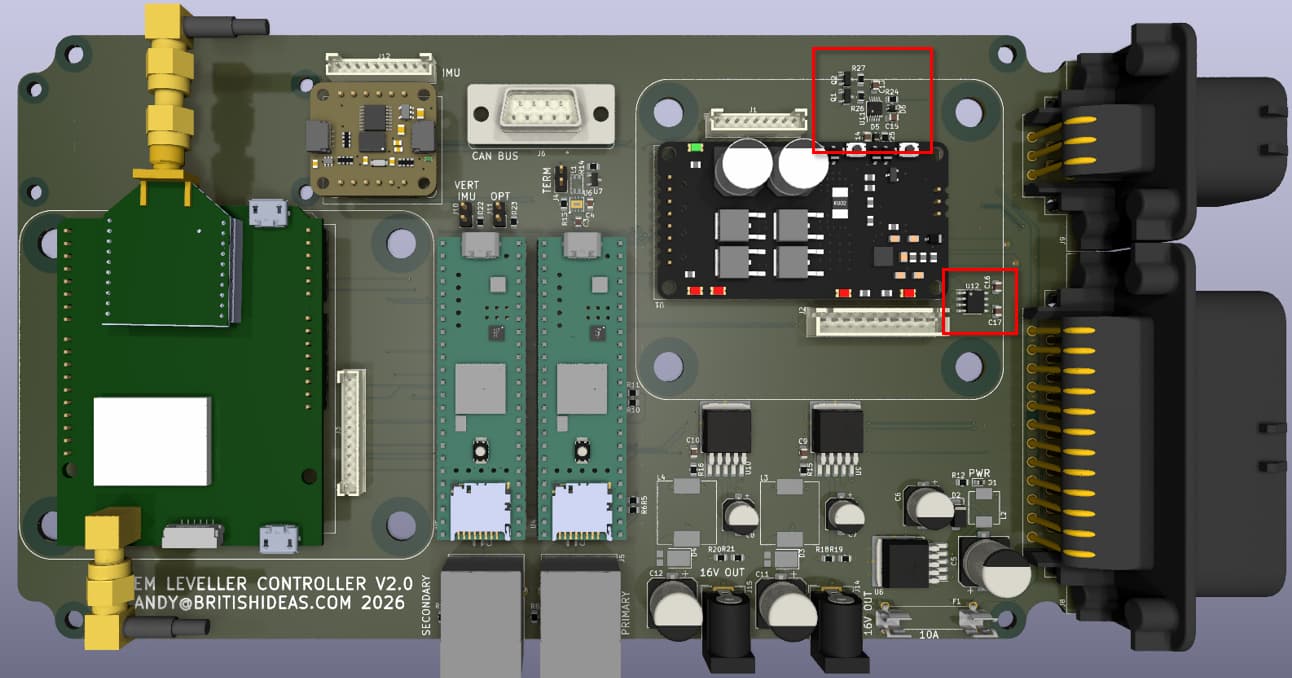
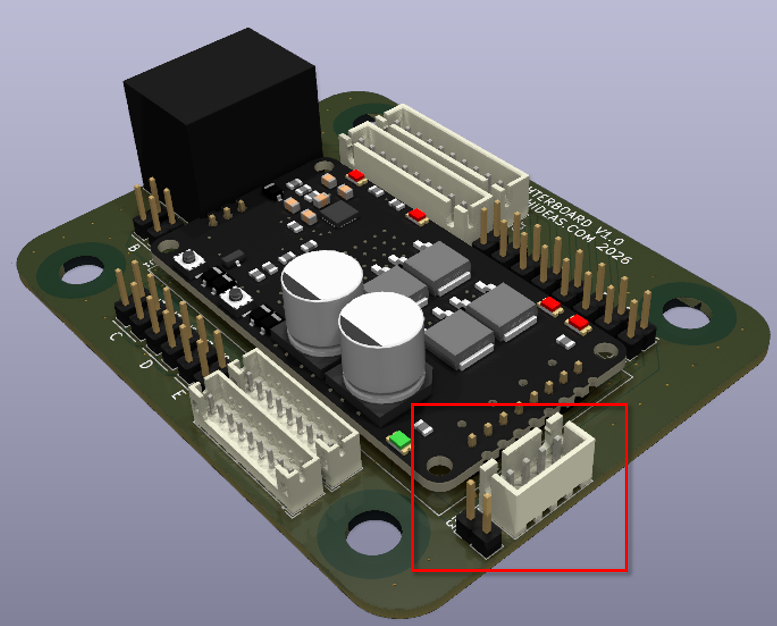
Added a connector to the valve daughterboard so an optional 12V to 24V converter can be used.
I think using this, along with the relay, current sensing and WAS circuit, I will hopefully be able to use motor driven autosteer with this board.
Andy
2 Likes
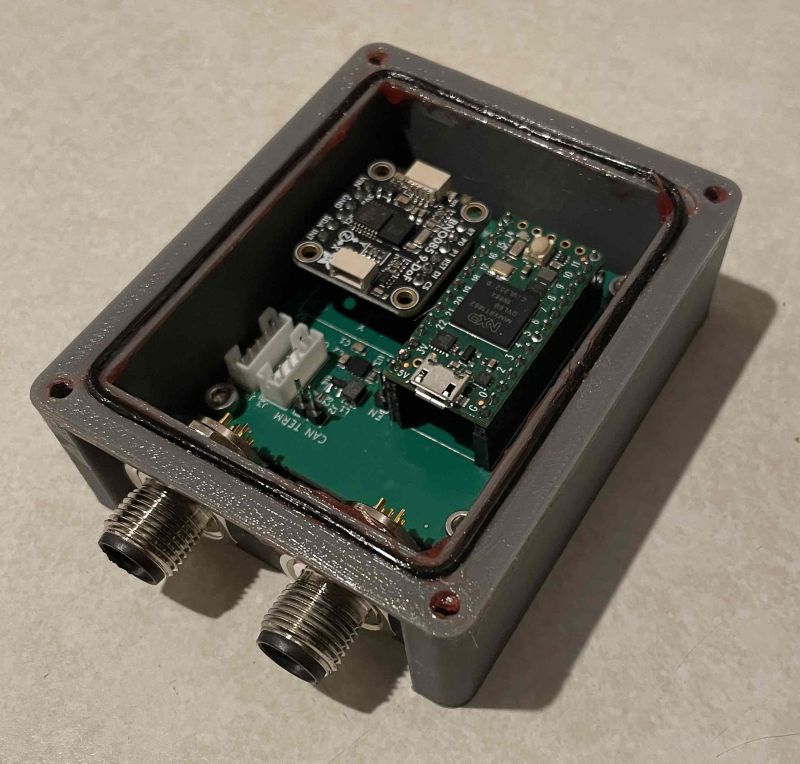
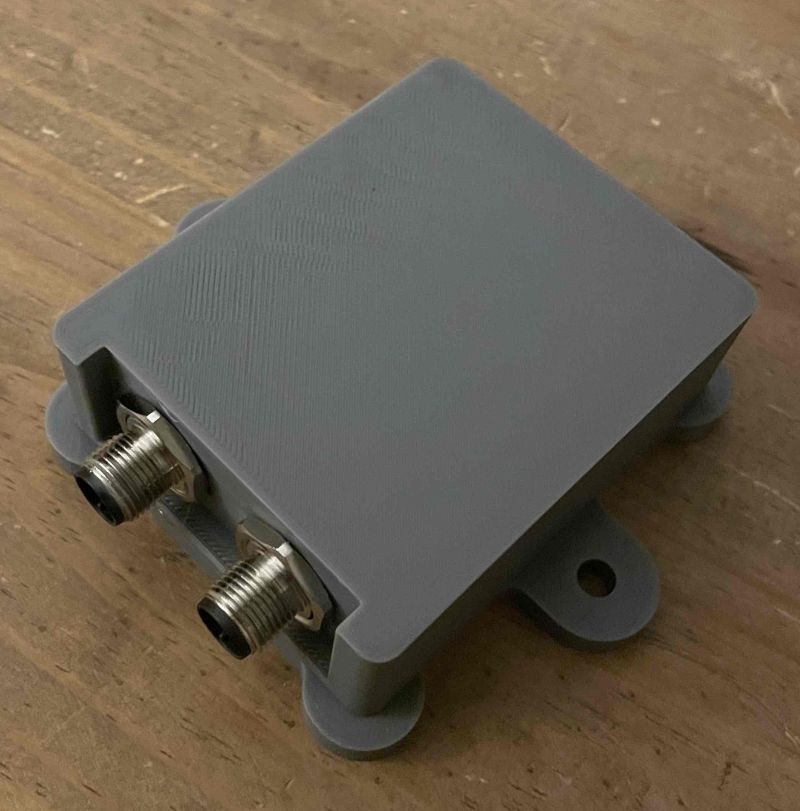
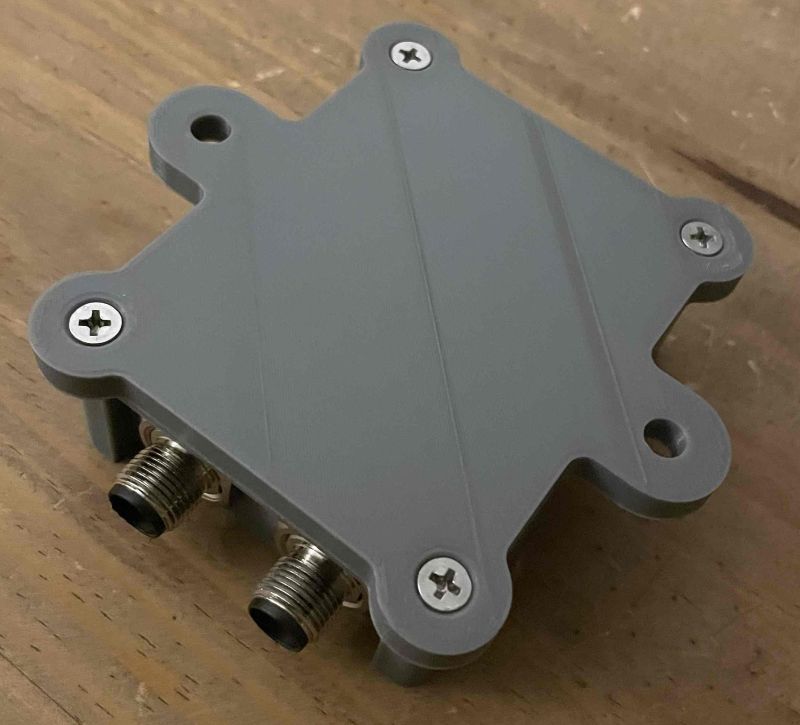
Inspired by the recent thread on using an IMU for a WAS, I decided to switch to a metal housing with o-ring for my IMUs and use a waterproof M12 connector instead of Deutsch. Here is the 3D printed prototype. Andy
2 Likes
 Andy
Andy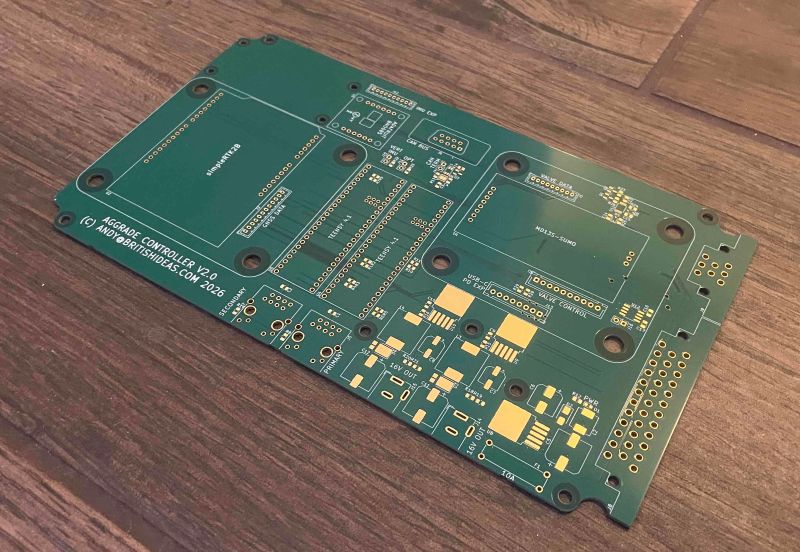
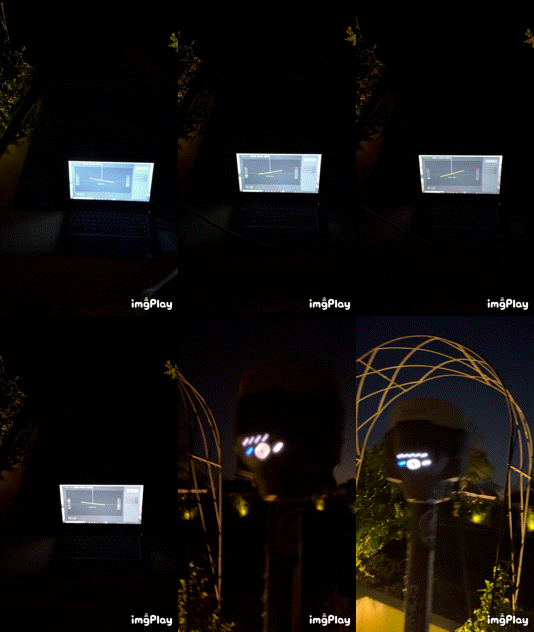
I’m trying to build a simple python dozer blade visualization, it use my Emlid rs3 ETC NMEA msg for tilt information.
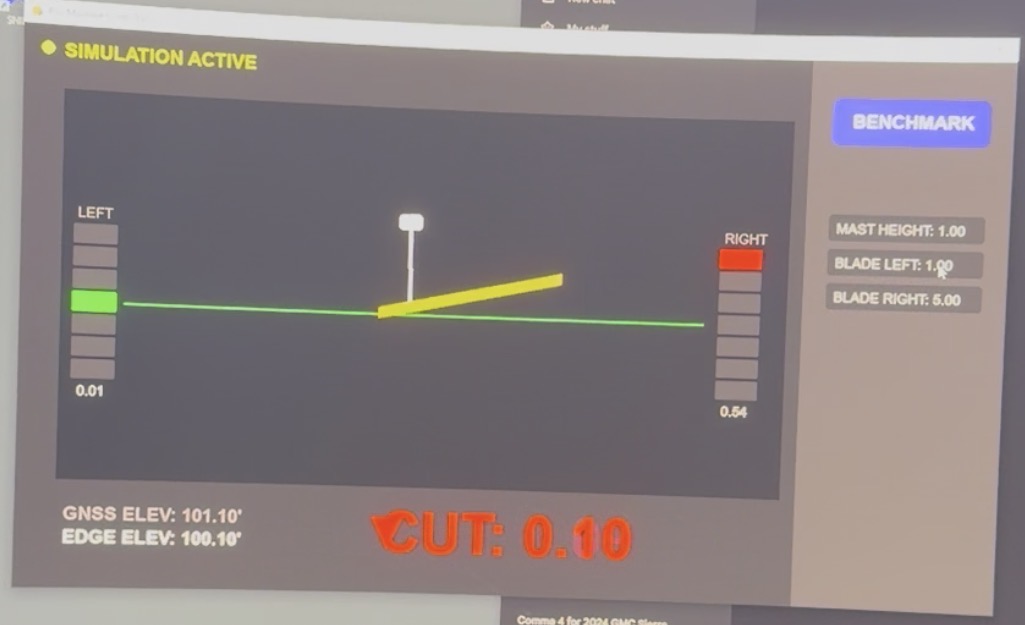
import pygame
import sys
import math
import serial
import serial.tools.list_ports
import threading
import pynmea2

# --- COLORS & CONFIG ---
FPS = 60
SCREEN_WIDTH, SCREEN_HEIGHT = 1280, 720
COLOR_BG, COLOR_PANEL = (35, 35, 35), (20, 20, 20)
COLOR_GREEN, COLOR_YELLOW, COLOR_ORANGE, COLOR_RED, COLOR_BLUE = (0, 255, 0), (255, 255, 0), (255, 165, 0), (255, 0, 0), (0, 100, 255)
COLOR_TEXT, COLOR_UI = (255, 255, 255), (60, 60, 60)

pygame.init()
screen = pygame.display.set_mode((SCREEN_WIDTH, SCREEN_HEIGHT))
pygame.display.set_caption("RS3 Machine Control v19 - 3D TILT")
clock = pygame.time.Clock()

# --- FONTS ---
FONT_XL = pygame.font.SysFont('Arial', 75, bold=True)
FONT_MED = pygame.font.SysFont('Arial', 24, bold=True)
FONT_SMALL = pygame.font.SysFont('Arial', 18)

class GNSSManager:
    def __init__(self):
        self.elevation = 100.00
        self.raw_tilt_value = 0.0      # Field 6: Total Angle
        self.raw_tilt_direction = 0.0  # Field 5: Direction of Lean
        self.blade_roll = 0.0          # Calculated side-to-side tilt
        self.mode = "SIM"
        self.ser = None
        self.running = False
        self.mast_h = 4.0
        self.blade_l = 5.0
        self.blade_r = 5.0
        self.active_input = None
        self.input_text = ""

    def connect(self, port):
        self.stop()
        try:
            self.ser = serial.Serial(port, 115200, timeout=1)
            self.running = True
            self.mode = "LIVE"
            threading.Thread(target=self.read_serial, daemon=True).start()
        except: self.mode = "SIM"

    def stop(self):
        self.running = False
        if self.ser: self.ser.close()
        self.mode = "SIM"

    def read_serial(self):
        while self.running:
            try:
                line = self.ser.readline().decode('ascii', errors='replace')
                if "$GNETC" in line:
                    parts = line.split(',')
                    if len(parts) > 6 and parts[2] == '30':
                        # CAPTURE BOTH TILT COMPONENTS
                        self.raw_tilt_direction = float(parts[5]) # Where it's leaning
                        self.raw_tilt_value = float(parts[6])     # How much it's leaning

                        # CALCULATE ROLL (Side-to-Side Tilt)
                        # We assume the RS3 is mounted so that 0° or 180° Direction is North/South
                        # We use Sine to extract the East/West (Roll) component for the blade
                        dir_rad = math.radians(self.raw_tilt_direction)
                        self.blade_roll = self.raw_tilt_value * math.cos(dir_rad)

                elif "GGA" in line:
                    msg = pynmea2.parse(line)
                    self.elevation = msg.altitude * 3.28084
            except: pass

gnss = GNSSManager()

def draw_stacked_lights(x, y_center, offset, label=""):
    light_h, light_w, gap = 25, 55, 4
    thresholds = [0.4, 0.2, 0.05, -0.05, -0.2, -0.4]
    colors = [COLOR_RED, COLOR_ORANGE, COLOR_YELLOW, COLOR_GREEN, COLOR_YELLOW, COLOR_ORANGE, COLOR_BLUE]
    start_y = y_center - (3 * (light_h + gap)) - (light_h / 2)
    for i in range(7):
        light_color = (45, 45, 45)
        if i == 0 and offset > thresholds[0]: light_color = colors[0]
        elif i == 1 and thresholds[0] >= offset > thresholds[1]: light_color = colors[1]
        elif i == 2 and thresholds[1] >= offset > thresholds[2]: light_color = colors[2]
        elif i == 3 and abs(offset) <= 0.05: light_color = colors[3]
        elif i == 4 and thresholds[3] >= offset > thresholds[4]: light_color = colors[4]
        elif i == 5 and thresholds[4] >= offset > thresholds[5]: light_color = colors[5]
        elif i == 6 and offset <= thresholds[5]: light_color = colors[6]
        pygame.draw.rect(screen, light_color, (x, start_y + (i * (light_h + gap)), light_w, light_h), border_radius=2)
    screen.blit(FONT_SMALL.render(label, True, (150, 150, 150)), (x + 5, start_y - 25))
    screen.blit(FONT_SMALL.render(f"{abs(offset):.2f}", True, COLOR_TEXT), (x + 8, start_y + 185))

def draw_hud_message(offset):
    center_x, center_y = 525, 640
    if abs(offset) <= 0.05: msg, color, arrow_pts = "ON GRADE", COLOR_GREEN, None
    elif offset > 0: msg, color = "CUT", COLOR_RED; arrow_pts = [(center_x - 160, 620), (center_x - 120, 620), (center_x - 140, 660)]
    else: msg, color = "FILL", COLOR_BLUE; arrow_pts = [(center_x - 160, 660), (center_x - 120, 660), (center_x - 140, 620)]
    txt_surf = FONT_XL.render(f"{msg}: {abs(offset):.2f}", True, color)
    screen.blit(txt_surf, (center_x - 80, center_y - 40))
    if arrow_pts: pygame.draw.polygon(screen, color, arrow_pts)

def draw_machine_graphic(bx, by, offset, roll):
    rad = math.radians(roll)
    px_per_ft = 100
    off_l = offset + (gnss.blade_l * math.sin(rad))
    off_r = offset - (gnss.blade_r * math.sin(rad))
    lx, ly = bx - (gnss.blade_l * 40), by - (off_l * px_per_ft)
    rx, ry = bx + (gnss.blade_r * 40), by - (off_r * px_per_ft)
    slope_pct = ((off_l - off_r) / (gnss.blade_l + gnss.blade_r)) * 100
    mx, my = bx, by - (offset * px_per_ft)
    mast_top_x = mx + (gnss.mast_h * math.sin(rad) * 10)
    mast_top_y = my - (gnss.mast_h * px_per_ft)
    pygame.draw.line(screen, (200, 200, 200), (mx, my), (mast_top_x, mast_top_y), 5)
    pygame.draw.rect(screen, (255, 255, 255), (mast_top_x - 15, mast_top_y - 20, 30, 20), border_radius=4)
    pygame.draw.line(screen, (255, 200, 0), (lx, ly), (rx, ry), 14)
    screen.blit(FONT_MED.render(f"SLOPE: {slope_pct:.1f}%", True, COLOR_YELLOW), (bx - 70, by + 45))
    draw_stacked_lights(65, 350, off_l, "LEFT")
    draw_stacked_lights(910, 350, off_r, "RIGHT")

# --- MAIN LOOP ---
benchmark = 100.00
run = True
ports = [p.device for p in serial.tools.list_ports.comports()]

while run:
    screen.fill(COLOR_BG)
    for event in pygame.event.get():
        if event.type == pygame.QUIT: run = False
        if event.type == pygame.MOUSEBUTTONDOWN:
            for i, p in enumerate(ports):
                if pygame.Rect(180 + (i*110), 10, 100, 30).collidepoint(event.pos): gnss.connect(p)
            if pygame.Rect(1050, 50, 200, 60).collidepoint(event.pos): benchmark = gnss.elevation - gnss.mast_h
            if pygame.Rect(1050, 200, 200, 35).collidepoint(event.pos): gnss.active_input = 'mast'; gnss.input_text = ""
            elif pygame.Rect(1050, 245, 200, 35).collidepoint(event.pos): gnss.active_input = 'left'; gnss.input_text = ""
            elif pygame.Rect(1050, 290, 200, 35).collidepoint(event.pos): gnss.active_input = 'right'; gnss.input_text = ""
            else: gnss.active_input = None

        if event.type == pygame.KEYDOWN and gnss.active_input:
            if event.key == pygame.K_RETURN:
                try:
                    v = float(gnss.input_text)
                    if gnss.active_input == 'mast': gnss.mast_h = v
                    elif gnss.active_input == 'left': gnss.blade_l = v
                    elif gnss.active_input == 'right': gnss.blade_r = v
                except: pass
                gnss.active_input = None
            elif event.key == pygame.K_BACKSPACE: gnss.input_text = gnss.input_text[:-1]
            else: gnss.input_text += event.unicode

    if gnss.mode == "SIM":
        keys = pygame.key.get_pressed()
        if keys[pygame.K_w]: gnss.elevation += 0.01
        if keys[pygame.K_s]: gnss.elevation -= 0.01
        gnss.blade_roll = (gnss.blade_roll + 0.5) if keys[pygame.K_a] else (gnss.blade_roll - 0.5) if keys[pygame.K_d] else gnss.blade_roll

    pygame.draw.rect(screen, COLOR_PANEL, (50, 80, 950, 500))
    pygame.draw.rect(screen, COLOR_UI, (1020, 0, 260, 720))
    pygame.draw.line(screen, COLOR_GREEN, (130, 350), (890, 350), 2)

    current_off = (gnss.elevation - gnss.mast_h) - benchmark
    draw_machine_graphic(500, 350, current_off, gnss.blade_roll)

    # UI/Sidebar
    status_col = COLOR_GREEN if gnss.mode == "LIVE" else COLOR_YELLOW
    pygame.draw.circle(screen, status_col, (30, 25), 8)
    screen.blit(FONT_MED.render(f"MODE: {gnss.mode}", True, status_col), (50, 10))
    for i, p in enumerate(ports):
        pygame.draw.rect(screen, (80, 80, 80), (180 + (i*110), 10, 100, 30), border_radius=5)
        screen.blit(FONT_SMALL.render(p, True, COLOR_TEXT), (190 + (i*110), 15))

    pygame.draw.rect(screen, (80, 80, 200), (1050, 50, 200, 60), border_radius=8)
    screen.blit(FONT_MED.render("BENCHMARK", True, COLOR_TEXT), (1075, 65))
    for i, (lab, key, val) in enumerate([("MAST HEIGHT", 'mast', gnss.mast_h), ("BLADE LEFT", 'left', gnss.blade_l), ("BLADE RIGHT", 'right', gnss.blade_r)]):
        r = pygame.Rect(1050, 200 + (i*45), 200, 35)
        pygame.draw.rect(screen, (100, 100, 255) if gnss.active_input == key else (40, 40, 40), r, border_radius=5)
        screen.blit(FONT_SMALL.render(f"{lab}: {gnss.input_text if gnss.active_input == key else f'{val:.2f}'}", True, COLOR_TEXT), (r.x + 10, r.y + 8))

    screen.blit(FONT_MED.render(f"GNSS: {gnss.elevation:.2f}'", True, (150, 150, 150)), (60, 610))
    screen.blit(FONT_MED.render(f"EDGE: {(gnss.elevation - gnss.mast_h):.2f}'", True, COLOR_TEXT), (60, 640))
    draw_hud_message(current_off)

    pygame.display.flip()
    clock.tick(FPS)

gnss.stop(); pygame.quit()
1 Like
The case design would take too long to print, so here is the redesigned version - a combo of aluminium extrusions and 3D printed panels.
Total dimensions are 325mm x 147mm x 97 mm.
Andy

1 Like
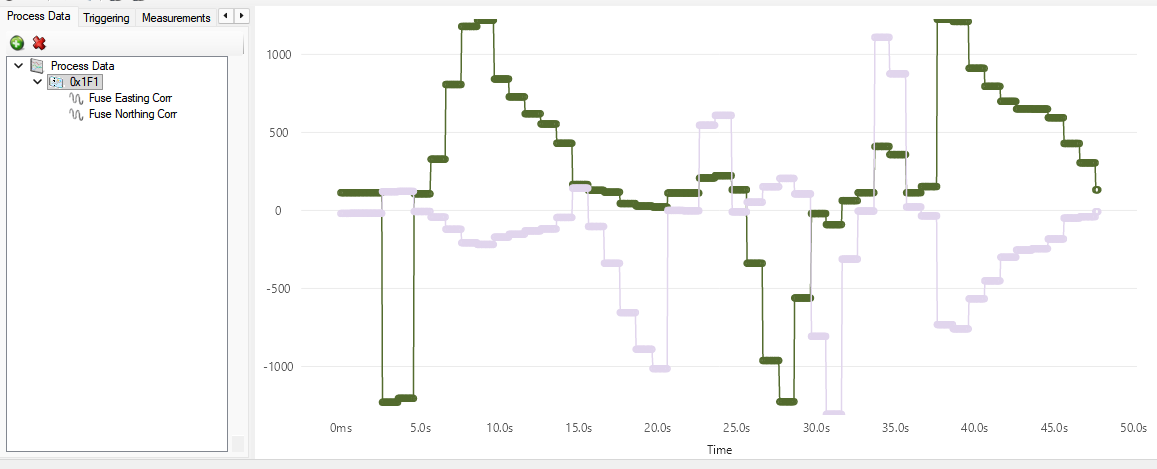
Now putting the IMU-GNSS sensor fusing correction values onto the CAN bus. This is purely informational - giving the correction that has already been applied in the Teensy. Values are in mm. The chart shows the corrections for easting and northing changed as I moved the IMU.
Andy
1 Like

6 Likes
Well… I have a problem. My project requires a single base station and multiple rovers, so I set the base station XBEE up to broadcast. I noticed that the one test rover I have was struggling to go to RTK float so I started debugging.
Turns out the base station was pumping out the RTCM3 messages to it’s XBEE once a second but the rover XBEE was only receiving in bursts every four or five seconds and the 1005 message was being received once every 90 seconds or worse. This was ruining the RTK system in the ZED-F9P.
After some research it turns out that XBEE broadcast mode introduces a several second delay that cannot be removed. I switched the base station XBEE from broadcast to unicast and now it works really well. The rover receives all RTCM3 messages once a second and after the base station has done it’s survey-in I can get RTK fix on the rover within 30 seconds of power on. Yay!
But now the problem is that I can’t have more than one rover. It looks like I have two options:
-
Create two small boards that allow the serial stream from a single XBEE to be shared with multiple simpleRTK2Bs
-
Ditch the simpleRTK2B in the base station and custom design a ZED-F9P board that supports multiple XBEEs.
Probably 1 is easier and simpler.
Andy
1 Like
Does it work to stack Xbees with long header pins?
1 Like
Not really, at least I can’t quite picture it. Thanks for the suggestion though! Andy
Here is what I came up with. Use a single XBee plugged into a simpleRTK2B using an intermediate board that gives access to the XBee RTCM3 stream and ground.
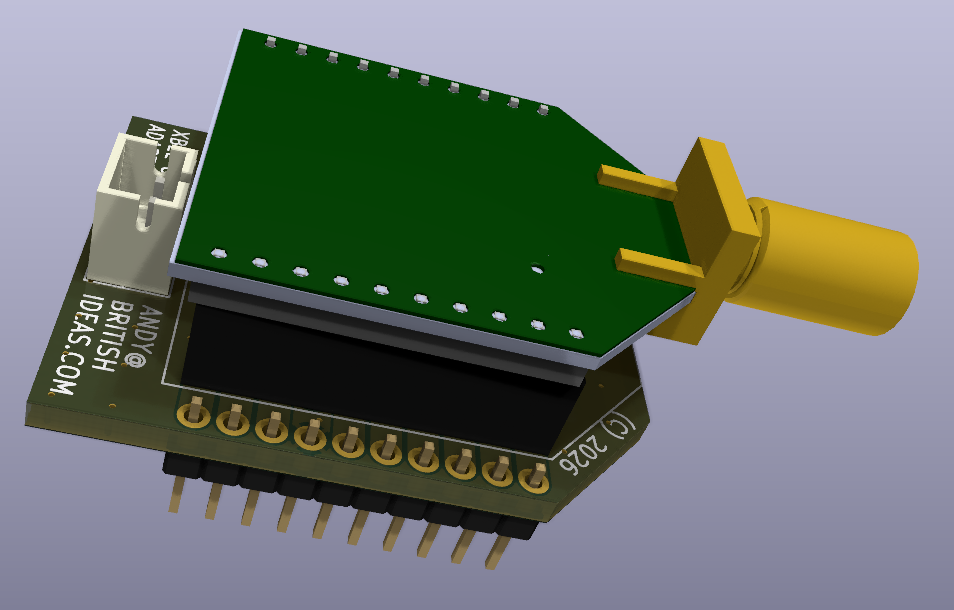
Then on the other simpleRTK2Bs a dummy board that takes the RTCM3 stream from the XBee and sends it to the F9P.
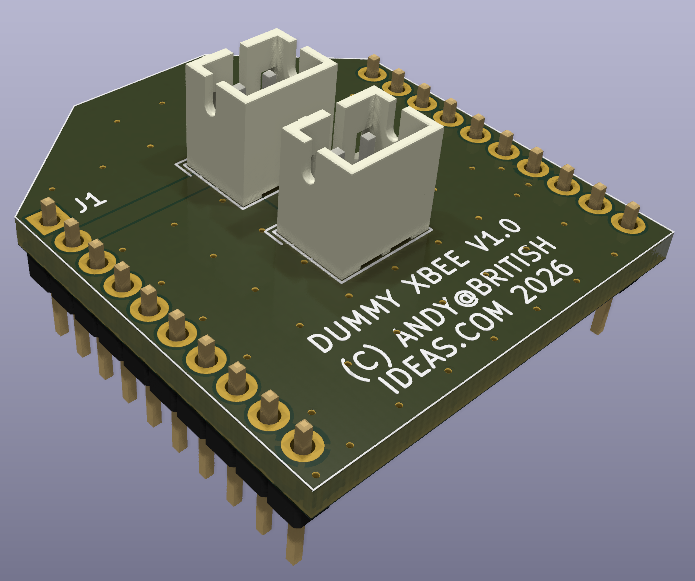
A side benefit is now I only need one XBee radio antenna on the tractor, instead of three (or messing around with BNC splitters).
Andy
There must be some error in the configuration. I think you should be able to broadcast without issue.
1 Like
Take a look at the last post on this thread by Digi tech support:
Andy
With my static pole test for the sensor fusing, I am now getting:
Raw easting range during test = 1065mm (this is how far the antenna moved during the test), fused easting range = 75mm. A 14 times improvement.
Raw nortihng range during test = 1135mm, fused northing range = 111mm. A 10 times improvement.
For altitude the raw range during test was 126mm and the fused altitude was 51mm. A 2.5 times improvement.
The fused result includes any RTK drift or error.
To get this I had to increase the IMU transmissions on the CAN bus to every 10ms, so when the GNSS fix is received (I am using 5Hz) the IMU measurements are at the most 10ms old. So there is a bit of lag that introduces error during fast pitch and roll.
Andy