I searched Discourse for PGN221 and did not find much discussion of it, so I thought I would post what I have found and how I am using it.
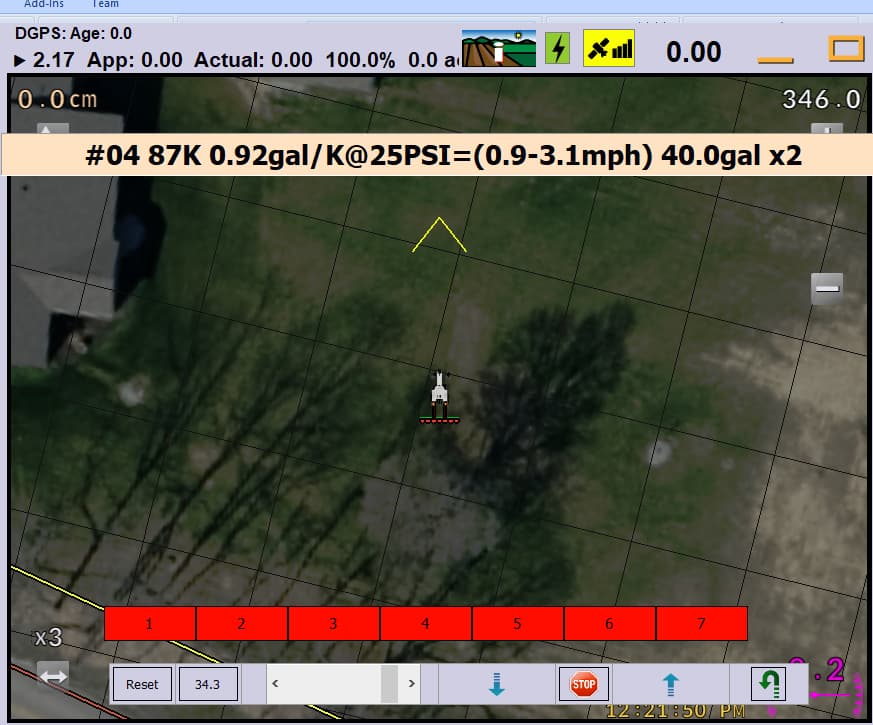
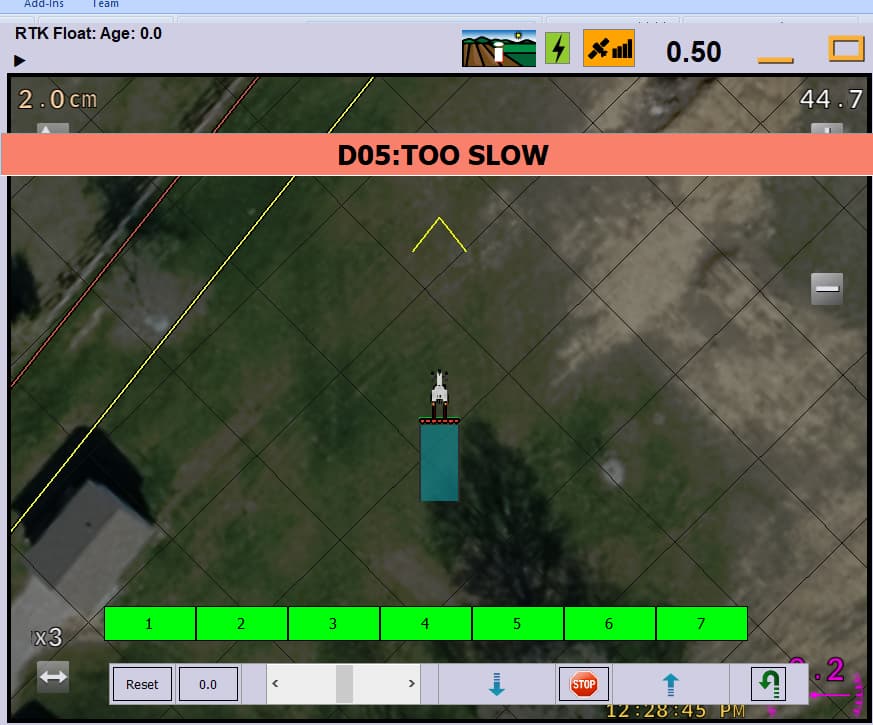
In AOG 6.8.6, PGN221 can be used by a machine/controller to send a hardware message that AOG displays as a single-line banner. I am using it in my sprayer controller for operator information and warnings such as low pressure, too fast/slow, invalid setup, and setup summaries.
The AgIO frame I am sending is:
Byte 0    0x80
Byte 1    0x81
Byte 2    0x7F        Source
Byte 3    0xDD        PGN 221
Byte 4    payload length

Payload:
Byte 5    display time in seconds
Byte 6    color/type
Byte 7+   UTF-8 message text

Last byte  checksum
Or looking only at the PGN221 payload:
Payload byte 0 = display time in seconds
Payload byte 1 = color/type
Payload byte 2+ = UTF-8 message text
For the display time, 0 leaves the message displayed until the operator clicks/touches the banner. A non-zero value displays it for that number of seconds.
For the color/type, what I see in AOG 6.8.6 is:
0        warning / salmon colored
non-zero information / bisque colored
For example, my controller sends messages such as:
D02:PRESSURE LOW - BOOM OFF
D04:TOO FAST
D05:TOO SLOW
D06:PRESSURE OK - WORK SWITCH TO RESTART
I also use a PGN221 message at startup/setup to show the operator the calculated sprayer setup.
A simple example packet for an 8-second warning would therefore be conceptually:
80 81 7F DD [length] 08 00 "message text" [checksum]
My implementation calculates payload length as message length + 2, then appends the normal AgIO additive checksum as the final frame byte.
This has been useful because it lets the implement/controller report something more descriptive than just an LED or section state. In my case the sprayer controller can tell AOG why it has inhibited spraying even though the underlying machine communication is still operating.
I would be interested to know whether anyone else is using PGN221, whether there are additional supported values for the color/type byte, or whether its intended use has changed in newer AOG versions.