Has the top field view been removed from v6.2, or am I just looking in the wrong place for it? It used to be in the main menu (three parallel lines) at the top. This is a really useful feature so I hope that it is not going to be ditched.
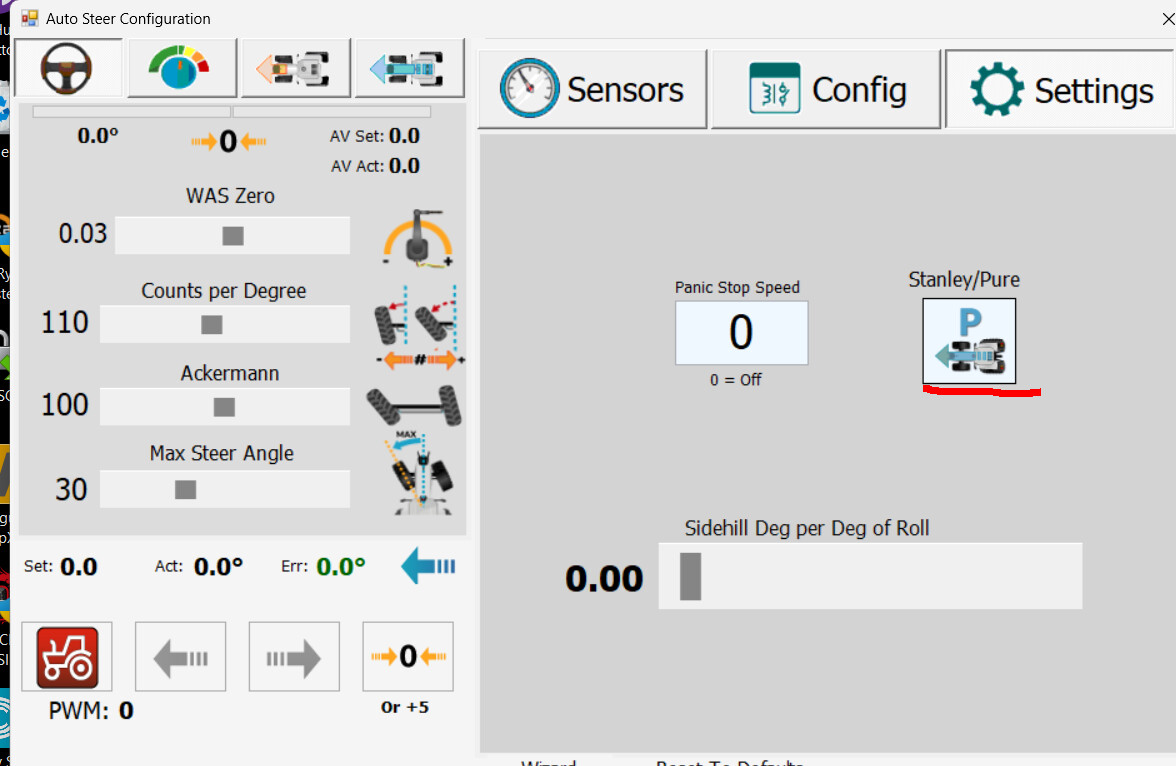
Also, whilst I’m asking questions on 6.2, has the button gone to switch between pure pursuit and stanley? I find I get a much better line in v5.8.3 with Stanley (despite what others seem to find) and hope that I will continue to be able to use it.
I just wondered what the status of the Top Field View is in the latest releases?
I don’t want to chase as I know the farms come first, but if it is likely to be a while before it is added back in, I’m going to try and re-instate the previous iteration of Top Field View as I’m getting behind with the versions (and I’ve noticed when I tried to test v6.4 that the layout and buttons are so different to 5.8.3 that it is really difficult to work out what the workflow needs to be in order to do what I was doing in 5.8.3)
Hi, just wondering where we are with the new Top Field View?
At the moment, I am manually adding this back in, but it is quite time consuming, especially with each new release.
The code is pretty much still there from the original implementation, so I’ve submitted a feature request to at least add back the original implementation and leave it there until the new version is ready to be swapped into place. That would at least allow those of us that still want and need the top field view to be able to use it without having to faff about reinstating it each time.
Umm it’s in. Go to the display menu in the top left where you select 2d/3d view etc. There’s an icon with a grid in it. Click that and the top field view pops up.
Thanks David - firstly, thanks for pointing that out. Since my original question back in 2024 I had been checking the change logs for each new release and been looking for an option in the program to enable the top field view, but had never seen anything that would work. The icon was not obvious that it could be used as a top field view, and I would not have realised that I could just leave that window open all the time I was in the field to give me the view that I wanted.
It is not as good as the original top field view (probably because it does not appear designed to be that - rather the window title says “2 points to align grid”) and I have to manually close it and open it each time, whereas with the original implementation I can set it to just appear and disappear when fields open and it is literally just the top field view with no distractions and extra buttons. I can also get it the original implementation to show the current AB line, which is really useful when starting the field and also quite satisfying when the coverage gradually blocks that out in the view.
In summary, if that window is intended to be the main top field view implementation going forwards, I think I’ll have to keep adding the original code back in whilst the architecture of the rest of the program allows it.
From my understanding the old top view window can’t be displayed anymore because it is used in the background somehow to calculate the actual applied surface (some pixel counting)
I’ve not noticed any issues with displaying the old top view window, but if it only impacted the worked area calculations I may not have noticed as I’ve tended to ignore that and go via the visual coverage (it always used to tell me I’d covered all the area well before I’d actually finished the field)