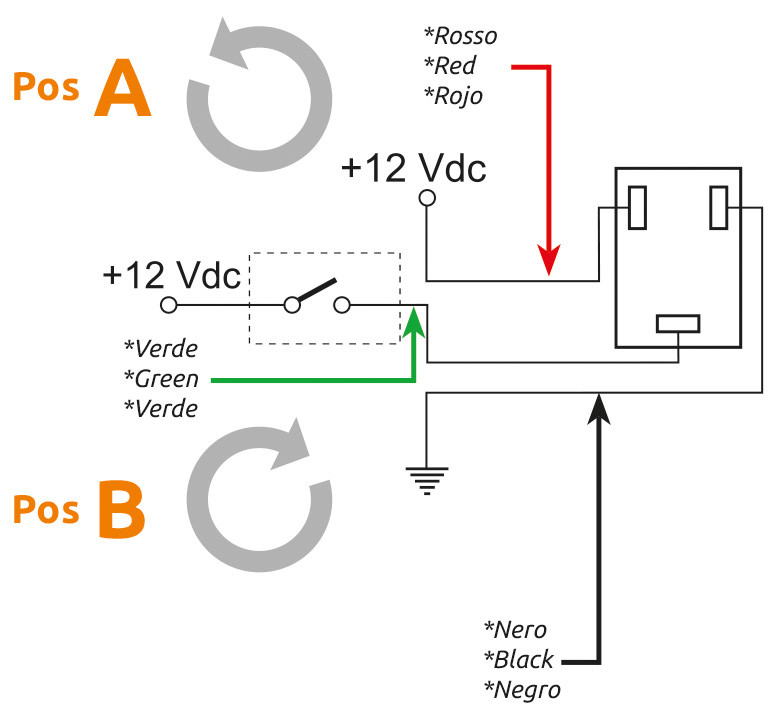
So i dont have to connect the green wire?
Ex. Section one red to pin 2 and black to Pin 3?
Green wire to section pin (pin 2). Red wire to 12V.
Hi, a little feedback after my first bit of seeding with an electric motor. Variable Rate and importing of maps works great. It would be nice if I could enter decimal numbers for the zones, was seeding canola with 1.5 kg, the rate in the zones was always rounded to full numbers.
Another thing regarding the motor control: We are seeding wheat and canola with the same seeder, rates from 1 to around 150-200kg. With canola the pwm value for the motor was around 30, not a problem for the motor, but the resolution of the controller was way too low. Pwm 31 was already too much rate. Is there a way to control the motor more precisely, with something in between 30 and 31? Otherwise Id have to use a different gear rate between the motor and the actual metering unit for different crops.
Third thing is about the pid controller: with previous version it was fast and precise, but now even with proportional at 100 its kind of slow. What happened to the p-divisor? And I noticed the motor is ramping up roughly from min pwm every time its turned on. I was testing the system with version 3.x.x, if I remember correctly it started with somewhat the same pwm it stopped before, I think that makes more sense with a motor to instantly have full rate
There are some other settings in the sketch for the module.
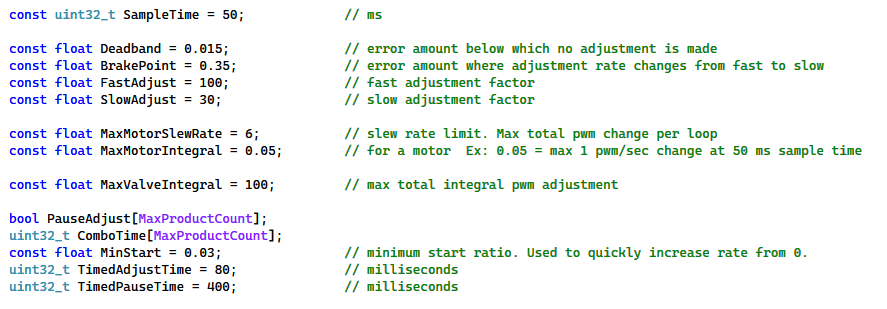
To keep the Rate App easier to use these values are set in the sketch. MaxMotorSlewRate was originally set to 2. This may be why the pid adjustment was sluggish. I removed a 0’ing out line for pwm adjust that should help for starting from last pwm. I have changed the motor control code (with the help of Copilot) to have a more granulated pwm step. These changes will be in the Development branch on github.
Could you point me to the lines to change to start from last pwm? I cant find them in the development branch…
For the adjustment of PWM: the Breakpoint was set way too high, I set it to 0.07, now its as fast as it was before.
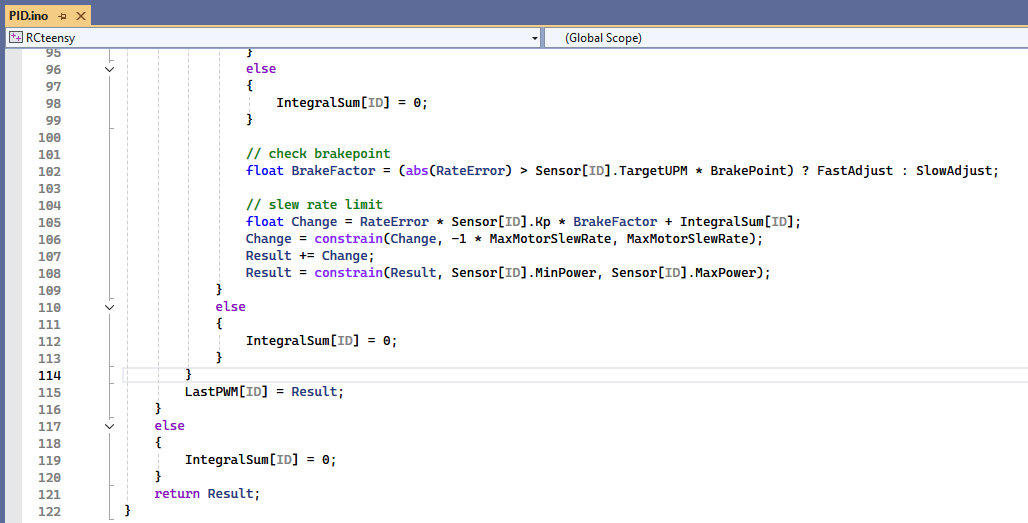
This is the dev branch, PIDmotor method.
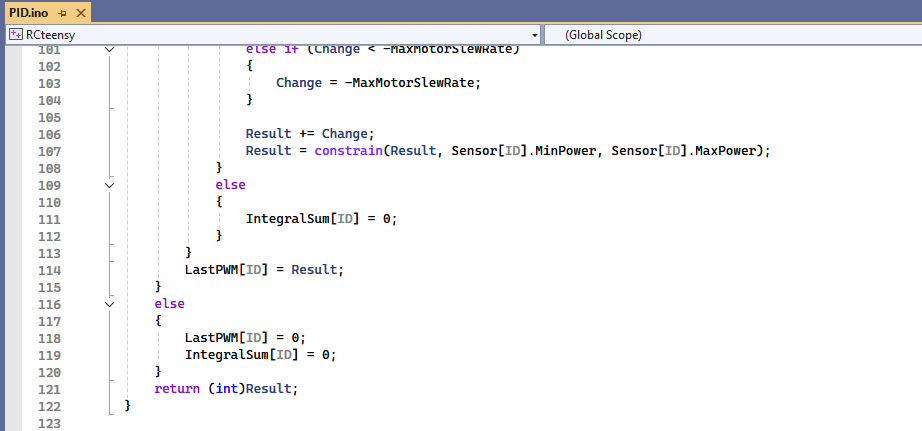
This is the master branch. It includes 0’ing the last pwm on line 118. The dev branch removes that line to keep the last pwm.
Hello,
I’m having trouble connecting my RC15 to the router. My tablet is connected to a Rut951 via LAN. I want to connect the RC15 to the router via Wi-Fi. I’ve attached some pictures. No sensors or fittings are connected to the board yet. The router’s IP address is 192.168.1.1. Is this the correct procedure? I’ve also tried connecting the board via the web interface.
Thanks for your help.
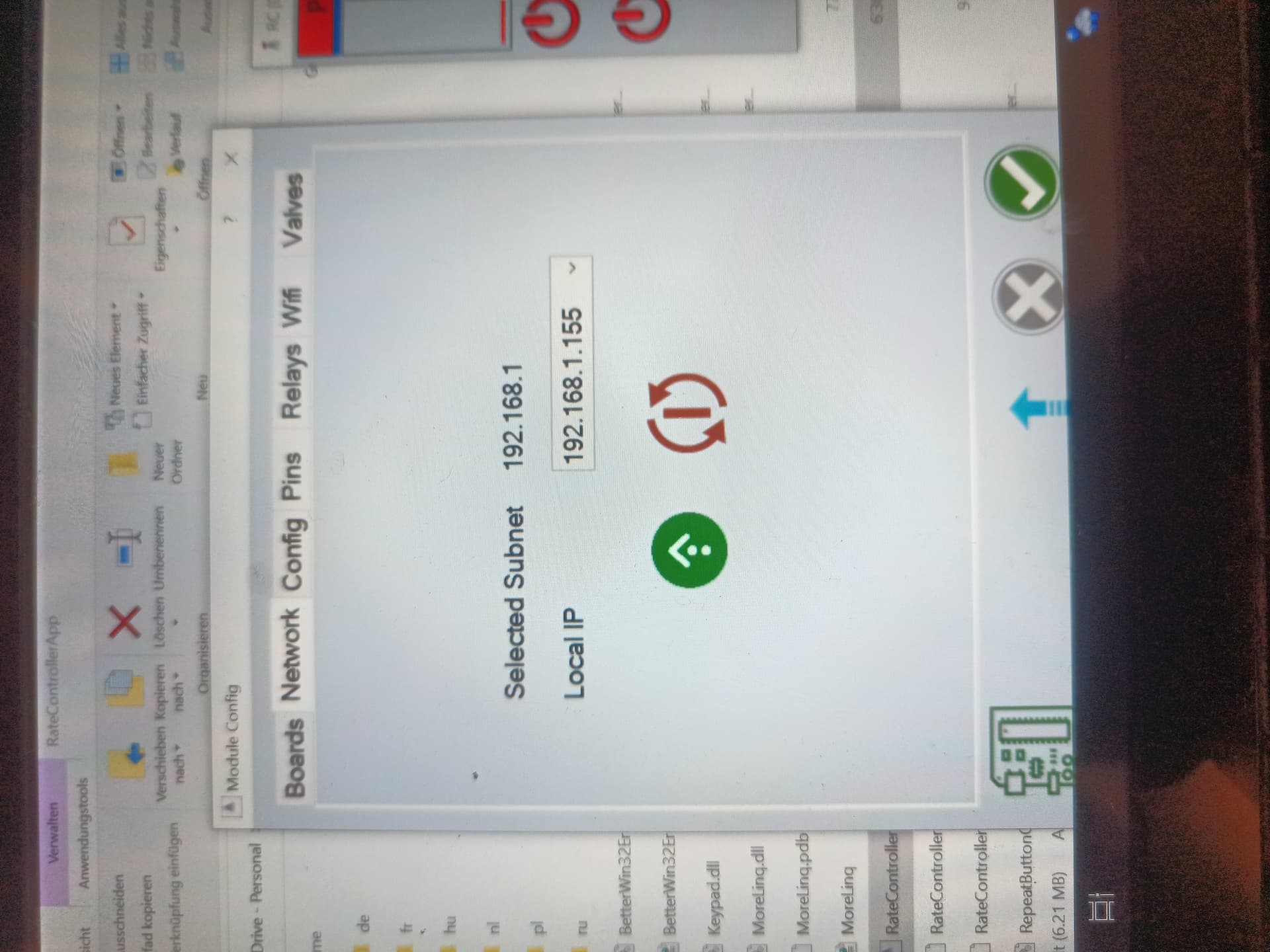
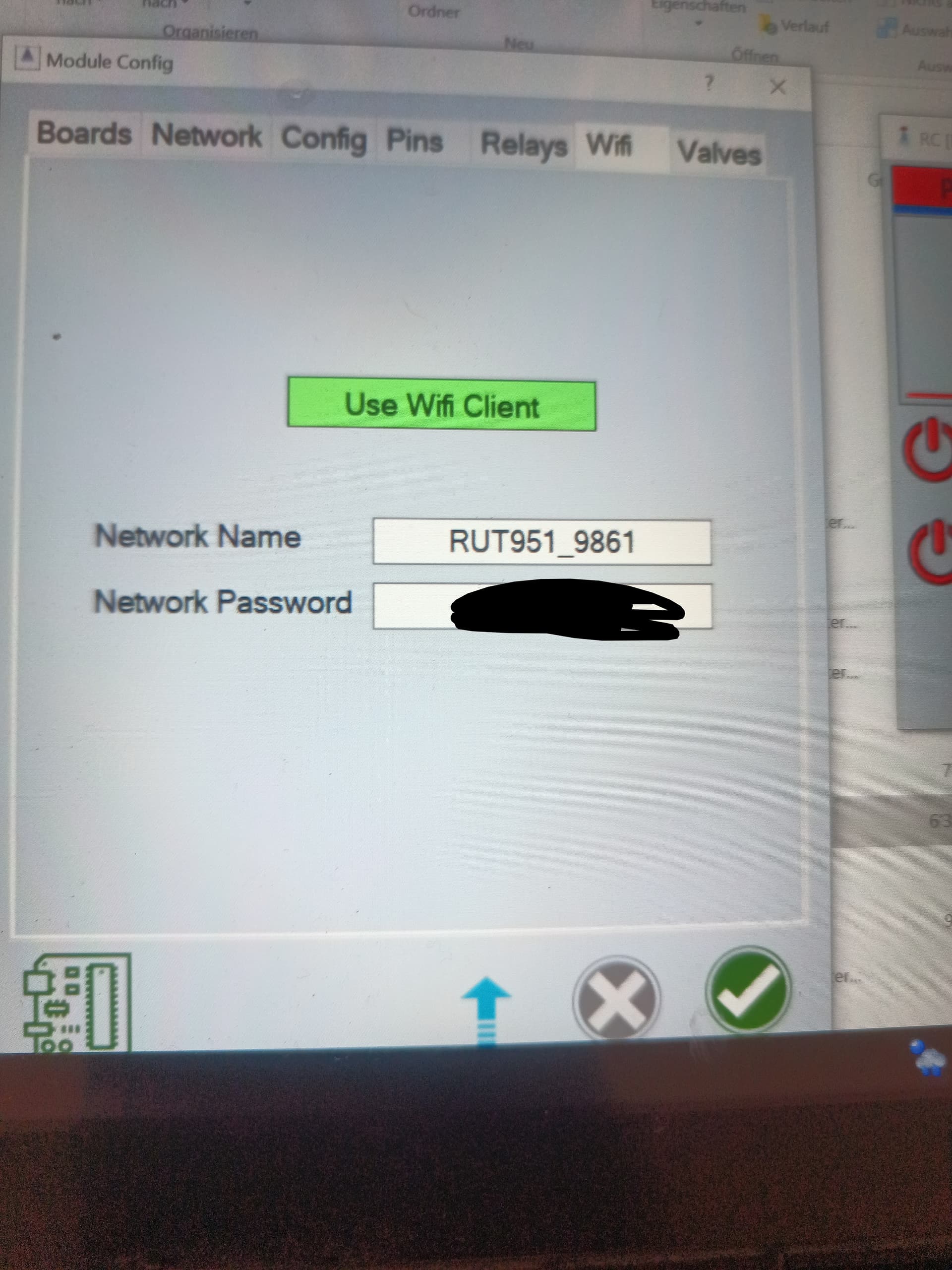
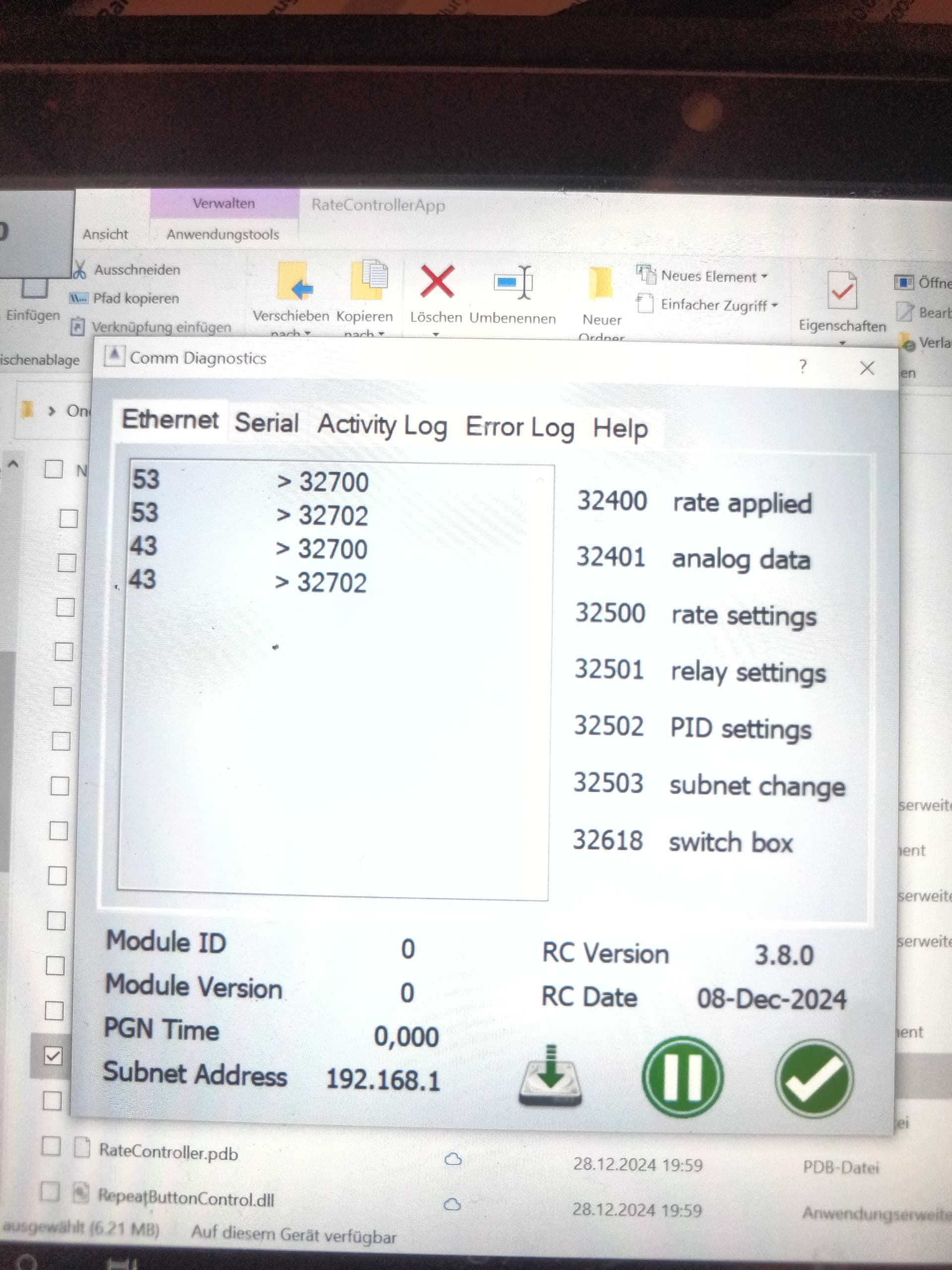
What version of the app are you using? The newest one connects better. Also you need to use the web interface to set the subnet.
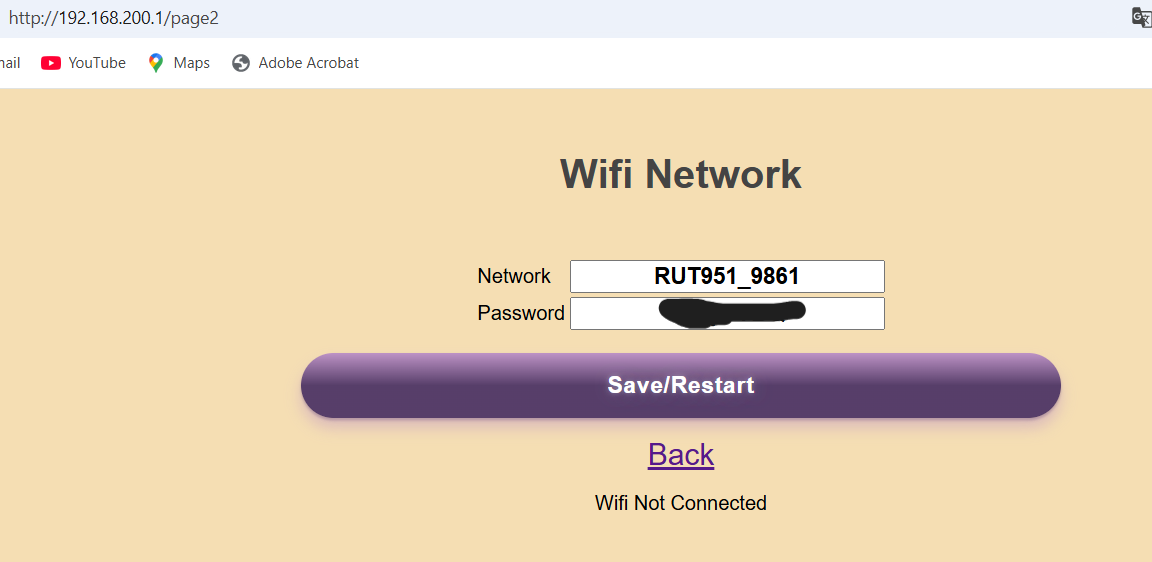
I have the version from December 8, 2024. I’ll try again with the new one. Should I also re-upload the sketch for the ESP? In the web interface, I did it as shown in the image.
I have seen when i have stopped, and turned off master switch on screen. Then take the RC15 board and changing the pressure on the sprayer. Most of the times it reduces the pressure, but sometimes it increase the pressure. When it are running the pressure to max it have blow out some gaskets. What are i doing wrong?
Is the latest Teensy firmware backwards compatible with a RC11 board from December 2022?
Yes, except for the ESP8266.
Thank you!
Hi. I want to connect a switchbox to a rc 11 system. I have succesful flashed a nano with the latest swichbox firmware with pcbsetup. Now i have connect the nano with ethernet header to the tablet. In the help screen in rc rate the red dot behind switchbox stays red. So i think there is not a good connection ? What can be wrong ??
Have you set the subnet with module connected?
You mean set subnet while both rc11 pcb and swarduino are connected… yes
What did the serial monitor show when you installed the switchbox firmware? Did the nano restart?
I dont know now. What is the correct baud rate to select when flash the firmware. 9600 ?
Just use the default. Video: PCBsetup/Help at main · SK21/PCBsetup · GitHub
What means when “mod” is blue ?