Used the newly installed system yesterday for the first time. Working great, and im still figuring things out but all seems to be going well while im drilling. However, my tractor seems to be about 8in offset to the right of my a/b, and i’m not sure why. I’ve tried playing with implement width, i have no offsets, i’m at a loss. I’ve set it up now the i have to nudge it 8in to the left whenever i come back down the field but its a bit inconvenient. can someone spot what im missing?
Did you zero roll on level surface? Is antenna in the middle?
post all settings. Gear Icon on the left of the screen then look for camera that indicates All Settings
Only guessing, as you do not tell what implement.
If a 3 point hitch drill, sidedraft is an issue (even the drills carrying roller can push sideways)
sorry meant to post the one terrible pic i had but the post got sent for moderator approval. yes antenna is in the centre of my cab and settings reflect. I zeroed the roll on the level surface of my shop floor so i’m confident thats not it.
trailed drill implement. shows my antenna in cab centre and you can see the line slightly offset at the front and by the drawbar. I’ll get some better pics of the settings this morning.
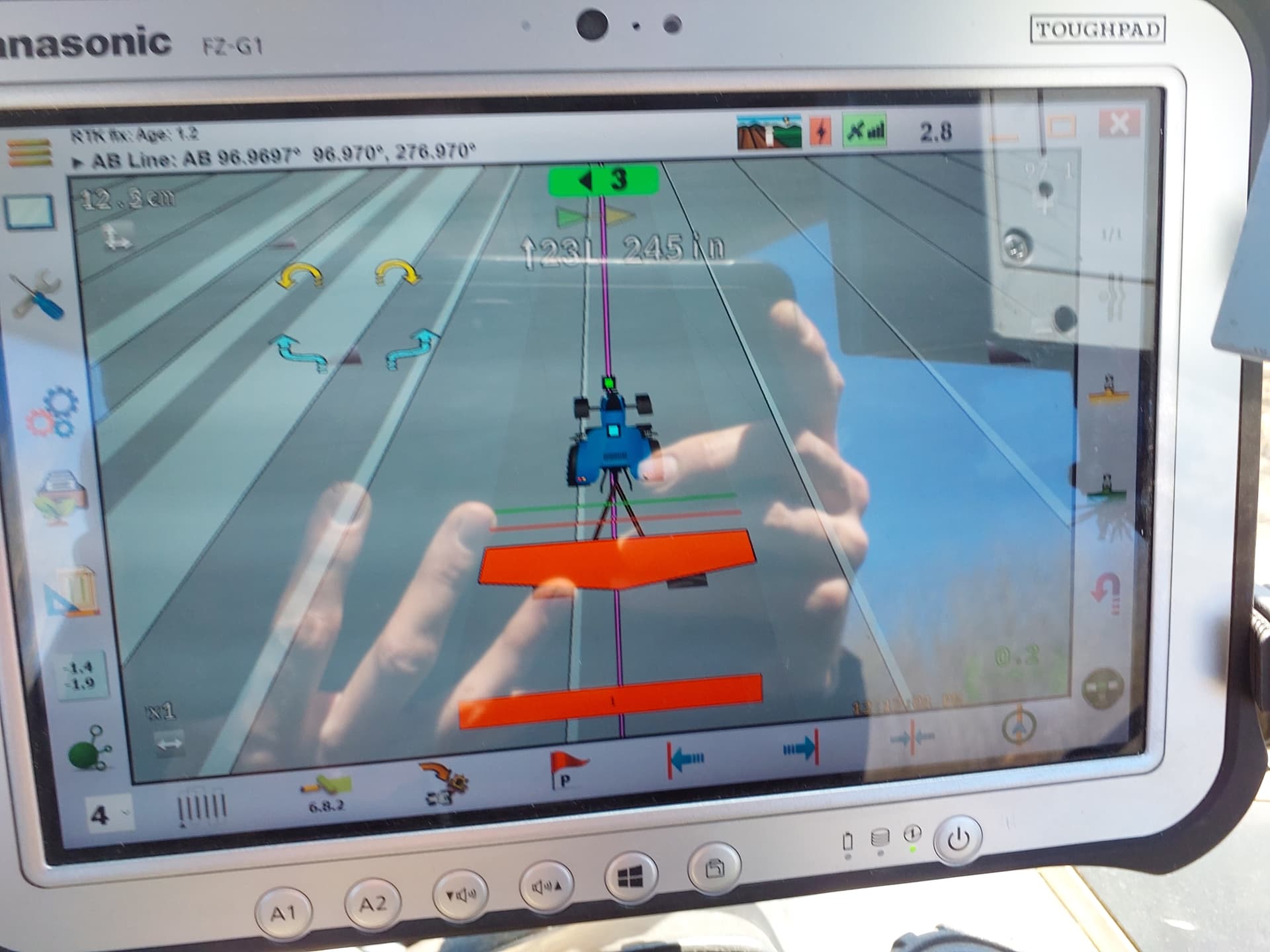
terrible picture that i took as i was leaving the field.i dont have any more ground ready just yet so ill see if i can get something setup in the yard to illustrate.
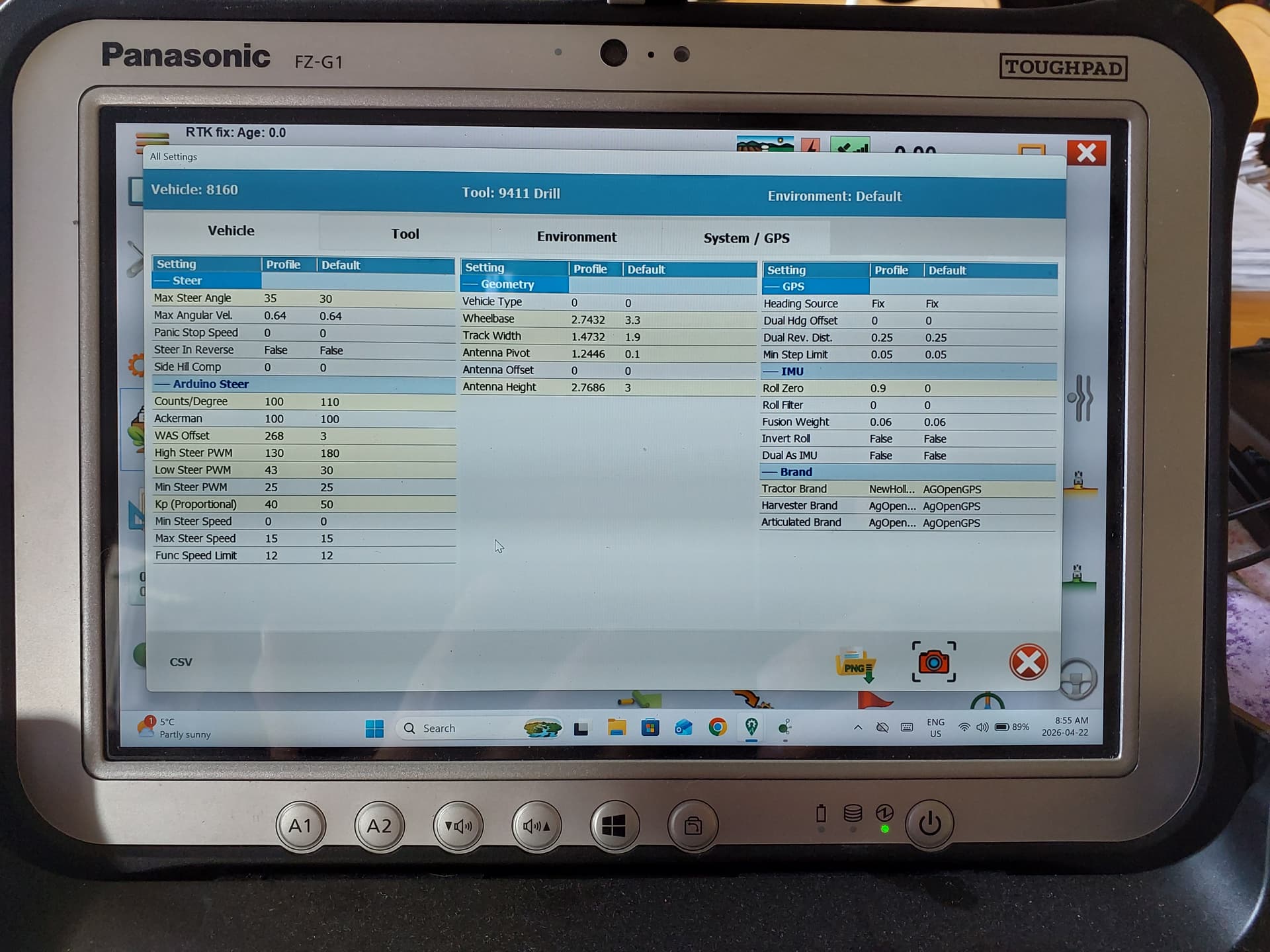

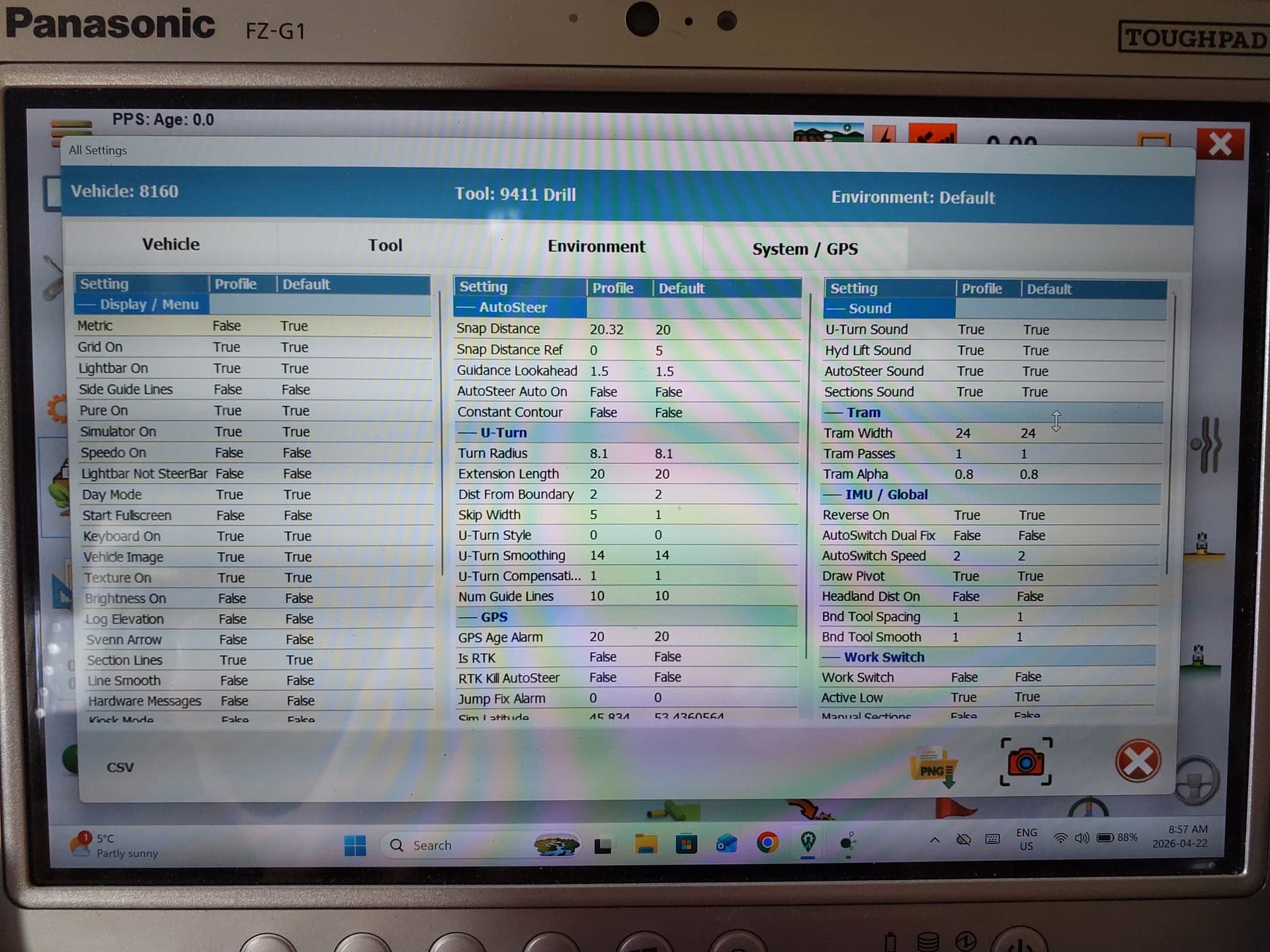
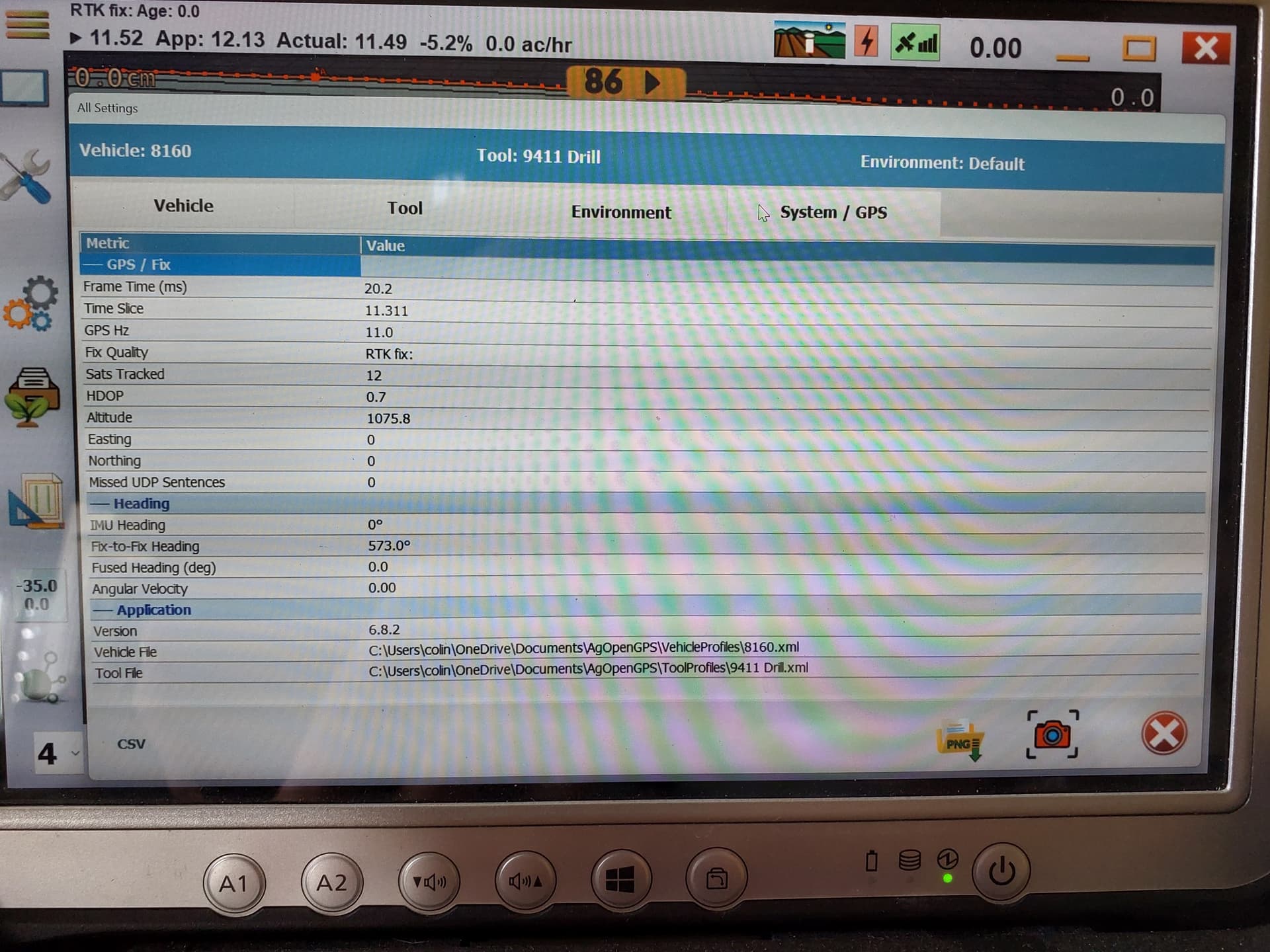
My first inclination would be that your roll is inverted. If the right side of your tractor is downhill the roll should be positive. Just double check to make sure it’s set correctly.
When I enlarge the picture, it looks like the front wheels are turned a little, even though you probably drive straight in real life, that combined with the very large zero offset, point in the direction of a wrong mounted and adjusted was.
Edit: to back up what I mean.
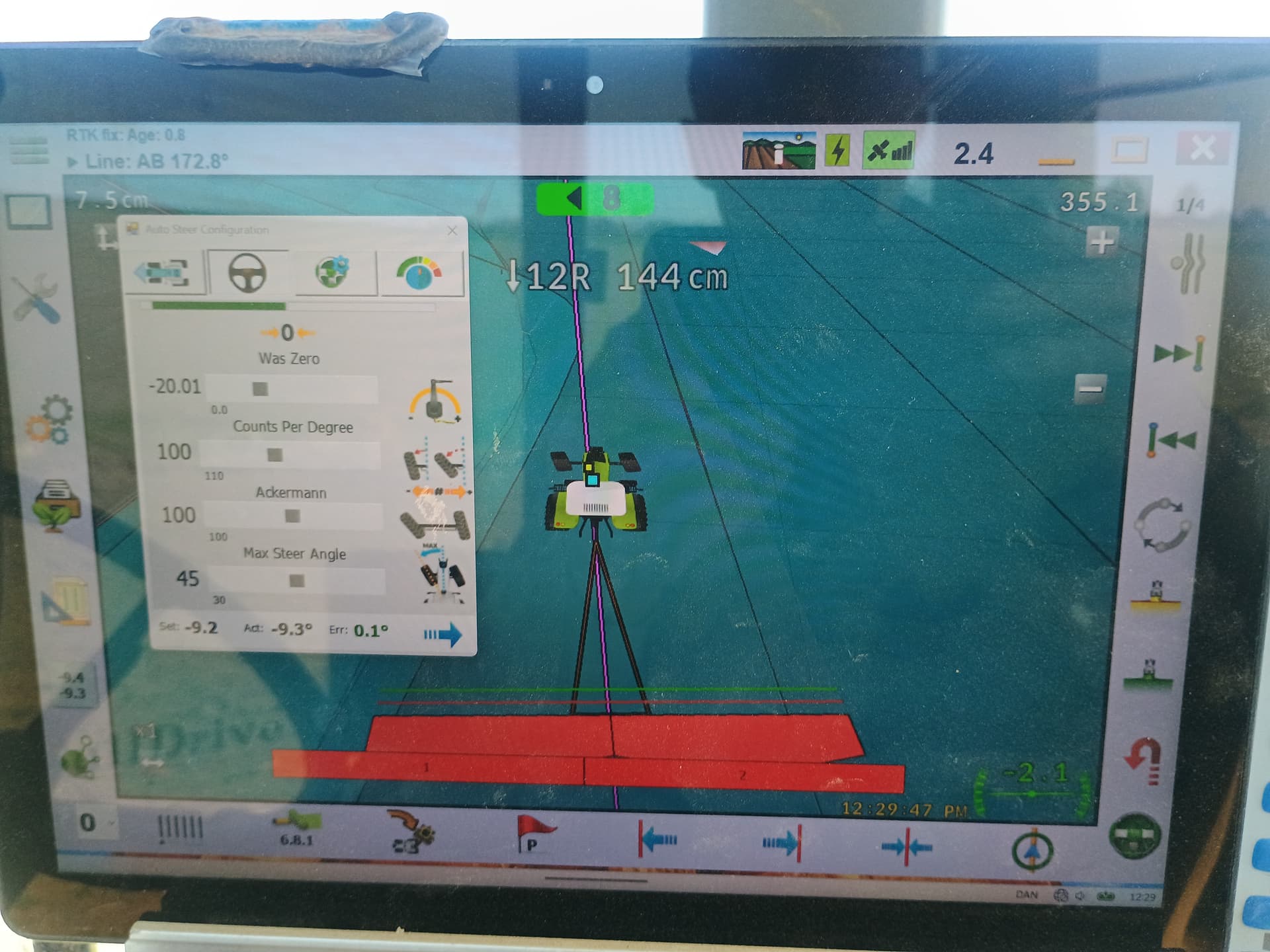
My zero is normally at negative 10, now I set it at negative 20, the result is 8 cm beside the line, even though in real life I am driving straight ahead on line cultivating rowcrop.
I have 3 point hitch implement, just changed for photo.
interesting, ill give that a look. i likely will have to redo the steering wizard as my WAS needs adjusting. Will try that and report back.
I agree, check your was. I don’t use the wizard much anymore, or At least tune my settings again afterward. turn your wheels full lock right and left and adjust your ackerman so that you get the same degree of angle both ways. (degree numbers are right below your max steer angle slider) then try and figure out where straight ahead is on your was. a lot of my fine tuning was done while driving. That green bar at the top of the steer settings should be right at center when driving straight ahead and centered on your a b line. That bar in combination with how far off the line you are should tell you how to move your was zero. Play with it and you should start to figure out where zero actually is
thank you for this. i played with it for quite a while yesterday and i’ve got it pretty good now. my ackerman # was way out, i had nearly 30deg of difference from max left to right, now have it down to within 1deg. I’ve adjusted the WAS zero so the green line is now centered while i drive the a/b lines. I’ve now only got a 3in difference from one way to the other but both the green line at the top, and the arrows on the screen are now centered so i’m not sure how much more i should mess with it. I ran out of undriven over field to do strips on then measure my tire spacing.
what does the counts per degree figure do?
and a bit off topic, but what is the number (in cm) in the top left corner of the screen for? when i’m still it reads 0 but when i move its about 20cm
1 Like
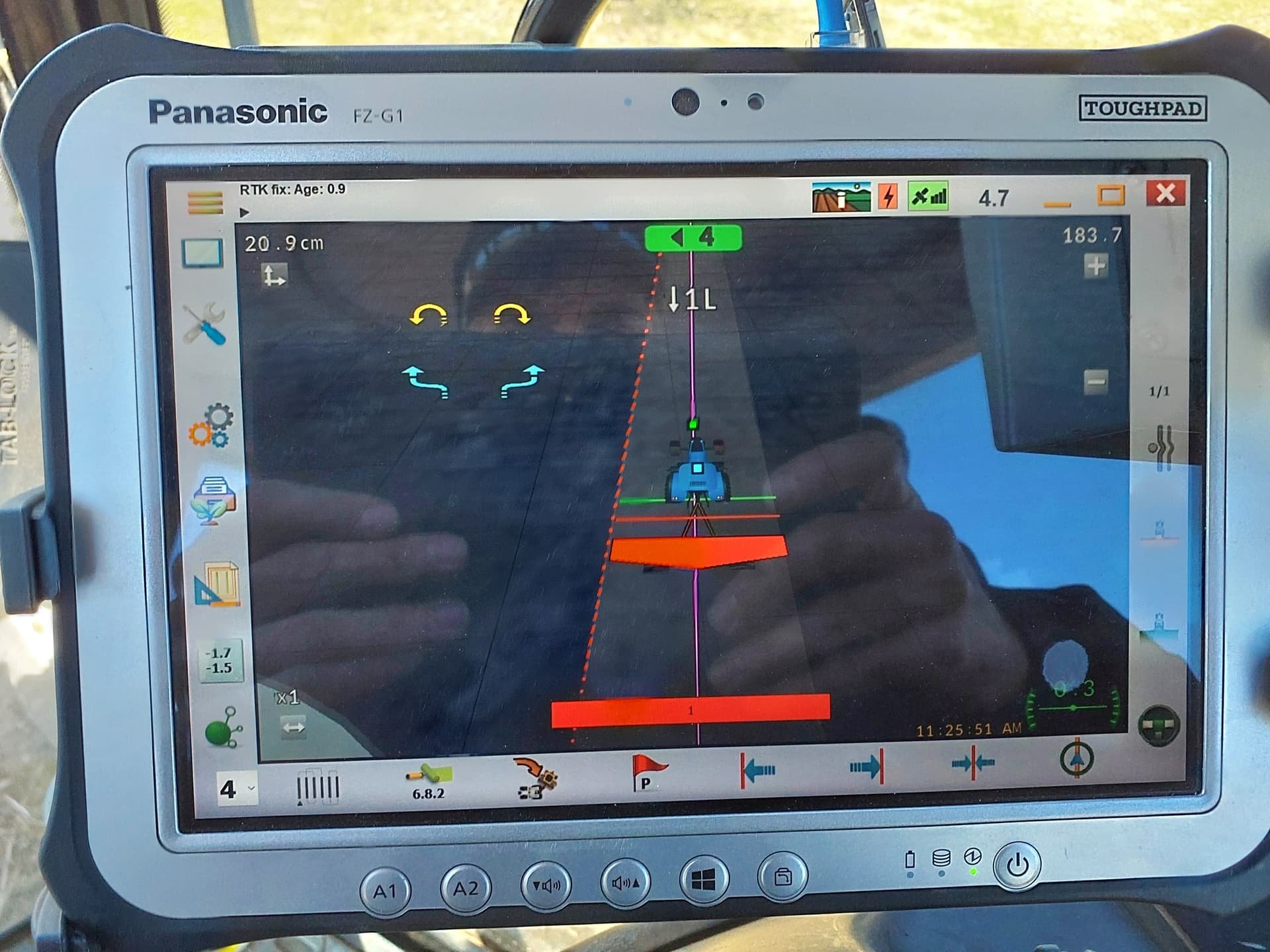
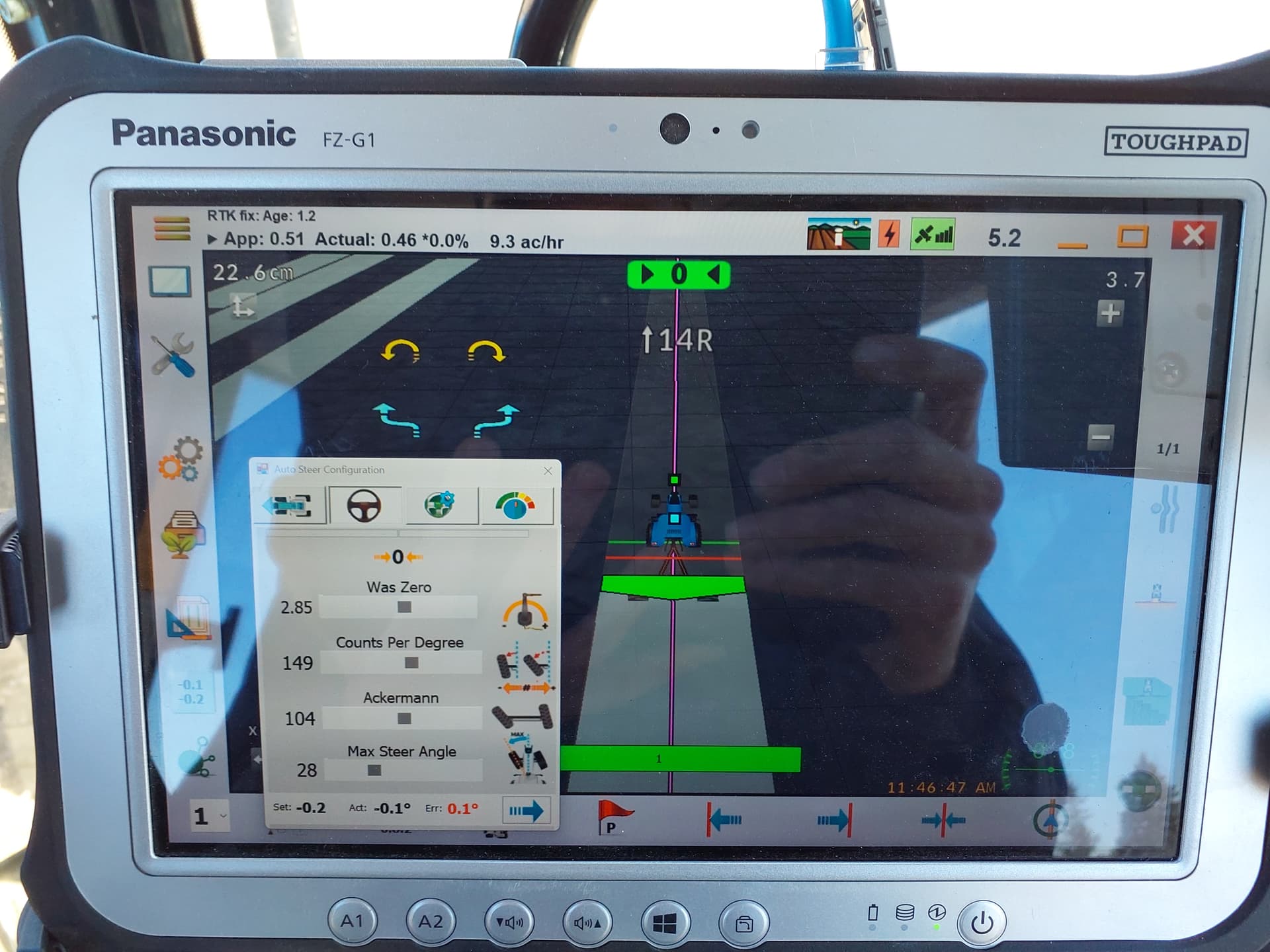
Yeah. That Ackerman is key. Ive got mine so that left and right are either identical, or 0.1 or so different. But I am organic, so I want every bit of accuracy I can get!
I am not the best to ask about what various adjustments do, but Ill do my best 
My wild guess on the numbers on the top of screen is that they might be the distance between traveled between GPS fixes. You could try and see if the number grows linearly with speed.
I think I know what CPD or Counts Per Degree is. (if I am right).
Your Was reads an analogue voltage between 5v and 0v. there is an A\D (analogue to digital) converter on the ag open GPS board that converts the was analogue signal into a digital number (maybe between 0 and 255) for example). ((not sure why 255 comes to mind as the high number. Could be completely bogus…)). Any way, I think counts per degree sets the number of digital counts that represent one analogue degree of wheel angle change. not sure how I set mine in the field, but play with it until it drives right. Guessing that you will see the most effect with curves (not straight ahead)
3’’ of error sounds like a lot to me, but if it is driving good enough for your application than you can always tune the rest while doing field work. Thats how I got my planter driving really well. Now that you don’t need to steer, you can just sit there and study out how to fine tune and then re tune your settings!
ya i’d still like to get it down close to 0 as possible between my widths. We’ll see, today im drilling so i will be able to see for sure between the drill runs how far its out still. i may just put in a 1" overlap and leave it for now. I dont think your far off with your deg/count explanation but i need to dive in a bit deeper still to fully understand
I managed to get it to within an inch ea way, which is fine for planting and drilling as far as im c9ncerned. I need to adjust steering speed and that yet, as it takes almost 100’ or more for it to zero in on the line and drive true. But this was hugely helpful. Thanks