Thank you for your reply! Yes, I do have some example files, but sadly I’m not allowed to upload files on the site. Or can I have your email so I can send one example file to you?
Bonjour,
Je n’arrive pas à avoir plus de 2Hz en RTK Fix avec une actualisation des données en haut à droite de l’écran qui apparaissent et disparaissent en permanence est ce que quelqu’un a déjà eu le problème et a réussi à résoudre le problème ?
Cordilament
Quentin
@ChrisC Just to double check. On your valve control INO do i have to change the INO for the settings. Or does the settings page in Open Grade change them?
Bonjour Pat,
Je rencontre un problème avec mes projets de nivèlement.
Pendant le terrassement le projet bouge sur l’axe Z et nous devons très souvent modifier le « bladeoff set » de plusieurs centimètres alors que nous sommes en bien en rtk Fix 10Hz avec aucune différence si nous changeons de base rtk quelle soit à 5km ou 10km
Connaissez-vous ce problème ?
Cordialement
Quentin
Dependant des conditions météorologiques, avec des F9P, j’ai expérimenté jusqu’à 6cm par 15 minutes avec une base à quelques kilomètres. Cette année c’est peut-être encore pire avec les éruptions solaires.
Avec une base radio dans la parcelle cela devrait être beaucoup mieux.
C’est ce que j’utilise maintenant.
Quelle type de balise rtk radio utilisée vous pour être plus précis ça m’intéresse beaucoup ?
Merci des informations, nous travaillons avec le réseau centipede et nous étions pas embêté jusque là
I’ll have to revisit the code for sure, but I think there were several things that would pass through from Opengrade.
What are you looking to change?
Oh for some reason I started to question whether Open Grade was changing settings in box. But tried changing settings and then checking control voltage in simulation, and decided OG was changing settings
Is there a version of OpenGrade3D with Panda (usb) and blade offset control from arduino?
Seems like there is one version for Panda and another for blade offset control from adruino available but can’t find a version that has both features.
On the OG3D side it should be able to read both GGA or PANDA sentences.
But the GNSS and machine control must be on two separate COM ports.
You could make it with teensy.
I’m planning making a little “AOG to AGS file converter” this winter.
So for those who took elevation data this year there’s still hope this will be usable some day.
I think I need to learn how to make or do panda. Is panda just the imu data or gps data to? I have a bno connected to a esp32 via qwiic i2c and a f9p separate. I can connect both to a pc via usb. I don’t know how to fuse the data together for tilt correction
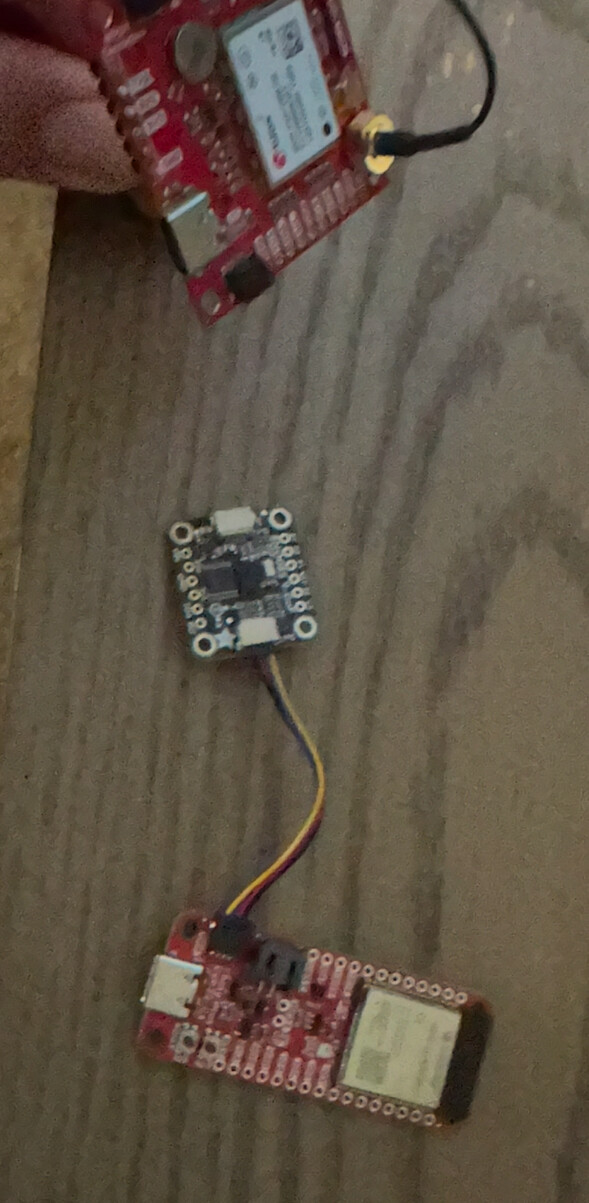
Hi,
I’ve been using AOG on a few tractors for a year or so now and would like to give leveling a go in a couple of paddocks. I’ve got an older d7 which i was thinking of using. Which valve would be recommended? Is it possible to leave the original manual lever in place?
Thanks
1 Like