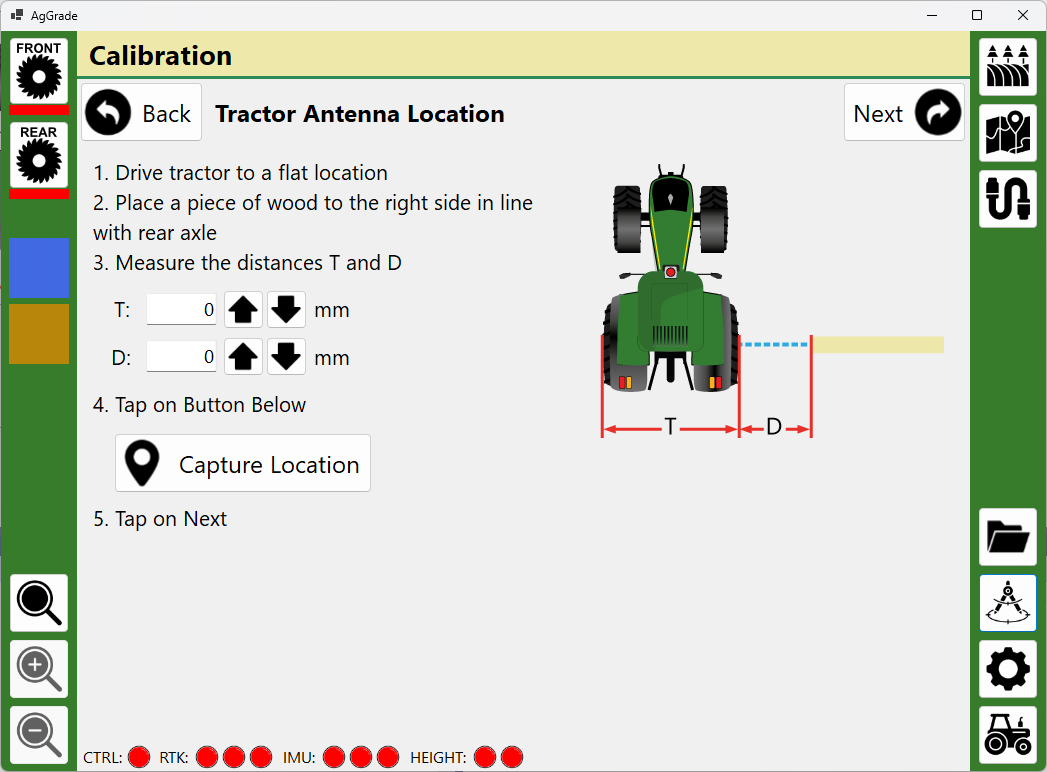
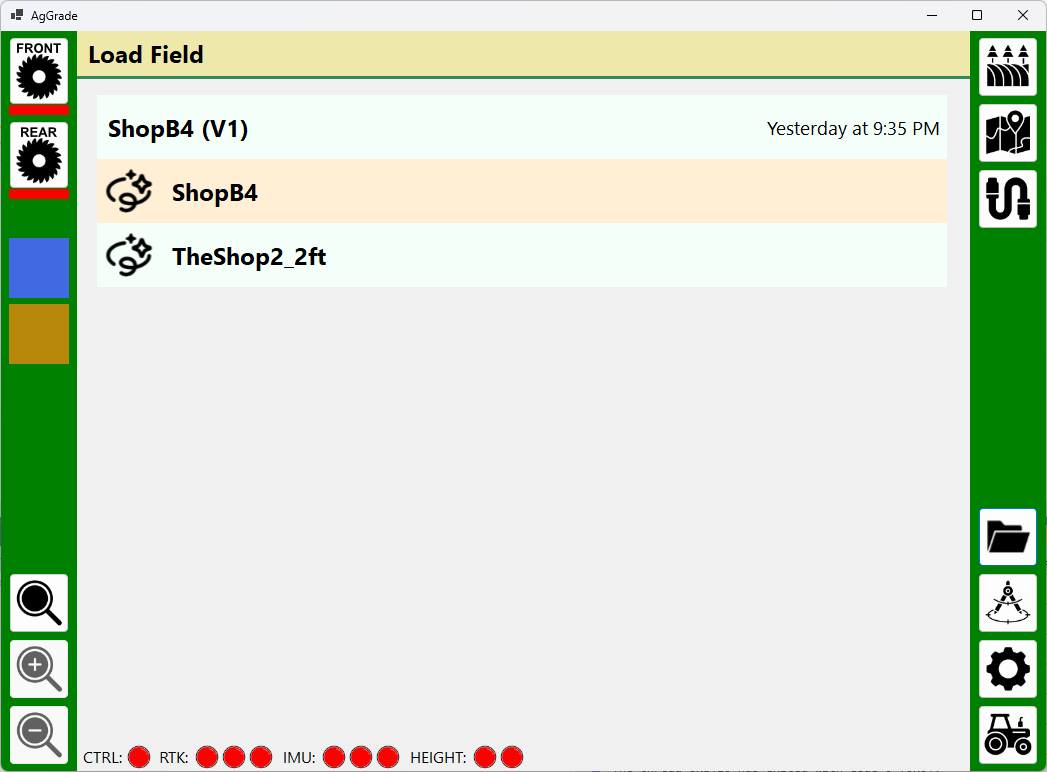
Added UI to manage loading fields. If a field has been loaded for the first time then V1 is created. That can then be subsequently loaded. If the field is loaded as new for a second time then V2 is created and so on. This way no data is ever deleted/overwritten unless the user goes into Windows Explorer. Andy
1 Like
I am now working on database support. The local database will store:
- Current field heights as it changes
- History of field height changes with timestamps
- Tractor and scraper locations and heading changes with timestamps
- Calibration X/Y/Z offsets
- Current loads
I am doing this for a few reasons:
- If the software crashes I can restart it exactly where I left off
- I can generate statistics as I go along, such as percentage of field completed, estimated remaining time, cubic yards moved per day, etc.
- I can analyze and replay an entire field to hopefully help me improve for the second field the following year
It would be nice to have thousands of these data sets to feed into an AI but I don’t think that will ever be possible to obtain. I only have five fields to do and then I quit! LOL
Andy
3 Likes
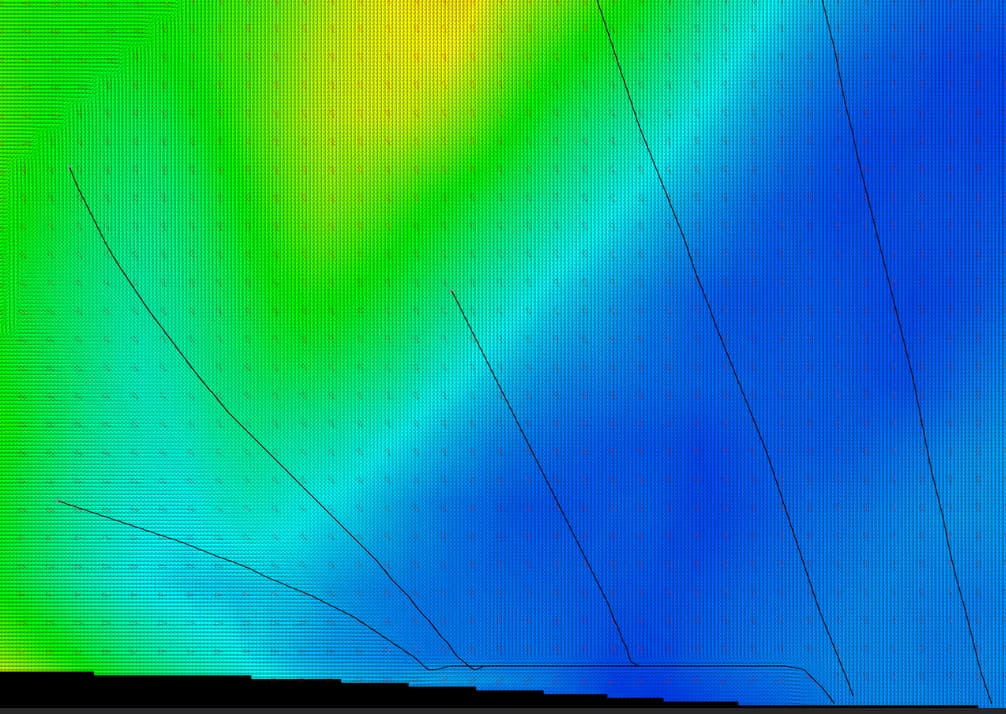
Did some more processing of the haul paths from Optisurface and I can now calculate routes from any cutting spot. Some example routes shown here. Starting to think I could add autosteer now… Andy
2 Likes
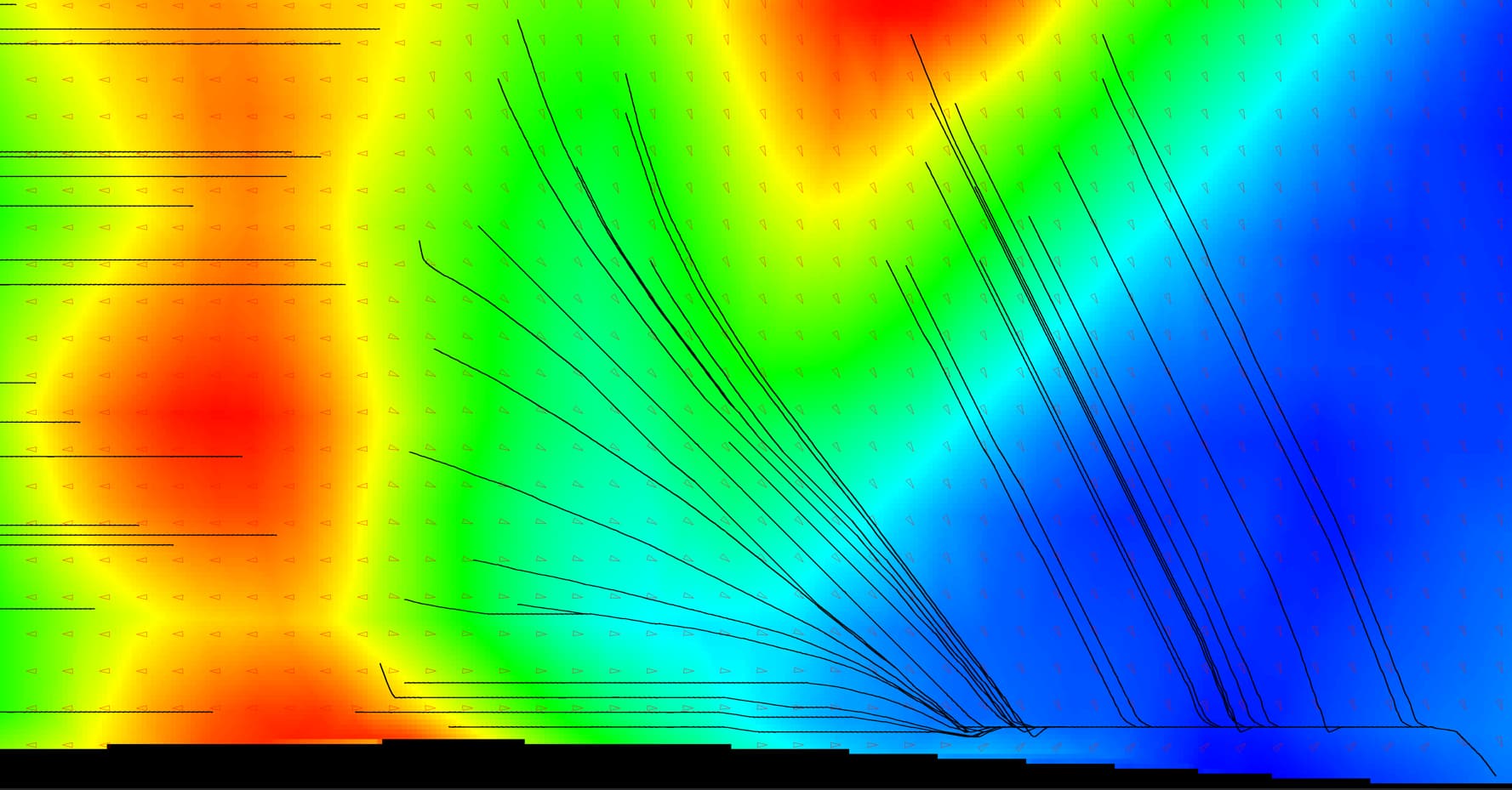
I now have a python script that can take the AGD file and georeferenced images of the haul arrows from OptiSurface and convert them into a database file. The database file contains all of the height information for a field along with all of the haul routes from every point that needs to be cut. Everything that AgGrade needs so it doesn’t have to do any calculations on the fly.
My test 40ac field creates a 5Gb file and took three hours to generate.
By pre-calculating the haul paths this could now be used for simulation runs of the leveling, if I write some simulation software (likely).
Andy
One thing to consider is that typically you do a rough pass over the field 2 inches higher that the final pass.
I don’t know how commercial systems handle that (I think they de nothing special).
But my idea is to implement a “rough mode” were you would set the number of cm you want to leave in the cut zones and the number of cm to not fill yet in the fill zones.
You should do your hull planing in 2 step IMO, rough and finish.
Maybe people doing more earth moving than me could comment.
Thanks Pat. I have to strip the topsoil and put it back because I have deep cuts and fills, so do you think the two step for the subsoil is needed considering I am stripping?
Andy
I haven’t stripped the topsoil so far but I will have to in August on 13ha.
To make a nice job I guess I should remove 10-15 were I want to cut more than 10cm, maybe remove some were i would fill a lot.
Then cut 10-15 cm deaper at those spots before refilling them with topsol.
So it would be nice to automatize this somehow a bit.
Do some people push all topsoil, grade then put back an even layer? This seems quite time and fuel consuming.
1 Like
Optisurface has a stripping option where it can output a cut map. For my fields, they are so hilly that there is nothing really at the target elevation to begin with, so I am planning on stripping all of it.
Andy
1 Like
Like you say its expensive. Have done it on really bad small spots (rocky) Can’t imagine doing it large scale.
1 Like
Added on-the-fly calculation and rendering of surface water flow. As the topology changes from cuts and fill this will change to match. Andy
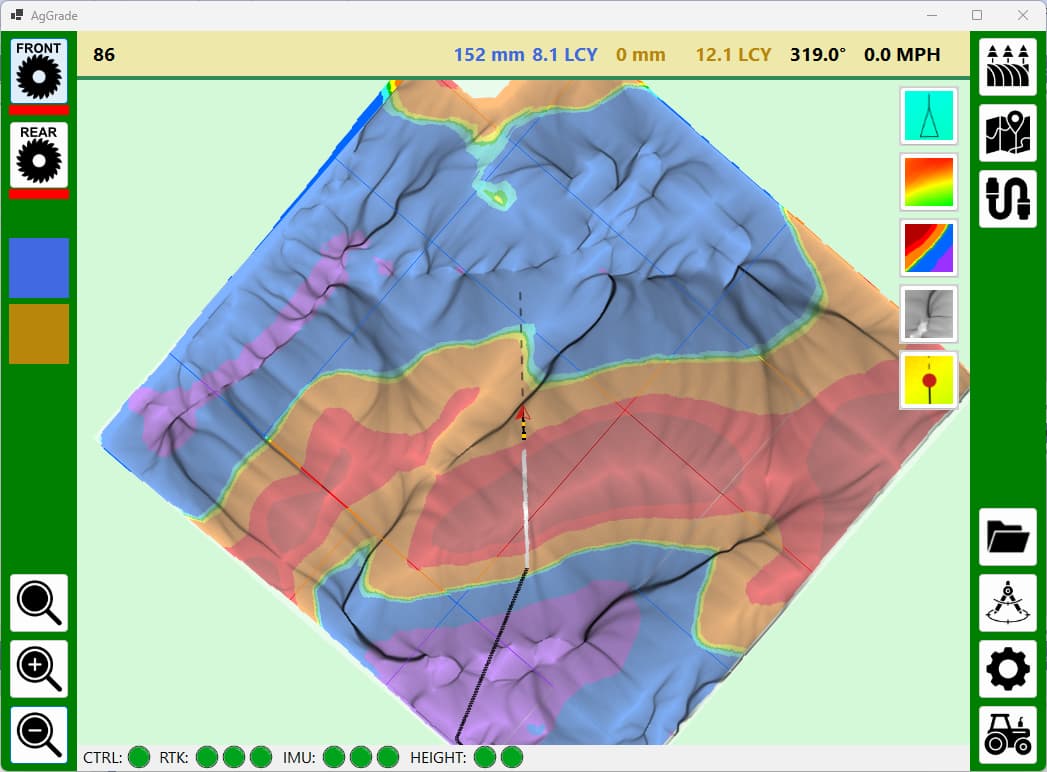
3 Likes
When starting cutting the application now draws the haul path from the current location, extrapolated from the OptiSurface data. Andy
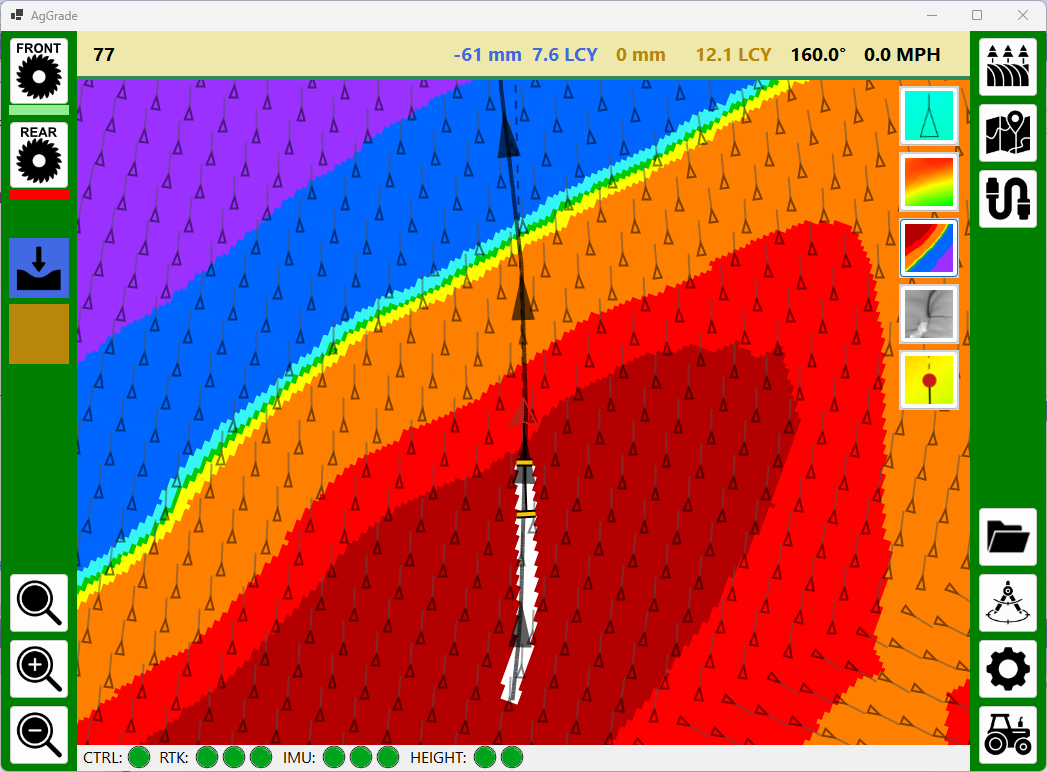

3 Likes
Here are a couple of examples where cuts and fills (in white) have changed the direction of the flow of water (in black). Andy
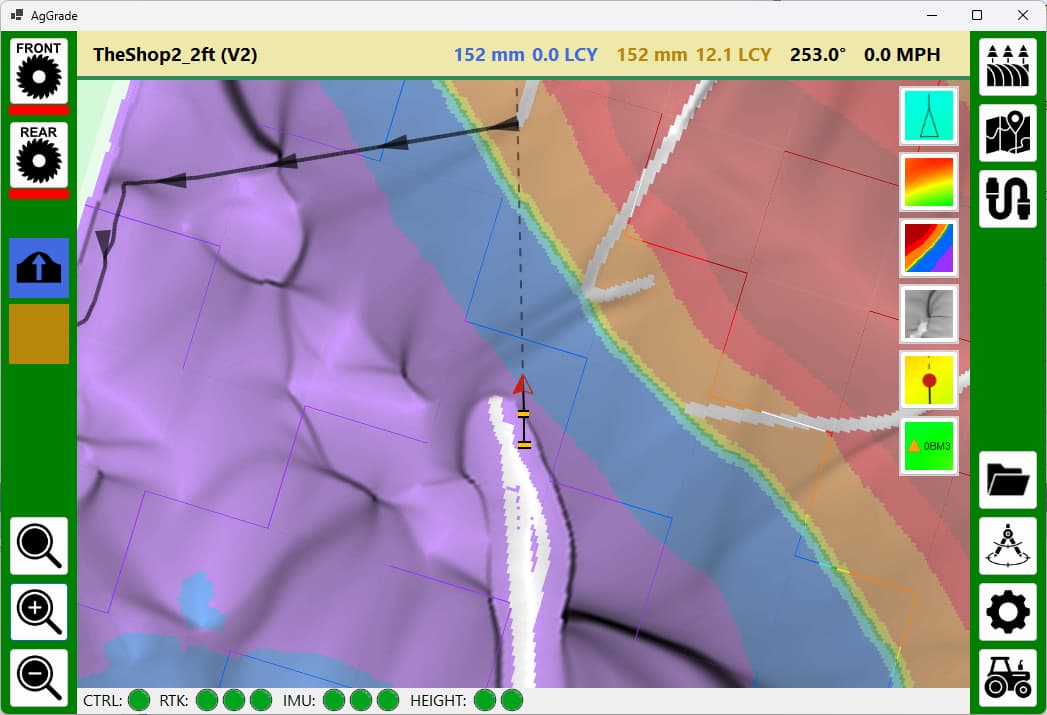
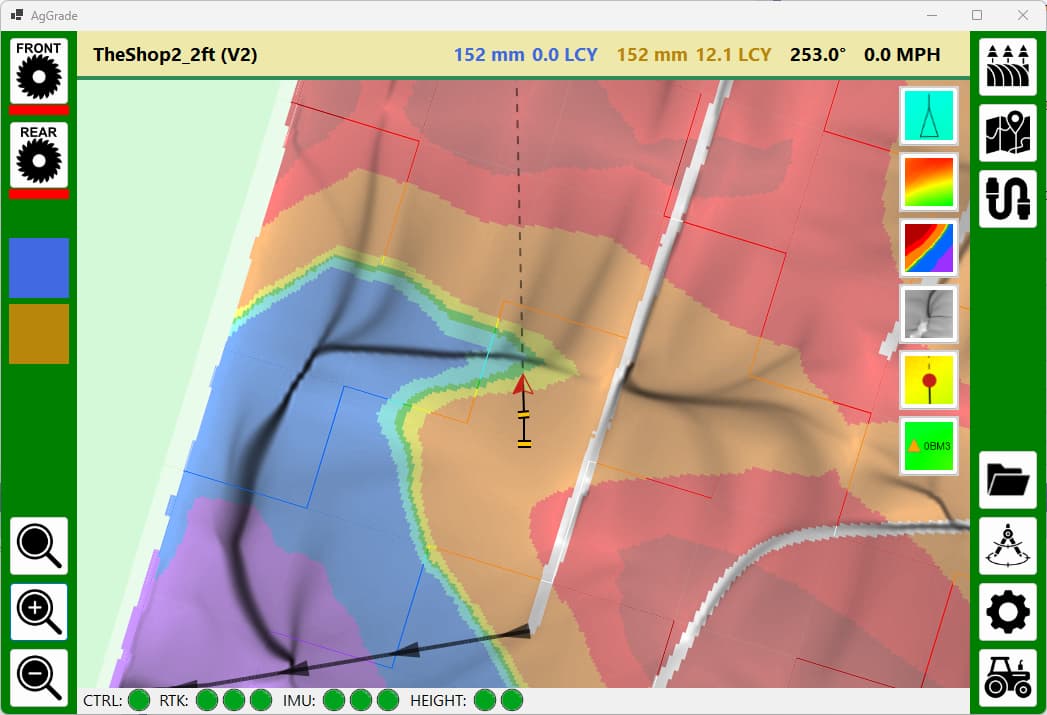
2 Likes
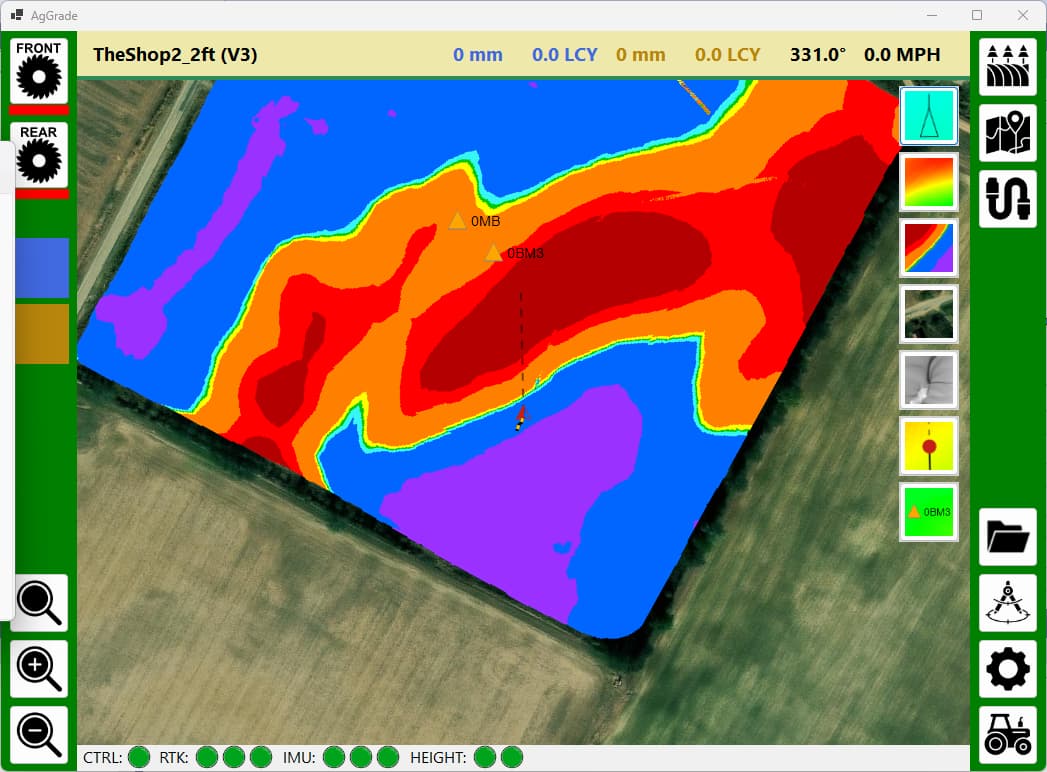
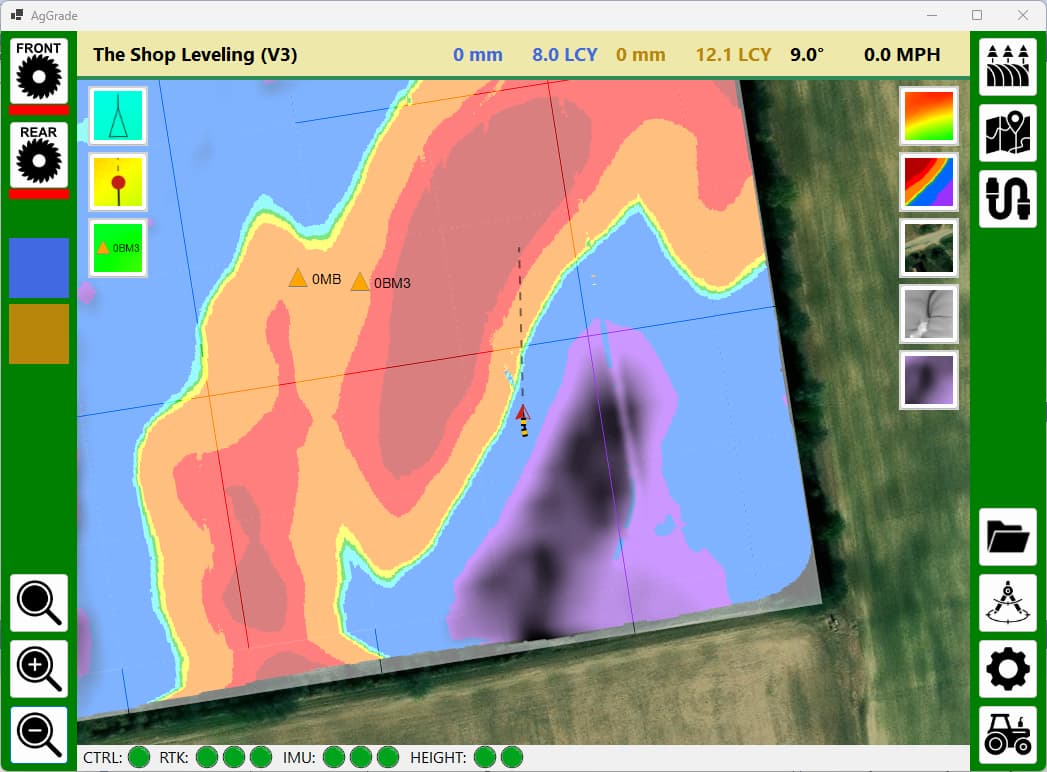
Added calculation and rendering of ponding depth. The curve number and the rainfall amount can be configured. Andy
2 Likes
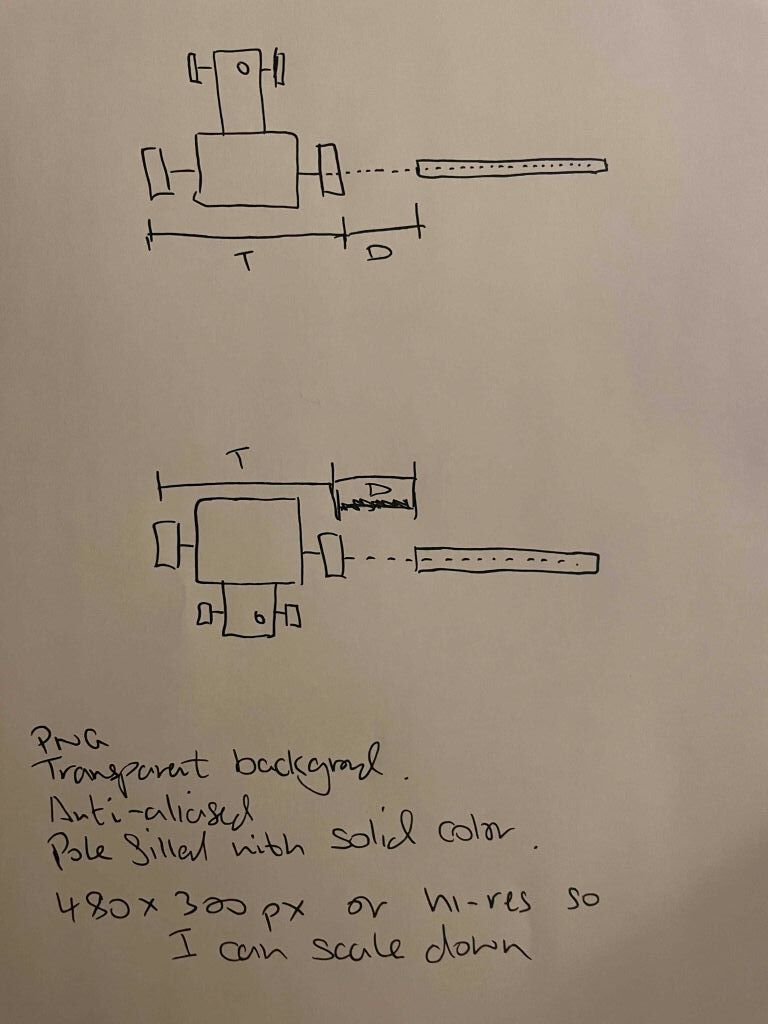
Hi @Vili ! I would like to take you up on your kind offer for some custom graphics. If you are too busy then that is fine, you are not obligated, just let me know one way or the other.
The attached image shows very roughly what I need. Two stylized images of a top down view of a tractor lining up with the same pole but from opposite directions. The tractor has to line up with the same end of the pole, so can’t just be an image rotation. I hope that makes sense. It needs to be clear that the pole lines up with the rear axle. There are two measurements the operator will need to make. I’m sure you can make something much nicer than my crude sketch.
I guess the tractor needs to be Deere green to appeal to the masses  Please use #367C2B so it matches what I already use for Deere green in the application.
Font for ‘T’ and ‘D’ to match Segoe UI as close as ppssible.
No need for any annotations - I will explain the images using text in the application.
Please color the pole using #EEE8AA to match the application color scheme.
Thank you so much!!
Andy
1 Like
Roger that!
2 Likes
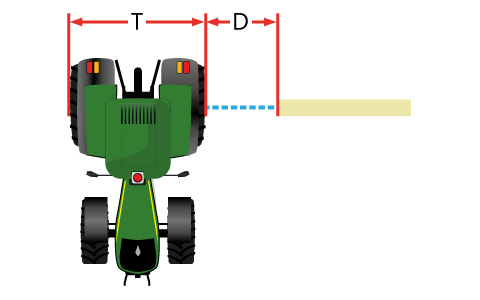
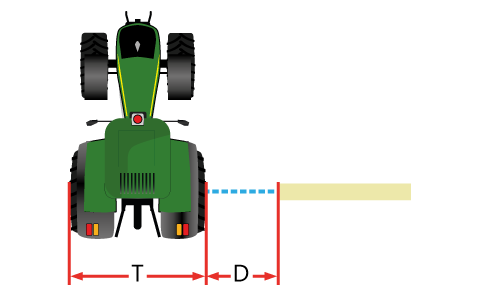
That looks fing amazing!!! Thank you!! Andy
1 Like