I haven’t tried the keya motor but it is a popular opinion. As I understand it it is pretty easy to wire up and only takes a different firmware.
The one you linked seems pretty expensive so I would do some more research before ordering one.
I don’t think the encoder is ever used instead of a wheel angle sensor because steering systems generally have at least a little internal leakage that would throw the system off.
Thanks, I found that page, that link I shared was from that page.
It sounds like the wheel angle sensor is a must then.
I use a fieldbee kit, that uses that motor, so I am planning to try getting a second system up and running, Fieldbee want €2400 for that motor. . . So I wanted to bypass them to build a kit so I can have another tractor steering ready, and just swop the tablet and the FieldBee receiver unit on which will take just a few minuets. The FieldBee loom is €200 and the receiver is very quick to swop and the tablet is wireless, so if I can setup a second motor to run with there receiver then I can swop the kit about very quickly, failing that I build a openGPS system to run that tractors setup. If this AIO board has no special setup, for this motor then I can experiment knowing I have multiple ways to get a kit built up.
You could build 2 agopen kits with keya motors for the price of a fieldbee and leave as permanent installs.
These kits say its all interchangeable and it is to an extent but removing the steering wheel isnt a 2 minute job, its the anti rotation brackets that require a unique fitting usually specific to that vechile so will also need extras. The antenna and tablet is the easy bit to swap on all systems. Until you trip out the cab and smash the screen😫
Yes I am sure I can undercut the FieldBee kit by a wide margins, with a openGPS build.
But the FieldBee kit is simple to install and look after and I am familiar with their software. Which while offer far less customisation is far more user friendly.
To swop the tablet and FieldBee system unit, would take like 2 mins to do.
The wheel motor not so much. Hence me looking at my options.
They wanted to charge me €2400 ish for the motor and wheel with anti rotation kit.
I am sure it’s just a keya motor sure with there custom setting loaded, but off the shelf motor, my punt is buy one try to get it working if not build a full openGPS kit. The only down side, the windows tablet I have Android tablets to cobble dogs with and they are only £200 each, but I only have one windows tablet not sure if it will hit minimum specs or not.
My cheapest option is just add a setup for FieldBee for the other tractor, as I have most of it already, the anti rotation and wheel motor etc is in that, keya motor kit linked from this site, As I have a wire loom, for the FieldBee kit, so apart from cloning the settings from my existing FieldBee motor unit to the new motor, the next cheapest is then a new openGPS system as you said.
I also have the FieldBee RTK base station so I would have that hurdle to jump as well if I go openGPS.
Sometimes your first mistake is hard to unravel, going FieldBee not openGPS may well be my first mistake, that is hard to unravel.
If I cannot clone there settings to. The new motor and get it working then I will just enjoy learning how to build a openGPS one.
I have recently changed a system from panda with the old type separate boards, to a standard v4.5 aio using the same teensy and f9p again. I have re programmed both using the configomatic but when I power it up I have no light from the rtk/gps led. When I open up ag open there is no communication, no was values etc. I have Ethernet set up. There is no light from the teensy. Do I need to some how clear the old code from the teensy then program?
I have original AIO board with deutsch connectors from the thread All in One PCB
Is there some upgrades in this v4,5 that would benefit upgrading from my board to this? Or is it basically the same functionality just refined in better package?
Goggle 'agopengps configomatic ’
Open the link and download configomatic.
Plug the f9p into a usb to your computer and then configure the f9p
There is probably a way in ucentre aswell but im not to familiar
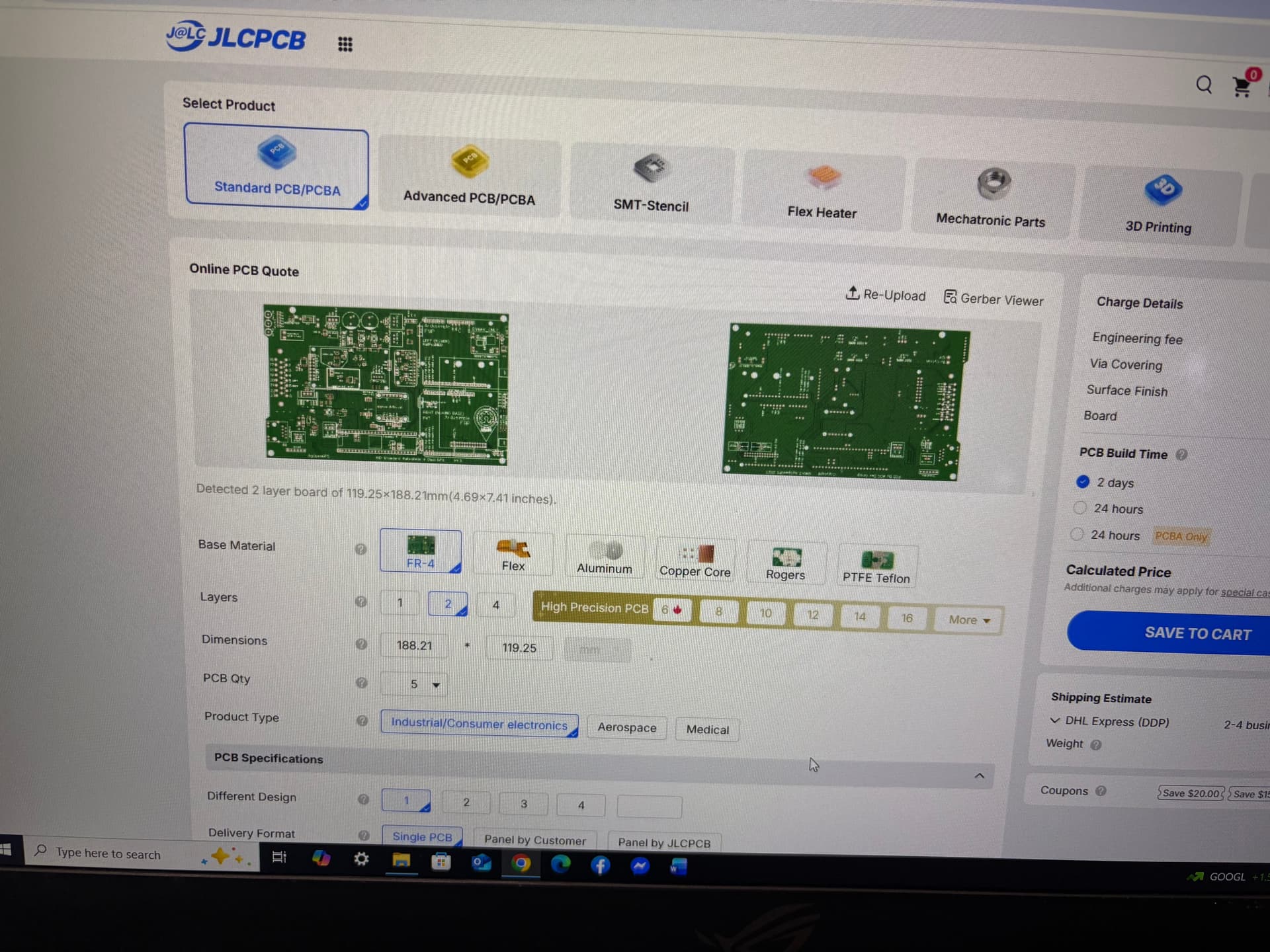
I am having trouble ordering the AIO PCB. I ordered today and the Gerber file detected as 2 layer. I switched it to 4 layer and placed the order not realizing there was another issue. I have now gotten an email from jlcpcb stating that there is only 2 copper layers in the file.
Am i using the gerber file incorrectly?(Used the file from Github for the 4.5std)
The board should be 4 layer?
I am attaching pictures to show what i have ordered and am seeing.